
Can I Run Atomic Heart on My PC / Laptop?
An alternate-history Soviet shooter that looks far more demanding than it plays. Most PCs handle it comfortably, and it's really only Epic settings at native 4K and ray tracing that need serious hardware.
Check if your PC can run Atomic Heart
Pick your graphics card and processor to check.
Can I run Atomic Heart on my PC?
Use the checker above to find out in seconds. Pick your graphics card and processor and it compares them against Atomic Heart's official requirements. As a quick guide, you need at least a 4 GB VRAM, AMD Radeon R9 380 or NVIDIA GeForce GTX 960 graphics card, a AMD Ryzen 3 1200 or Intel Core i5-2500 processor, and 8 GB RAM of RAM to play at 1080p.
Can I run Atomic Heart on my laptop?
Yes, if your laptop has a dedicated graphics card around a 4 GB VRAM, AMD Radeon R9 380 or NVIDIA GeForce GTX 960 or better and 8 GB RAM of RAM. Laptops with only integrated graphics usually fall short. Enter your laptop's GPU in the tool above to check. Keep in mind that the laptop version of a card runs a little slower than the desktop card of the same name, and heat can lower sustained frame rates.
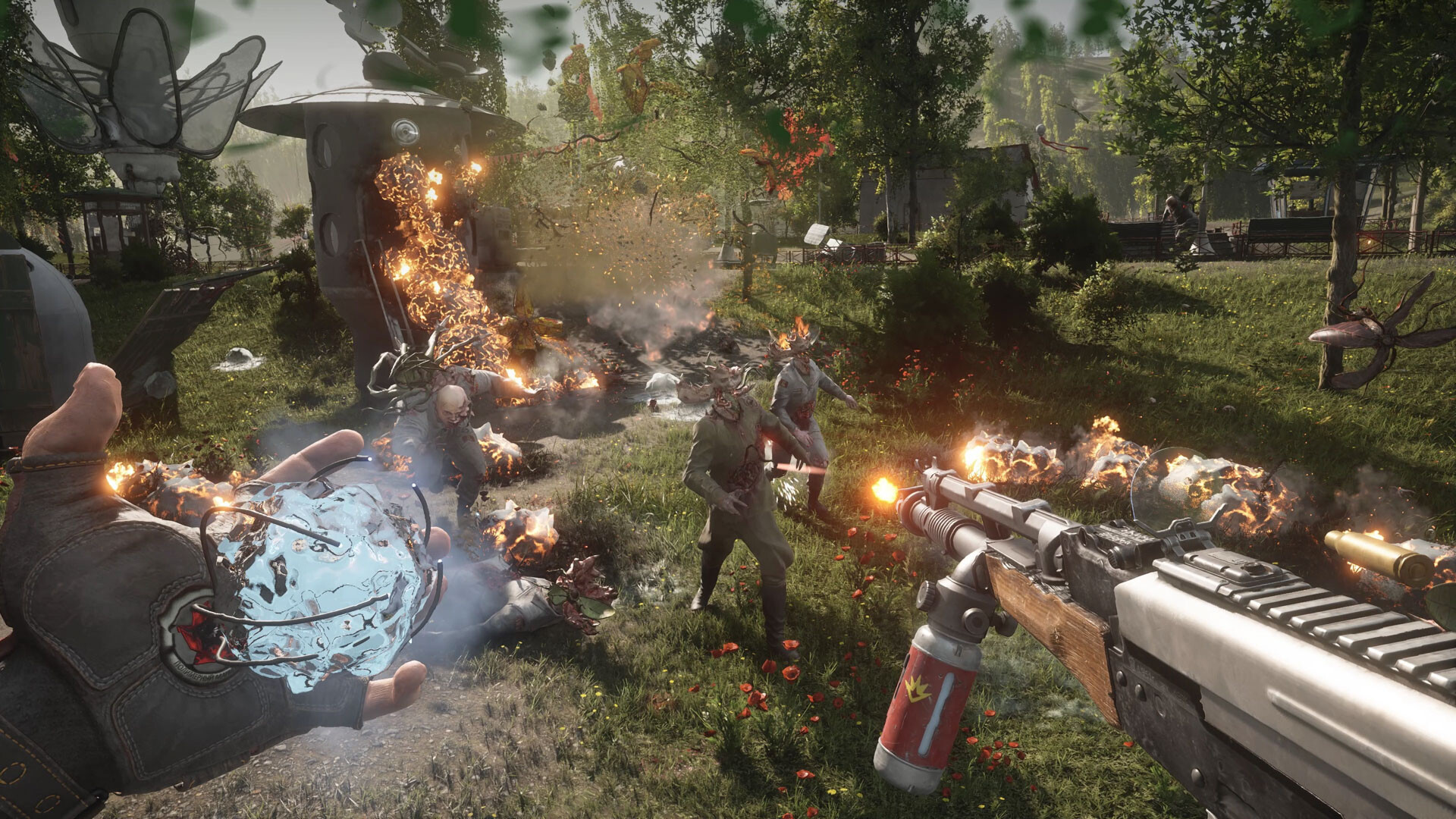
If your graphics card is a GTX 960 or better, you can run Atomic Heart, and most PCs built in the last six or seven years handle it fine at 1080p. The thing people get wrong is assuming the game is as heavy as its benchmark charts suggest. It isn't badly optimized; the scary numbers come from testing Epic settings at native 4K, or from ray traced reflections, which is a separate and much heavier toggle that most players never need to turn on.
Drop your CPU, GPU, and RAM into the checker above and it'll measure them against the official requirements directly. The rest of the page covers every spec tier, including ray tracing and 4K, real frame rates for common cards, what actually decides your performance, why the game stutters and how to fix it, and which settings to drop first if your PC is on the weaker side.
Atomic Heart system requirements
| Minimum | Recommended | |
|---|---|---|
| Processor (CPU) | AMD Ryzen 3 1200 or Intel Core i5-2500 | AMD Ryzen 5 2600X or Intel Core i7-7700K |
| Graphics card (GPU) | 4 GB VRAM, AMD Radeon R9 380 or NVIDIA GeForce GTX 960 | 8 GB VRAM, AMD RX 6700 XT or NVIDIA GeForce RTX 2070 |
| Memory (RAM) | 8 GB RAM | 16 GB RAM |
| Operating system | Windows 10 (20H1 version or newer, 64-bit versions) | Windows 10 (20H1 version or newer, 64-bit versions) |
| DirectX | Version 12 | Version 12 |
| Storage | 90 GB available space | 90 GB available space |
Storage: 90 GB on PC. An SSD is not officially required but cuts load times and helps with the first-launch shader stutter.
Full performance tiers
| Tier | Target | CPU | GPU | RAM |
|---|---|---|---|---|
| Minimum | 1080p Low, 30 fps | Ryzen 3 1200 / Core i5-2500 | GTX 960 4GB / R9 380 4GB | 8 GB |
| Recommended | 1080p High, 60 fps | Ryzen 5 2600X / Core i7-7700K | RTX 2070 8GB / RX 6700 XT 12GB | 16 GB |
| 4K Epic (no ray tracing) | Native 4K Epic, 60 fps | Ryzen 7 5800X / Core i7-11700K | RTX 4070 / RX 7800 XT | 16 GB |
| Ray tracing, 4K | 4K with ray traced reflections, 60 fps | Ryzen 7 5800X / Core i7-11700K | RTX 3080 / RX 6800 XT | 16 GB |
Atomic Heart FPS by graphics card
| Graphics card | 1080p | 1440p | 4K | Notes |
|---|---|---|---|---|
| RX 580 8GB | ~30-40 | , | , | The official minimum-class card. Stay on Low and turn on FSR. |
| GTX 1060 6GB | ~45-55 | , | , | Medium settings. Comfortably above the official GTX 960 minimum. |
| GTX 1650 | ~55-65 | , | , | Medium settings, with light indoor areas pushing close to 100. |
| RTX 2060 | ~50-60 (High) | , | , | Epic settings without DLSS can dip toward 25-30. Turn on DLSS Quality. |
| RX 6600 | ~55-65 (High) | , | , | Same pattern as the RTX 2060: fine at High, rough at Epic. |
| RTX 3060 12GB | ~100 (Epic) | ~70 | ~43 | No ray tracing. The 12GB of VRAM leaves headroom at 1440p. |
| RTX 4060 | ~120 (Epic) | ~85 | ~50 | Right at the edge of a smooth native 4K without ray tracing. |
| RTX 4090 | very high | , | ~111 (no RT) | Still well above 60 fps at 4K with ray traced reflections turned on. |
Numbers are from Epic or Ultra settings at native resolution without ray tracing unless noted, and they move around by area: open-world sections run harder than indoor vaults. Your driver version, CPU, and background apps all shift the real number, and ray tracing costs roughly 30 to 40 percent on top.
Can these graphics cards run Atomic Heart?
| Graphics card | Verdict | Notes |
|---|---|---|
| GTX 1050 Ti | Playable | Runnable at minimum. Low to medium 1080p, ease settings back. |
| GTX 1650 | Playable | Just clears it. 1080p low to medium, smoother after tuning. |
| RX 570 | Playable | Runnable at minimum. Low to medium 1080p, ease settings back. |
| RX 580 | Playable | Passes minimum. Aim low to medium 1080p, upscaling helps. |
| GTX 1060 6GB | Playable | At the minimum bar. 1080p low to medium, drop a setting if needed. |
| GTX 1650 Super | Playable | Meets minimum. Low to medium at 1080p, tune for a steady rate. |
| GTX 1660 | Playable | At the minimum bar. 1080p low to medium, drop a setting if needed. |
| GTX 1660 Super | Playable | Meets minimum. Low to medium at 1080p, tune for a steady rate. |
| RTX 3050 | Playable | Minimum covered. 1080p low to medium is the target. |
| GTX 1660 Ti | Playable | Meets minimum. Low to medium at 1080p, tune for a steady rate. |
| RX 6600 | Playable | Just clears it. 1080p low to medium, smoother after tuning. |
| RTX 2060 | Runs well | Above recommended. 1080p high is easy, and 1440p works too. |
| RTX 4050 | Runs well | Over the recommended bar. Smooth high 1080p, 1440p realistic. |
| Arc A750 | Runs well | Strong fit. High settings at 1080p, 1440p within reach. |
| RTX 3060 | Runs well | Exceeds recommended. 1080p high is comfortable, 1440p fine. |
| RX 6600 XT | Runs well | Exceeds recommended. 1080p high is comfortable, 1440p fine. |
| RX 7600 | Runs well | Past the recommended tier. High settings at 1080p, 1440p on the table. |
| RX 6700 XT | Runs well | Above recommended. 1080p high is easy, and 1440p works too. |
| RTX 4060 | Runs well | Over the recommended bar. Smooth high 1080p, 1440p realistic. |
| RTX 3060 Ti | Runs well | Recommended tier or better. High 1080p, with room for 1440p. |
| RTX 3070 | Runs well | At or above the recommended card. Smooth 1080p high, 1440p realistic. |
| RTX 4070 | Runs well | Recommended tier or better. High 1080p, with room for 1440p. |

What actually decides your frame rate
The official minimum for Atomic Heart is a GTX 960 or Radeon R9 380, and the recommended tier is an RTX 2070 or RX 6700 XT with 16GB of RAM. Neither is a hard ask by today's standards, and on a mid card like an RTX 3060 you can expect around 100 fps at 1080p Epic and roughly 70 fps at 1440p, all without ray tracing.
Where the game actually gets heavy is two specific settings, not the game as a whole. Native 4K at Epic needs something in the RTX 4070 class to hold 60 fps, and ray traced reflections and ambient occlusion add another 30 to 40 percent of GPU load on top of that, officially wanting an RTX 3080 or RX 6800 XT for 4K at 60 fps. Below that card tier, leave ray tracing off. The game reads as a AAA shooter without it, and you keep the frame rate.
Why it stutters, and what changed in August 2026
The stutter people report is usually one of three things: the shader cache building on your first launch or after a driver update, a background app like Discord or a capture overlay eating GPU cycles, or an out-of-date driver. Update your graphics driver first, close overlays second, and let the game sit on its loading or main menu screen for a minute after a patch so the shaders finish compiling before you judge the performance.
For years, Atomic Heart also ran Denuvo DRM, which added background overhead and was one factor behind occasional startup hitching and inconsistent Steam Deck and Linux behavior. In August 2026, more than three years after launch, Focus Entertainment removed Denuvo from the game entirely. You no longer need an online check to activate it, and Proton and Steam Deck performance has been more consistent since.
VRAM, settings, and running it on a weaker PC
The 4GB VRAM minimum is real but tight, so a 4GB card needs Low textures to avoid stutter from texture streaming. The 8GB recommended tier handles 1080p to 1440p at Medium or High without trouble. Push into Epic textures with ray tracing on top at 1440p or higher and you can go past 8GB, which is when textures should come down before resolution does.
On a low-end PC, the settings worth dropping first are volumetric fog, screen space reflections, and shadow quality. Turn on FSR if you're on an AMD card or an older Nvidia one, or DLSS if you have an RTX card, since Quality mode alone recovers a meaningful chunk of frame rate without a big visual hit.
Can I run Atomic Heart? Your questions answered
That covers the official minimum, though 16GB is the recommended tier and the number to actually aim for if you want a smooth run. 8GB still plays, it just stutters more as the game streams in new areas.
Yes, this is the recommended amount and it covers every resolution and settings tier in the game, 4K and ray tracing included. There's no reason to go to 32GB for Atomic Heart specifically.
Only the 90GB of free space is an official requirement, an SSD isn't. That said, it cuts load times noticeably and heads off the texture-streaming stutter a hard drive can show, so use one if you've got the option.
About 90GB on PC. Console installs are smaller, roughly 79GB on Xbox Series X/S and around 42GB on PS5, since those builds ship fewer texture options.
It's the official minimum, paired with a GTX 960 or R9 380, and it works if you keep textures on Low. Push toward Medium or High textures and 4GB starts to feel tight.
Yes, for 1080p to 1440p at High settings without ray tracing. Add ray traced reflections or push into 4K and Epic textures, and 8GB can run short, which is when the officially recommended RTX 3080 or RX 6800 XT class card with more VRAM starts to matter.
Yes. Both the minimum and recommended tiers require a DirectX 12 capable graphics card, and there's no DirectX 11 fallback.
No. Focus Entertainment removed Denuvo DRM from the game in August 2026, over three years after launch. You no longer need an internet connection to activate or verify the game, only to download it and any updates.
Only if you have an RTX 3080, RX 6800 XT, or better. It sharpens reflections and ambient occlusion but costs 30 to 40 percent of your frame rate, and the game looks strong without it. Most players are better off leaving it off and keeping the frames.
No. The Standard, Golden, and Trapped in Limbo bundle editions all run on the same engine and the same PC requirements. The editions differ in included DLC and story content, not hardware demands.
It launched in February 2023 with some rough stutter, including reports from players on high-end cards. Years of patches, driver updates, and the August 2026 Denuvo removal have made it noticeably more stable, and today it scales cleanly from a GTX 960 up through an RTX 4090.
The minimum is a Ryzen 3 1200 or Core i5-2500, and recommended is a Ryzen 5 2600X or Core i7-7700K. The game leans more on your GPU than your CPU at 1080p and 1440p, but a weak CPU will show up as stutter in busier open-world areas.
You can play it. The RTX 3050 is at Atomic Heart's minimum, so keep to 1080p low to medium and lower a setting if it stutters.
The GTX 1650 gets you in. It meets Atomic Heart's minimum, so low to medium at 1080p works, and turning a couple of things down keeps it steady. Around 55 to 65 fps at 1080p Medium, with light indoor areas pushing close to 100.
You can play it. The GTX 1060 6GB is at Atomic Heart's minimum, so keep to 1080p low to medium and lower a setting if it stutters. Roughly 45 to 55 fps at 1080p Medium, comfortably above the GTX 960 minimum.
Good enough to play. The RX 580 sits at Atomic Heart's minimum, so expect 1080p low to medium and a bit of tuning for smoothness. About 30 to 40 fps at 1080p Low, the official minimum-class card for this game.
Yes, with room to spare. Atomic Heart recommends less than the RTX 4060 offers, so expect smooth 1080p high and a playable 1440p. Around 120 fps at 1080p Epic, 85 at 1440p, and 50 at 4K.
Yes. On the RTX 3060, Atomic Heart runs at high settings in 1080p and scales up to 1440p without much fuss. About 100 fps at 1080p Epic, 70 at 1440p, and 43 at 4K, all without ray tracing.
The RTX 2060 is a strong fit for Atomic Heart. It lands at or above the recommended spec, so high 1080p is comfortable and 1440p works. About 50 to 60 fps at 1080p High, though Epic settings without DLSS can dip toward 25 to 30.
It clears the bar. The GTX 1660 matches Atomic Heart's minimum, so 1080p on low to medium is realistic once you tune a few settings.
Yes, on modest settings. The GTX 1660 Super meets what Atomic Heart needs at minimum, so 1080p low to medium is the sweet spot.
The RX 6600 gets you in. It meets Atomic Heart's minimum, so low to medium at 1080p works, and turning a couple of things down keeps it steady. Around 55 to 65 fps at 1080p High, with the same drop at Epic settings as the RTX 2060.
It will run. The GTX 1660 Ti meets Atomic Heart's minimum, which means 1080p on low to medium and a smoother result once you lower a couple of options.
Yes, comfortably. The RTX 3060 Ti sits at or above Atomic Heart's recommended card, so 1080p on high is smooth and 1440p is well within reach.
Yes. The RTX 4050 has headroom over Atomic Heart's recommended card, so you can push 1080p high and move to 1440p when you want.
Yes, on modest settings. The GTX 1050 Ti meets what Atomic Heart needs at minimum, so 1080p low to medium is the sweet spot.
You are well set. The RTX 4070 exceeds Atomic Heart's recommended card, so 1080p high is easy and 1440p is realistic.
Mundfish skipped a Mac build entirely, so a MacBook won't run Atomic Heart by itself no matter which M-series chip is inside it. GeForce Now is the cleanest workaround here since the game is already on that service; an unofficial Windows layer works too, just less reliably.
Not comfortably. Chips like Intel Iris Xe or AMD's Radeon 780M sit below the official GTX 960 minimum, so you're looking at 720p on the lowest settings at best, and even then it can be choppy in the open-world sections.
A Chromebook's GPU isn't in the running here, so GeForce Now's cloud streaming is basically the only practical door in.
Yes. It's rated Playable on Steam Deck rather than Verified, mainly because there's no built-in Deck graphics preset and some text is small. Set everything to Low, cap the frame rate at 40, and expect around 40 to 60 fps depending on whether you're indoors or in the open world. The ROG Ally and Legion Go, being a bit stronger, hold a similar or slightly higher range at the same settings.
Yes. Atomic Heart is playable through GeForce Now, which runs the game on remote hardware and streams the video to you, so your own PC only needs a decent internet connection rather than a strong GPU.
For native 4K Epic without ray tracing, you want something around an RTX 4070 or RX 7800 XT to hold 60 fps. Add ray traced reflections and the official ask jumps to an RTX 3080 or RX 6800 XT.
An RTX 3060 or better gets you around 70 fps at 1440p Epic without ray tracing, and an RTX 4060 pushes that closer to 85. Both are well past the official recommended tier.
The officially recommended RTX 2070 or RX 6700 XT clears 60 fps at 1080p High. Weaker cards like a GTX 1060 or RX 580 can get closer to 60 by dropping to Medium or Low and turning on FSR.
At 1080p, an RTX 3060 or similar handles Epic settings at around 100 fps. Push Epic to 1440p or 4K and you want at least an RTX 4060 or RTX 4070, and adding ray tracing on top raises that further to an RTX 3080 class card.
Check four things before assuming the worst: a GPU under the GTX 960 minimum, under 8GB of RAM, a graphics driver that's fallen behind, or the shader cache still compiling right after launch or a patch. Update the driver, close whatever overlays are running in the background, and give the game a minute sitting at the menu after any update before you judge the frame rate.
Steam Play's Proton carries this one to a Playable rating on Steam Deck even though Mundfish never built a native Linux version. There's no handheld graphics preset baked in, so on a Linux desktop you'll want to drop everything to Low and cap the frame rate manually, the same fix used on Deck, which lands around 40 to 60 fps depending on the area. Worth a ProtonDB check for your specific distro first, since results shift with GPU driver.
Yes. Both target a dynamic native-4K resolution at a stable 60 fps, with no separate 30 fps quality mode. Xbox One also has a scaled-back version. This page focuses on the PC release.
Yes to both. PS5 targets the same dynamic 4K at 60 fps as Xbox Series X, while the PS4 version runs at reduced resolution and settings. This page focuses on the PC release.
No. There is no Switch version of Atomic Heart, and none has been announced. It's available on PC, Xbox, and PlayStation.
At the minimum of a GTX 960 4GB, a Ryzen 3 1200 and 8GB of RAM, you can play 1080p Low for around 30 fps, and turning on FSR helps push that higher. Below that hardware you'll want to lower the resolution as well as the settings.
A Ryzen 3 1200 is the official minimum CPU, so a similar-tier chip works, though you're relying on your GPU to carry most of the load. A modern i3 clears this comfortably; an older i3 from before 2017 may sit right at the edge.
Yes, well above the minimum. Expect somewhere around 55 to 65 fps at 1080p High, similar to or a bit better than a GTX 1650, since its 8GB of VRAM gives it more headroom on textures.
Yes, close to the officially recommended tier. Expect roughly 60 to 70 fps at 1080p High to Epic, and it can handle 1440p on Medium to High settings too.
Yes, it's the exact officially recommended GPU. Expect a solid 60 fps or more at 1080p High, which is what the recommended tier is built around.
Yes, comfortably above recommended. Around 90 to 100 fps at 1080p Epic and about 60 fps at 1440p Epic, with enough headroom to try ray tracing at 1080p using DLSS.
Yes. It's the officially named GPU for the 4K ray tracing tier, so it should hold close to 60 fps at 4K with ray traced reflections on, especially with DLSS Quality enabled.
Yes, easily. Around 111 fps average at native 4K Epic without ray tracing, and it stays well above 60 fps even with ray traced reflections turned on.
Yes, it's the officially recommended AMD GPU. Expect around 90 fps at 1080p Epic and 65 to 70 fps at 1440p, without ray tracing acceleration.
Yes, above the minimum and roughly in RTX 3060 territory for rasterized performance. Expect somewhere around 90 fps at 1080p Epic without ray tracing.
Yes, well past recommended. Expect roughly 130 fps at 1080p Epic, 90 or more at 1440p, and around 55 to 60 fps at native 4K without ray tracing.
Yes, though this is based on the RTX 5070's general performance gains over the RTX 4070 class rather than an Atomic Heart specific benchmark. Expect strong 1440p and 4K results without ray tracing, and solid headroom left over if you turn ray tracing on with DLSS.