
Can I Run Enshrouded on My PC / Laptop?
A voxel survival RPG from Keen Games, built on their own in-house engine. Fully deformable terrain and volumetric Shroud fog make it heavier than most games in the genre.
Check if your PC can run Enshrouded
Pick your graphics card and processor to check.
Can I run Enshrouded on my PC?
Use the checker above to find out in seconds. Pick your graphics card and processor and it compares them against Enshrouded's official requirements. As a quick guide, you need at least a NVIDIA GeForce GTX 1060 (req. 6GB VRAM) / AMD Radeon RX 580 (req. 6GB VRAM) / Intel ARC A380 graphics card, a Intel Core i5-6400 (2.7 GHz 4 Core) / AMD Ryzen 5 1500X (3.5 GHz 4 Core) or equivalent processor, and 16 GB RAM of RAM to play at 1080p.
Can I run Enshrouded on my laptop?
Yes, if your laptop has a dedicated graphics card around a NVIDIA GeForce GTX 1060 (req. 6GB VRAM) / AMD Radeon RX 580 (req. 6GB VRAM) / Intel ARC A380 or better and 16 GB RAM of RAM. Laptops with only integrated graphics usually fall short. Enter your laptop's GPU in the tool above to check. Keep in mind that the laptop version of a card runs a little slower than the desktop card of the same name, and heat can lower sustained frame rates.
If your PC has at least a GTX 1060 6GB or an RX 580 and 16GB of RAM, Enshrouded will run at 1080p on Low to Medium settings. The detail people miss is that the minimum and recommended specs both list the same 16GB of RAM. That's not a typo. This game leans on system memory harder than most survival games, and a build with only 8GB struggles even on the lowest settings once the voxel terrain and Shroud fog start streaming in.
Feed your CPU, GPU, and RAM into the checker above and get a straight yes-or-no against Enshrouded's official specs. Further down sits the complete tier breakdown, real-world frame rates on popular cards, and answers to the most-searched questions about the game, covering Steam Deck performance, co-op hosting, and the coming PS5 release.
Enshrouded system requirements
| Minimum | Recommended | |
|---|---|---|
| Processor (CPU) | Intel Core i5-6400 (2.7 GHz 4 Core) / AMD Ryzen 5 1500X (3.5 GHz 4 Core) or equivalent | Intel i7-8700 (3.7 GHz 6 Core) / AMD Ryzen 7 2700X (3.7 GHz 8 Core) or equivalent |
| Graphics card (GPU) | NVIDIA GeForce GTX 1060 (req. 6GB VRAM) / AMD Radeon RX 580 (req. 6GB VRAM) / Intel ARC A380 | NVIDIA RTX 2070 Super (req. 6GB VRAM) / AMD Radeon RX 6700 XT (req. 6GB VRAM) / Intel ARC A770 |
| Memory (RAM) | 16 GB RAM | 16 GB RAM |
| Operating system | Windows 10 | Windows 10 |
| DirectX | 12 | 12 |
| Storage | 60 GB available space | 60 GB available space |
Storage: 60 GB. An SSD is strongly recommended, since the game streams voxel terrain and building data constantly and a mechanical drive causes stutter and pop-in.
Full performance tiers
| Tier | Target | CPU | GPU | RAM |
|---|---|---|---|---|
| Minimum | 1080p, Low settings, around 30 fps | Intel Core i5-6400 / AMD Ryzen 5 1500X or equivalent | GTX 1060 6GB / RX 580 / Arc A380 | 16 GB |
| Recommended | 1080p High or 1440p Medium, around 60 fps | Intel i7-8700 / AMD Ryzen 7 2700X or equivalent | RTX 2070 Super / RX 6700 XT / Arc A770 | 16 GB |
| High-end / 4K | 4K, Epic settings with DLSS Quality, around 60 to 70 fps (native 4K Epic drops closer to 45) | Intel Core i9-12900K / AMD Ryzen 7 5800X3D or better | RTX 4080 or RTX 4090 / RX 7900 XTX | 32 GB (helps with large bases and hosting co-op) |
Enshrouded FPS by graphics card
| Graphics card | 1080p | 1440p | 4K | Notes |
|---|---|---|---|---|
| GTX 1060 6GB | ~38 | , | , | Low settings. Meets the minimum on paper but the Shroud's fog and a built-up base push it hard. |
| GTX 1650 | ~42 | , | , | Below the official minimum but playable on Low with FSR turned on; expect dips in dense fog. |
| RTX 2060 / RX 6600 | ~60 | , | , | Medium to High settings, comfortably clears both spec tiers. |
| RTX 3060 (12GB) | ~84 | ~68 | , | Balanced, optimized settings. The 8GB card lands close behind, around 81/65. |
| RTX 4060 | ~95 | ~65 | , | High settings at 1080p; 1440p figure assumes DLSS Quality. |
| RTX 4090 | ~140 | ~100 | ~45 native / ~75 with DLSS Quality | Native 4K Epic is the one spot even this card slows down; upscaling fixes it. |
These numbers come from community benchmarks and testing outlets on the current Early Access build. They're approximate and will move with your exact settings, scene, base size, and graphics driver.
Can these graphics cards run Enshrouded?
| Graphics card | Verdict | Notes |
|---|---|---|
| GTX 1050 Ti | Below minimum | Short of minimum. Low settings, a choppy frame rate. |
| GTX 1650 | Below minimum | Below the minimum card. Very low settings, if it runs. |
| RX 570 | Below minimum | Below the minimum. Very low settings, low frame rates. |
| RX 580 | Below minimum | Short of minimum. Low settings, a choppy frame rate. |
| GTX 1060 6GB | Playable | Passes minimum. Aim low to medium 1080p, upscaling helps. |
| GTX 1650 Super | Playable | Meets the bar. Low to medium settings at 1080p. |
| GTX 1660 | Playable | Minimum covered. 1080p low to medium is the target. |
| GTX 1660 Super | Playable | Runnable at minimum. Low to medium 1080p, ease settings back. |
| RTX 3050 | Playable | Clears the minimum. 1080p low to medium, better with upscaling. |
| GTX 1660 Ti | Playable | At the minimum bar. 1080p low to medium, drop a setting if needed. |
| RX 6600 | Playable | At the minimum bar. 1080p low to medium, drop a setting if needed. |
| RTX 2060 | Playable | Minimum covered. 1080p low to medium is the target. |
| RTX 4050 | Playable | Meets the bar. Low to medium settings at 1080p. |
| Arc A750 | Playable | Just clears it. 1080p low to medium, smoother after tuning. |
| RTX 3060 | Playable | Clears the minimum. 1080p low to medium, better with upscaling. |
| RX 6600 XT | Runs well | At or above the recommended card. Smooth 1080p high, 1440p realistic. |
| RX 7600 | Runs well | Above recommended. 1080p high is easy, and 1440p works too. |
| RX 6700 XT | Runs well | Above recommended. 1080p high is easy, and 1440p works too. |
| RTX 4060 | Runs well | At or above the recommended card. Smooth 1080p high, 1440p realistic. |
| RTX 3060 Ti | Runs well | Over the recommended bar. Smooth high 1080p, 1440p realistic. |
| RTX 3070 | Runs well | Recommended tier or better. High 1080p, with room for 1440p. |
| RTX 4070 | Runs well | At or above the recommended card. Smooth 1080p high, 1440p realistic. |

What actually decides your frame rate in Enshrouded
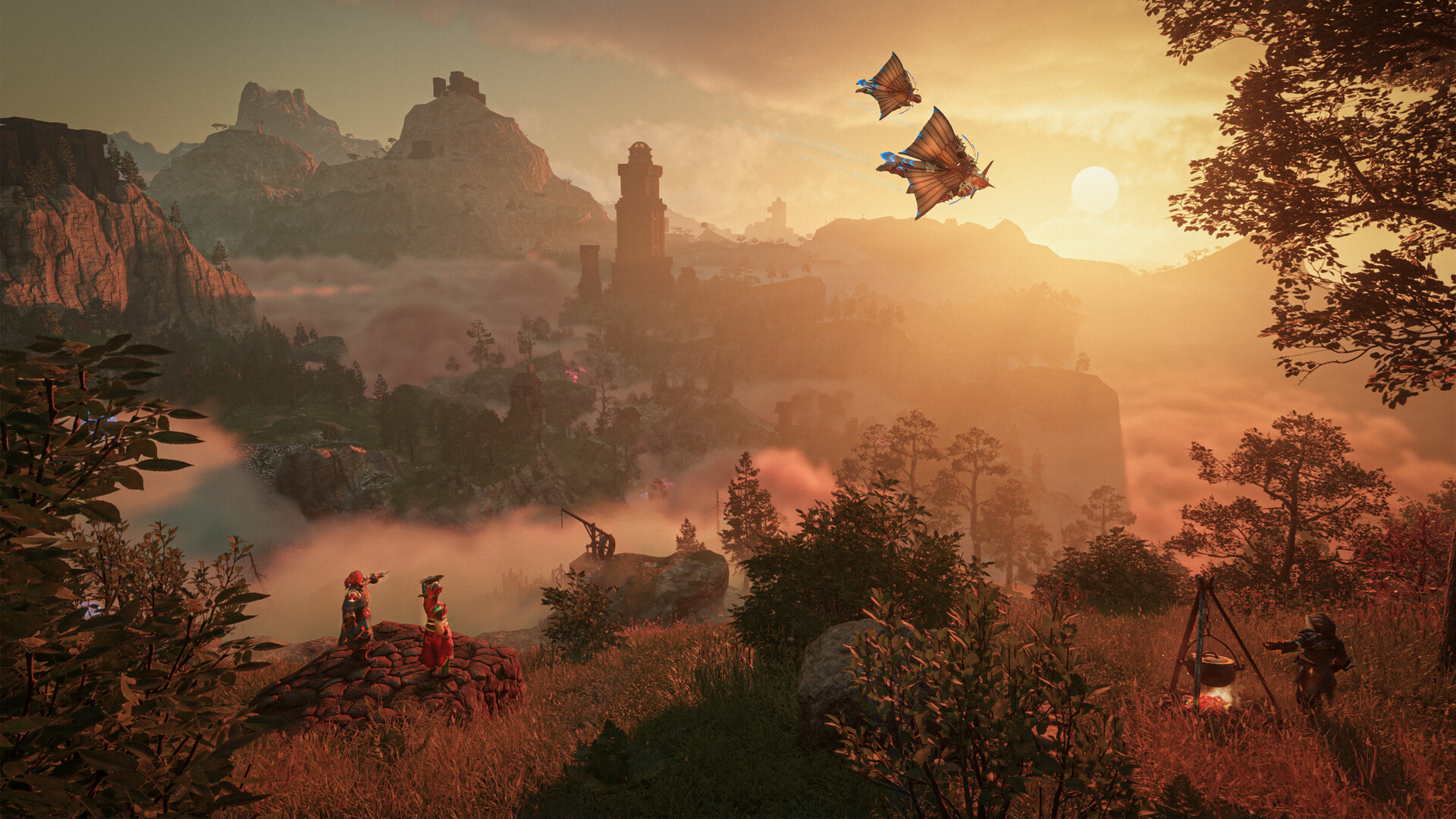
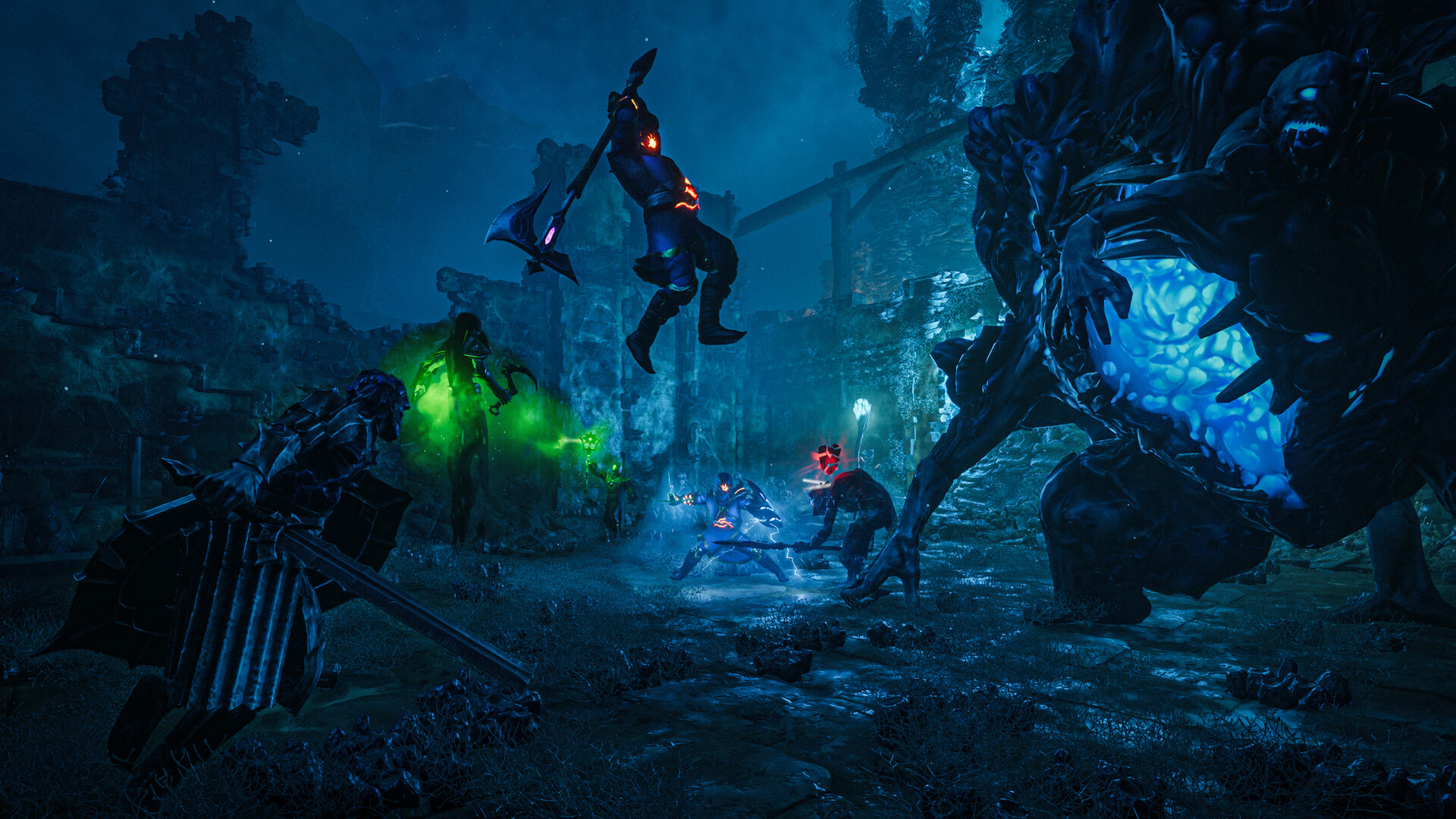
Enshrouded will run on the official minimum spec, a GTX 1060 6GB or RX 580 with 16GB of RAM, but the number that decides how it feels is how much of the world you've built and how deep you are in the Shroud. This isn't a game where you set your resolution once and forget about it. Keen Games built Enshrouded on its own in-house engine around a fully deformable voxel world, and every chunk of terrain you dig, place, or build on has to be tracked and rendered in real time. That's expensive by itself. Add the dense volumetric fog that fills the Shroud regions, plus the lighting and shadow calculations from a sprawling player base full of torches and crafting stations, and you get a game that leans harder on your GPU than most of its genre peers.
So the honest answer to 'can I run Enshrouded' has two parts. On paper, almost any PC built in the last five years clears the minimum spec. In practice, your frame rate will swing a lot between an open field, a Shroud zone, and a heavily decorated base, and a card that felt fine in your first ten hours can start dropping frames once your base grows.
The settings that fix stutter and buy back frames
The single biggest performance lever in Enshrouded is Indirect Lighting. Dropping it from Quality to Performance recovers a large chunk of frame rate on anything below an RTX 3070-class card, with a smaller visual hit than you'd expect. Point Light Shadows are the next target. They get expensive fast around bases with a lot of torches and campfires, and turning them off is often the difference between 30 and 45 fps indoors.
Stutter is usually a separate problem from low fps, and it needs a different fix. Enshrouded streams voxel terrain and building data off your drive constantly as you move and build, so a mechanical hard drive causes hitches and pop-in that no graphics setting will solve. An SSD isn't listed as a hard requirement, but treat it as one. If you're still seeing hitches on an SSD, lowering Voxel Detail Models eases the CPU side of that streaming work, which matters more than people expect since Enshrouded isn't purely GPU-bound.
Upscaling helps more here than in most games. Enshrouded added FSR3 during Early Access, along with DLSS support on cards that have it, and setting either to Quality or Balanced is usually worth 20 to 30 fps with little visible loss, since a lot of the frame rate cost comes from fog and lighting rather than texture detail.
VRAM, RAM, and what the spec sheet doesn't say
Enshrouded's official specs list 6GB of VRAM as the floor and 16GB of system RAM for both the minimum and recommended tier, which is unusual. Most games raise the RAM number between the two tiers; Enshrouded doesn't, because the extra load from higher settings falls mostly on the GPU and CPU rather than on system memory. In practice, VRAM use stays under 6GB at 1080p and creeps toward 7GB at 4K on the highest quality setting, so a 6GB card is workable at 1080p but not much beyond it, and an 8GB card gives you real headroom.
16GB of RAM is a real floor here, not a number padded in for safety. Below that, expect stutter and long load times no matter your graphics card, especially once you're hosting a co-op world or running a base with a lot of decorations. If you're the one hosting friends, budget extra CPU margin too. Server logic for the shared world runs alongside your own client, and a weaker CPU shows it first as dropped frames during combat or when several players build at once.
Early Access status and what's changing
Enshrouded launched into Steam Early Access on January 24, 2024, and Keen Games has patched performance repeatedly since, including the FSR3 support mentioned above. Version 1.0 is set to leave Early Access on October 15, 2026, launching at the same time on PC and PlayStation 5. Xbox Series X and S owners will wait a bit longer; Keen Games is targeting spring 2027 for that release, saying they need more time to hit the performance level they want on Xbox.
If you're reading this before that date, keep in mind that the requirements and performance profile on this page reflect the current Early Access build, and Keen Games has said optimization work is ongoing ahead of 1.0. There's no PS4 or Xbox One version planned, and no Nintendo Switch release. Enshrouded stays a PC and next-gen console game.
Can I run Enshrouded? Your questions answered
Yes, and it's also the floor. Keen Games lists 16GB for both the minimum and recommended tier, which is unusual, and it reflects how much the game leans on RAM for voxel terrain and building data. Running with 8GB causes stutter and slow loading no matter how strong your graphics card is.
It isn't listed as a hard requirement, but treat it as one anyway. The game streams terrain and building data off your drive continuously as you explore and build, and a mechanical hard drive produces stutter and pop-in that no graphics setting fixes.
Plan for 60GB of free space, which is the install size on Steam. A dedicated server needs roughly 30GB on its own if you're hosting one separately from your game client.
Two different causes usually explain it. Genuinely low fps in dense areas comes from the GPU load of the Shroud's volumetric fog and a heavily built base, and that's fixed by lowering Indirect Lighting and Point Light Shadows. Stutter and hitching, even when your fps counter looks fine, usually comes from asset streaming off a slow drive, and the fix there is an SSD, not a settings change.
Mostly GPU-bound, thanks to lighting and fog, but CPU load climbs fast around big bases and if you're hosting a co-op world, since the server logic runs on your CPU alongside your own game. A weak CPU shows up as frame drops specifically in busy, built-up areas rather than the open world.
It supports FSR3 and DLSS upscaling on cards that have it, both added during Early Access. It doesn't currently have a dedicated frame generation option. Setting upscaling to Quality or Balanced typically gains 20 to 30 fps with a small visual cost.
DirectX 12. Keep your graphics drivers current, since Keen Games has shipped several performance patches during Early Access that assume an up-to-date driver.
Yes, as of this writing. It entered Early Access on January 24, 2024, and version 1.0 is scheduled for October 15, 2026. Performance has improved more than once during Early Access, so older benchmarks and forum posts may not reflect the current build.
Yes, noticeably. Hosting runs the world simulation on your machine alongside your own client, adding extra load to your CPU and RAM. If you host regularly, budget more CPU headroom than the minimum spec suggests, especially once the shared base grows.
No hard cap by default. The game runs above 60 fps if your hardware allows it, and there's an in-game option to cap your own fps if you want to for thermals or to match your monitor.
If you're below 16GB of RAM, fix that first. It's a hard floor for this game regardless of graphics card. If you're already at 16GB and still struggling, the GPU is the next upgrade, since lighting and fog are the main driver of low fps for most players.
It's reasonably optimized for a small Early Access team running its own engine, but it isn't a light game. Community feedback and patch notes both point to lighting and shadow calculations as the main cost, which is why those are the first settings worth turning down before you assume your PC can't handle it.
No. Enshrouded is fully playable offline in solo mode. The internet requirement only applies if you're joining or hosting a multiplayer world through Steam or a dedicated server.
Enshrouded uses DirectX 12 on Windows. On Linux and Steam Deck, it runs through Proton's translation layer rather than a native Vulkan build, which is part of why handheld performance sits below what similar Windows hardware manages.
Enshrouded runs on Keen Games' own in-house engine, built specifically for real-time voxel terrain deformation. That's part of why its performance profile looks different from survival games built on Unreal or Unity, since the terrain and lighting systems are custom rather than off the shelf.
The game rebuilds its shader cache whenever a new binary comes in, usually right after a patch, and players regularly report that step taking 30 minutes or longer. It writes that cache to a folder under your Windows user profile separate from Nvidia's own shader cache, which is part of why it doesn't always speed up on repeat launches the way you'd expect. Later patches have shortened this for most players, so if it's dragging on for over an hour, verify your game files before assuming your PC is the problem.
The most common fixes, in order of how often they work, are increasing Windows virtual memory, lowering the in-game quality preset to Performance, and reinstalling Vulkan. Nvidia RTX owners who crash specifically during shader compilation have had luck switching from DLAA to a DLSS preset, and anyone running Asus GPU Tweak III should close it before launching, since it's a known conflict.
Playable, yes. The RTX 3050 passes Enshrouded's minimum bar, so aim for low to medium at 1080p and drop settings if the frame rate dips.
That card falls short. The GTX 1650 is under Enshrouded's minimum, which leaves you very low settings and a shaky frame rate. Sits below the official minimum, but many players report 40 to 60 fps at 1080p on Low with FSR turned on, dropping into the 20s in dense fog or big bases.
Yes, though keep expectations modest. The GTX 1060 6GB clears Enshrouded's minimum, so plan on 1080p at low to medium and trim a setting or two for a steady frame rate. Expect roughly 35 to 40 fps at 1080p on Low settings. It meets the listed minimum, but the voxel world and Shroud fog push it hard, especially near a built-up base.
This one struggles. The RX 580 sits below what Enshrouded needs, so expect low settings, low fps, and possibly some launch trouble.
Plenty of power here. The RTX 4060 is above Enshrouded's recommended tier, so high 1080p is smooth and 1440p is a fair target. Roughly 90 to 100 fps at 1080p on High, and around 60 to 70 fps at 1440p with DLSS set to Quality.
Yes, at the lower end. With the RTX 3060 you clear Enshrouded's minimum, so 1080p low to medium is the target and easing back a setting helps. The 12GB version averages about 84 fps at 1080p and 68 fps at 1440p on balanced, optimized settings. The 8GB card is close behind at roughly 81 and 65.
The RTX 2060 gets you in. It meets Enshrouded's minimum, so low to medium at 1080p works, and turning a couple of things down keeps it steady. Around 55 to 65 fps at 1080p on Medium to High settings. It clears both the minimum and recommended GPU bar comfortably.
Fine for a lighter setup. The GTX 1660 clears Enshrouded's minimum, so target 1080p low to medium and adjust down for a steady rate.
Yes, at the lower end. With the GTX 1660 Super you clear Enshrouded's minimum, so 1080p low to medium is the target and easing back a setting helps.
It clears the bar. The RX 6600 matches Enshrouded's minimum, so 1080p on low to medium is realistic once you tune a few settings. Similar territory to an RTX 2060: roughly 55 to 65 fps at 1080p on Medium to High settings.
Fine for a lighter setup. The GTX 1660 Ti clears Enshrouded's minimum, so target 1080p low to medium and adjust down for a steady rate.
Plenty of power here. The RTX 3060 Ti is above Enshrouded's recommended tier, so high 1080p is smooth and 1440p is a fair target. Comfortably above the RTX 3060: expect around 90 to 100 fps at 1080p and closer to 75 at 1440p on High settings.
You can play it. The RTX 4050 is at Enshrouded's minimum, so keep to 1080p low to medium and lower a setting if it stutters.
That card falls short. The GTX 1050 Ti is under Enshrouded's minimum, which leaves you very low settings and a shaky frame rate.
Easily. With the RTX 4070 you are past Enshrouded's recommended tier, which means high settings at 1080p and a genuine shot at 1440p. Handles 1440p at max settings comfortably, typically 70 to 80 fps with DLSS set to Quality.
Not natively. Enshrouded has no Mac version, and Apple Silicon's integrated GPU sits below what the game needs even through a Windows layer like CrossOver. Cloud streaming through a service such as GeForce Now, if it's available there, is the realistic option on a MacBook.
Not comfortably. Integrated GPUs like Intel Iris Xe or AMD Radeon 780M sit well below the GTX 1060 6GB minimum, and Enshrouded's lighting and fog effects are exactly the kind of workload integrated graphics struggle with. Expect very low settings and frame rates in the teens or twenties at best.
Only through cloud streaming. Chromebooks don't have the graphics hardware to run Enshrouded locally, so a service that streams the game from a remote PC is your only route.
Enshrouded isn't confirmed on GeForce Now's library as of this writing. Check Nvidia's current game list before relying on it, since cloud catalogs change often during a game's Early Access period.
It'll run, but expect Low settings, a resolution scale below 100 percent, and dips into the 20s and 30s in busy areas. The 16GB RAM floor matters more than usual on a low-end build, since going below it hurts frame rate as much as a weak GPU does.
There's no native Linux build, but it runs through Proton, and Valve rates it Playable on Steam Deck. Desktop Linux users report similar results running it through Proton on a discrete GPU.
A recent i3 or Ryzen 3 (10th-gen Intel or Ryzen 3000-series or newer) meets the minimum, though it'll bottleneck you in busy, built-up areas or if you're hosting co-op. Enshrouded is more GPU-dependent than CPU-dependent for most players, so a modest CPU paired with a solid GPU is usually fine outside of hosting duty.
Not yet, but soon. Enshrouded launches on PS5 alongside its PC version 1.0 release on October 15, 2026. There's no PS5 version available before that date.
Not at the version 1.0 launch. Keen Games delayed the Xbox Series X/S release to give it more optimization time, targeting spring 2027, several months after the PC and PS5 launch.
No. Enshrouded is only coming to current-generation consoles, PS5 and Xbox Series X/S. There's no PS4 or Xbox One version planned.
No, and there's no announced plan for one. The voxel rendering and lighting would need heavy cuts to run on Switch hardware, and Keen Games hasn't discussed a Switch version.
Steam Deck is rated Playable rather than fully Verified. Expect around 30 to 45 fps in open areas on tuned settings, dropping toward 25 in dense Shroud zones or big bases, using roughly 800p resolution scale, Performance-tier lighting, and Point Light Shadows off. ROG Ally and Legion Go have more headroom thanks to stronger APUs, so you can push settings a bit past Steam Deck's baseline and expect somewhat higher, steadier frame rates.
Only comfortably on a high-end card. An RTX 4090 at native 4K on Epic settings settles closer to 45 fps; turning on DLSS Quality, or dropping from Epic to High, gets that back up toward 70 to 100 fps. Anything below an RTX 4080-class card should either run 4K with upscaling on or target 1440p instead.
An RTX 3060 or RX 6600 gets you into the 60 to 70 fps range at 1440p on balanced settings, and an RTX 4060 or better makes it comfortable, especially with DLSS set to Quality.
At 1080p, an RTX 2060 or RX 6600-class card clears 60 fps on Medium to High settings in most areas. At 1440p, you'll want something closer to an RTX 3060 or RX 6700 XT to hold 60 consistently, especially in built-up bases.
You can from an RTX 3070-class card upward at 1080p, and from an RTX 4070 or better at 1440p. Epic settings push Indirect Lighting and shadow quality hard, so even a strong card sees bigger frame drops in dense Shroud fog than in open terrain.
Not well. The official minimum and recommended specs both call for 16GB, and Enshrouded is one of the games where that number is accurate rather than padded for safety. On 8GB, expect stutter and slow asset loading even on a strong graphics card.
At 1080p, yes. It matches what the official spec asks for and lines up with real-world usage of around 5.5GB at that resolution. Push toward 1440p or higher settings and an 8GB card gives you more comfortable headroom, since usage climbs toward 7GB at 4K on the highest quality setting.