
Can I Run Project Zomboid on My PC / Laptop?
An isometric zombie survival sandbox where your CPU and RAM decide performance, not your graphics card.
Check if your PC can run Project Zomboid
Pick your graphics card and processor to check.
Project Zomboid is CPU/RAM-bound; this checks a realistic low-end bar.
Can I run Project Zomboid on my PC?
Use the checker above to find out in seconds. Pick your graphics card and processor and it compares them against Project Zomboid's official requirements. As a quick guide, you need at least a Dedicated graphics card, 4GB VRAM, OpenGL 2.1 with GLSL 1.2 support (roughly 2012 or newer) graphics card, a Intel 2.77GHz Quad-core processor, and 8Gb Ram of RAM to play at 1080p.
Can I run Project Zomboid on my laptop?
Yes, if your laptop has a dedicated graphics card around a Dedicated graphics card, 4GB VRAM, OpenGL 2.1 with GLSL 1.2 support (roughly 2012 or newer) or better and 8Gb Ram of RAM. Laptops with only integrated graphics usually fall short. Enter your laptop's GPU in the tool above to check. Keep in mind that the laptop version of a card runs a little slower than the desktop card of the same name, and heat can lower sustained frame rates.
Project Zomboid will run on almost any PC built in the last ten years. The official minimum asks for a quad-core CPU around 2.77GHz, 8GB of RAM, and a graphics card with 4GB of VRAM, and that GPU line trips people up because it makes the game sound heavier than it is. The truth is the opposite: this is a CPU and RAM game. Zombie hordes, base building, and long-running saves push your processor and system memory, while almost any graphics card from the last decade sails through the actual rendering with room to spare.
What follows covers the official specs, a practical recommended tier we built ourselves since the developers only publish a minimum, real frame numbers across a range of cards, and the two things that actually cause trouble in this game: its built-in RAM ceiling, and how badly a big horde or a sprawling base bogs down your CPU. Test your own CPU, GPU, and RAM against all of that with the checker above.
Project Zomboid system requirements
| Minimum | Recommended | |
|---|---|---|
| Processor (CPU) | Intel 2.77GHz Quad-core | Quad-core, 3.5GHz or faster (Core i5-9400 / Ryzen 5 3600 or newer) |
| Graphics card (GPU) | Dedicated graphics card, 4GB VRAM, OpenGL 2.1 with GLSL 1.2 support (roughly 2012 or newer) | Any GPU with 4GB or more of VRAM. Graphics horsepower is rarely the limit in this game |
| Memory (RAM) | 8Gb Ram | 16 GB |
| Operating system | Windows 10 / 11 - 64 Bit | Windows 10/11 64-bit |
| DirectX | 12 | 12 |
| Storage | 10 GB | 12 GB, plus room for Workshop mods and save files |
Storage: About 12 GB for a clean install (Steam's own listing still says 10 GB, which understates current Build 42 numbers a little). Add a few gigabytes more once you subscribe to Workshop maps, vehicle packs, or texture mods.
Full performance tiers
| Tier | Target | CPU | GPU | RAM |
|---|---|---|---|---|
| Minimum | 1080p, small early-game towns, 30+ fps | Intel 2.77GHz Quad-core | Dedicated GPU, 4GB VRAM | 8 GB |
| Recommended | 1080p, steady 60 fps through a normal midgame save | Quad-core, 3.5GHz+ (i5-9400 / Ryzen 5 3600 or newer) | Any GPU with 4GB+ VRAM | 16 GB |
| Heavy mods / large bases | Long-running saves, big fortified bases, a full mod list | 6-core with a high clock (i5-12400 / Ryzen 5 7600 or newer) | Any GPU with 4GB+ VRAM. More VRAM helps only if you run high-resolution texture mods | 24 to 32 GB, with your Java heap (-Xmx) raised to match |
| Hosting a multiplayer server | Hosting locally while you play, 4 or more friends connected | 6-core or better. Single-thread speed matters more than core count | Not relevant to the server process itself | 16 GB minimum, plus roughly 1 GB more for every 4 extra players |
Project Zomboid FPS by graphics card
| Graphics card | 1080p | 1440p | 4K | Notes |
|---|---|---|---|---|
| Intel UHD 630 / Iris Xe (integrated) | ~50-60 | , | , | Handles a normal early-game town without trouble. A packed horde or a built-out base will drag this down long before the graphics chip becomes the problem. |
| GTX 1650 4GB | ~140+ | , | , | Far more fps than the CPU will ever ask of it in this game. The card is not what limits you here. |
| RX 580 8GB | ~130+ | , | , | One of the official minimum-spec cards, and it still has GPU headroom left over. |
| GTX 1060 6GB | ~140+ | ~120+ | , | Comfortable at any resolution people actually play this game at. Your CPU clock and zombie count set the real ceiling. |
| RTX 3060 | ~160+ | ~150+ | ~100+ | Overkill on the graphics side. Buy this card for other games, not to make Zomboid faster. |
| RTX 4060 | ~160+ | , | , | Practically indistinguishable from a much cheaper card in this specific game. |
| RTX 4090 | ~160+ (engine-limited) | , | , | No card pushes Project Zomboid past its own internal ceiling. This is the clearest sign the game is not GPU-bound at any price. |
These are rough, approximate ranges, not lab-measured averages, and they will shift with your save's zombie population settings, how built-up your base is, whether you are hosting, and your mod list. Two players on the identical graphics card can see very different numbers once one of them has 200 zombies on screen and the other does not.
Can these graphics cards run Project Zomboid?
| Graphics card | Verdict | Notes |
|---|---|---|
| GTX 1050 Ti | Runs well | Strong fit. High settings at 1080p, 1440p within reach. |
| GTX 1650 | Runs well | Recommended tier or better. High 1080p, with room for 1440p. |
| RX 570 | Runs well | Above recommended. 1080p high is easy, and 1440p works too. |
| RX 580 | Runs well | Strong fit. High settings at 1080p, 1440p within reach. |
| GTX 1060 6GB | Runs well | Exceeds recommended. 1080p high is comfortable, 1440p fine. |
| GTX 1650 Super | Runs well | Exceeds recommended. 1080p high is comfortable, 1440p fine. |
| GTX 1660 | Runs well | Strong fit. High settings at 1080p, 1440p within reach. |
| GTX 1660 Super | Runs well | Strong fit. High settings at 1080p, 1440p within reach. |
| RTX 3050 | Runs well | Exceeds recommended. 1080p high is comfortable, 1440p fine. |
| GTX 1660 Ti | Runs well | Exceeds recommended. 1080p high is comfortable, 1440p fine. |
| RX 6600 | Runs well | Exceeds recommended. 1080p high is comfortable, 1440p fine. |
| RTX 2060 | Runs well | Exceeds recommended. 1080p high is comfortable, 1440p fine. |
| RTX 4050 | Runs well | Beats the recommended spec. Comfortable high 1080p, playable 1440p. |
| Arc A750 | Runs well | Exceeds recommended. 1080p high is comfortable, 1440p fine. |
| RTX 3060 | Runs well | Beats the recommended spec. Comfortable high 1080p, playable 1440p. |
| RX 6600 XT | Runs well | Above recommended. 1080p high is easy, and 1440p works too. |
| RX 7600 | Runs well | At or above the recommended card. Smooth 1080p high, 1440p realistic. |
| RX 6700 XT | Runs well | Recommended tier or better. High 1080p, with room for 1440p. |
| RTX 4060 | Runs well | Over the recommended bar. Smooth high 1080p, 1440p realistic. |
| RTX 3060 Ti | Runs well | Strong fit. High settings at 1080p, 1440p within reach. |
| RTX 3070 | Runs well | Above recommended. 1080p high is easy, and 1440p works too. |
| RTX 4070 | Runs well | Strong fit. High settings at 1080p, 1440p within reach. |

Why a game that looks simple still needs a real CPU
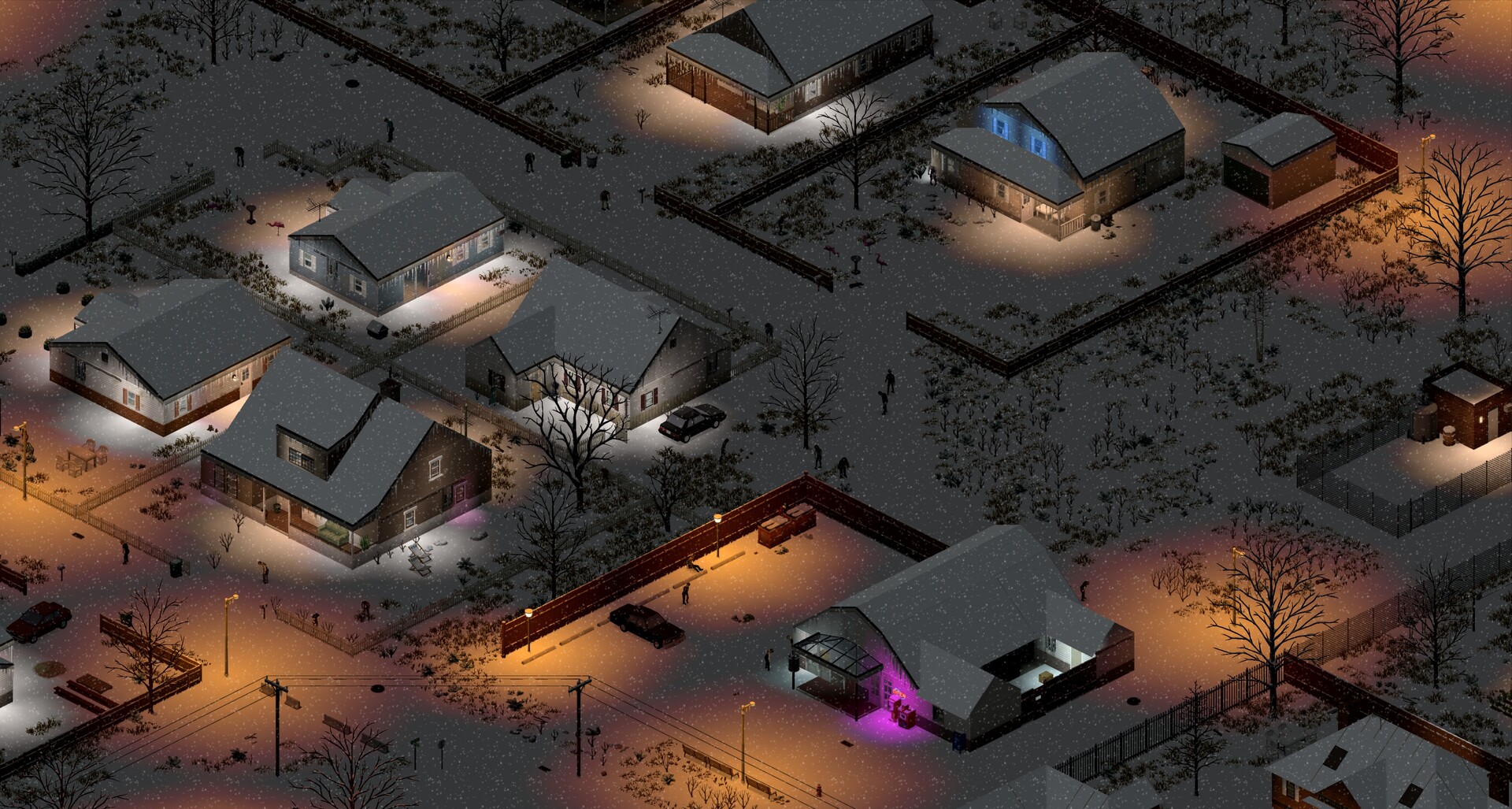
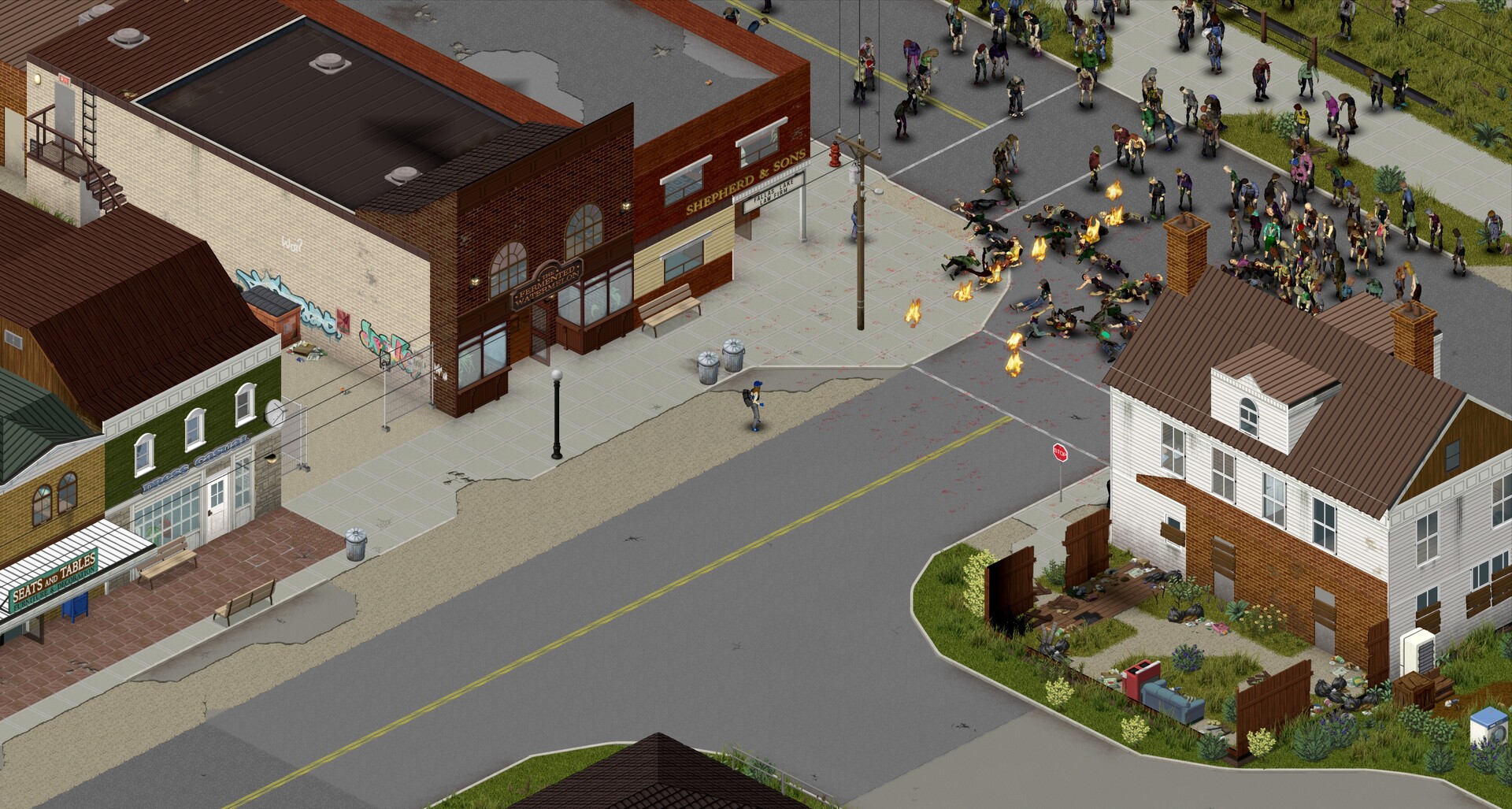
Project Zomboid runs on a custom Java engine with a fixed, top-down isometric camera, so it never has to render the kind of detailed 3D scenes a modern shooter does. That is exactly why its graphics card requirement is misleading. What actually costs performance is the simulation running underneath the view: every zombie checks sight, hearing, and smell against you and every other zombie each tick, vehicles run real physics, and weather and lighting get recalculated across the map as time passes.
That simulation work leans heavily on one or two CPU threads rather than spreading evenly across a chip, so a fast six-core processor with a strong single-core clock will carry you further than a slower CPU with more cores. When people say Zomboid is CPU-bound, this is the part they mean: the game's slowdown shows up as a physical zombie count problem, not a resolution or texture problem.
The RAM ceiling nobody warns you about
Project Zomboid ships with a Java memory cap, an -Xmx flag, set to about 3GB by default. That was fine for the older Build 41, but Build 42 rewrote crafting, animal behavior, and lighting, and all of that now lives in the same memory space. Add even a modest mod list and the game hits that 3GB ceiling during a chunk load and crashes with an out-of-memory error, which has nothing to do with how much physical RAM your PC actually has sitting unused.
The fix is to raise the cap yourself. In your Steam library, right-click Project Zomboid, choose Manage, then Browse local files, and open ProjectZomboid64.json in a text editor. Find the line reading -Xmx3072m and change only that number, for example to -Xmx8192m for 8GB or -Xmx12288m for 12GB. A rough community rule is about 6GB as a base for a moderately modded save, plus another half a gigabyte or so per extra player if you are hosting. Leave roughly 4GB of your total system RAM untouched for Windows and everything else running, and do not just max the value out for no reason, since reserving memory you are not using does not speed anything up.
Storage, VRAM, and that oddly specific graphics requirement
The 4GB VRAM line in the official minimum spec surprises people because Zomboid is a 2D isometric game, not because it is demanding. In practice that number covers the game's tile variety, layered lighting and weather effects, and the option to load double-sized textures for a sharper look, plus whatever Workshop texture and map mods you add on top. A vanilla save on stock settings uses only a fraction of that 4GB.
A clean install runs close to 12GB today, more than the 10GB Steam still lists, and Workshop maps, vehicle packs, and texture overhauls add more on top of that. An SSD is not required, since Zomboid is not a loading-screen-heavy game, but if you run a large modded map or a busy server, faster storage does shorten the small stutter you feel when the game streams a new area in as you walk toward it.
Playing it on Mac, Linux, Steam Deck, or a weak PC
Unlike most big releases, Project Zomboid ships native builds for macOS, on both Intel and Apple Silicon Macs, and for Linux, tested against Ubuntu LTS. The Mac build only supports AMD or Intel graphics, but that is not really a limitation since Apple has not shipped an Nvidia Mac in years anyway, and current Apple Silicon chips handle the game without issue. On Steam Deck, the game carries Valve's official Verified badge and generally holds close to 60 fps out of the box, though its menus were built for a mouse and keyboard, so expect a bit more fiddling with touch and trackpad controls than a game designed around a controller from day one.
On genuinely weak hardware or integrated graphics, resolution and graphics presets are not where your fps problem lives, so do not start there. Go into the sandbox settings and turn down zombie population and multiplier values, and turn off the double-sized zombies and textures options if they are on, since those touch the simulation and memory load directly. A slower CPU will always struggle more in a packed downtown or a heavily fortified base than it will in an empty field, regardless of what graphics card sits next to it.
Can I run Project Zomboid? Your questions answered
CPU. Zombie sight, hearing, and smell checks, vehicle physics, and weather all run through the simulation loop every tick, and that work leans on one or two cores rather than the graphics card. A GTX 1650 or an RX 580 has graphics headroom to spare here. A slow CPU is what actually causes the stutter and low frame rates people report.
8GB is the stated minimum, but 16GB is the realistic number for Build 42 once you add even a few mods. The game also ships with its own internal memory cap of about 3GB by default, and raising that cap matters more than simply owning more physical RAM.
Almost always because of the game's built-in Java heap limit (-Xmx), which defaults to roughly 3GB. Build 42's crafting, animal, and lighting systems, plus any mods, can fill that cap during a chunk load and crash the game even though your actual system RAM still has plenty free.
Right-click the game in your Steam library, choose Manage, then Browse local files, and open ProjectZomboid64.json in a text editor. Find the line -Xmx3072m and raise only that number, for example to -Xmx8192m for an 8GB cap. Leave the rest of the file untouched and keep roughly 4GB of your total system RAM free for Windows and background programs.
About 12GB for a clean current install, a bit more than the 10GB Steam's own listing still shows. Workshop maps, vehicle mods, and texture packs will add several gigabytes more depending on what you subscribe to.
A custom Java engine built by The Indie Stone, rendered through the LWJGL library with an OpenGL 2.1 backend and a fixed isometric camera. That choice is why the game runs so widely across Windows, Mac, and Linux, and also why its performance problems are tied to CPU simulation load rather than typical graphics settings.
Yes, often more than people expect. A single large weapon or item mod can reserve close to a gigabyte of memory, and a big map overhaul can add another gigabyte and a half just to load. Heavily modded saves are the main reason people hit the default 3GB memory cap and need to raise it.
Every zombie on the map runs sight, hearing, and smell checks each tick, and a large fortified base adds more objects, lighting, and pathing for the game to track. That workload lands on your CPU, so frame rate drops in a crowded downtown or a sprawling base are a processor limit, not a graphics limit.
It has gotten better, but it is still an early-access game, and Build 42 is noticeably heavier than Build 41 in exchange for deeper systems like rewritten crafting and animals. Some players saw frame rates drop from the high hundreds in Build 41 to the 40 to 60 range in Build 42 on the same PC. Patches, including a 42.20.1 fix for a memory leak, have been steadily closing that gap.
Your CPU and RAM, without much question. Almost any graphics card from the last ten years already outruns what this game asks of it, so money spent on a better GPU buys you very little here. A faster CPU with a strong single-core clock and more system RAM to raise your memory cap will make a real, noticeable difference.
At least a 6-core CPU with good single-thread speed and 16GB of RAM as a baseline, adding roughly 1GB more for every 4 additional players and more again for a heavy mod list. Your graphics card is not relevant to the server process at all, since dedicated servers do not render anything.
For a normal singleplayer save, yes, 16GB comfortably covers it. 32GB starts to make sense if you also host a modded multiplayer server, run a very large custom map, or keep a heavy Workshop mod list loaded alongside the game, since all of that memory has to fit inside the raised Java heap.
Yes, more than most players expect. Zooming out puts more tiles, objects, and potentially more zombies inside the camera's view at once, and each of those still needs to be simulated and drawn, so a wide zoomed-out view in a busy area costs more performance than a tight zoomed-in one.
Start with the sandbox settings rather than the graphics menu: lower the zombie population and multiplier values, and turn off double-sized zombies and double-sized textures if either is enabled. After that, raising your memory cap (-Xmx) to match your RAM and closing background programs helps more than any in-game graphics slider does.
No trouble at all. The RTX 3050 meets or beats what Project Zomboid recommends, so 1080p high runs well and 1440p is realistic.
You are well set. The GTX 1650 exceeds Project Zomboid's recommended card, so 1080p high is easy and 1440p is realistic. Around 140 fps or more at 1080p, well beyond what the CPU side of this game will ever need from it.
Comfortably, yes. The GTX 1060 6GB clears Project Zomboid's recommended bar, which puts high 1080p and 1440p both in reach. About 140 fps at 1080p and 120 or more at 1440p. Your CPU and zombie count set the real ceiling, not this card.
Yes. On the RX 580, Project Zomboid runs at high settings in 1080p and scales up to 1440p without much fuss. Roughly 130 fps or more at 1080p. It sits at the official minimum tier and still has graphics headroom left over.
Yes. The RTX 4060 has headroom over Project Zomboid's recommended card, so you can push 1080p high and move to 1440p when you want. 160 fps or more at 1080p, close to indistinguishable from a much cheaper card in this specific game.
Plenty of power here. The RTX 3060 is above Project Zomboid's recommended tier, so high 1080p is smooth and 1440p is a fair target. 160 fps or more at 1080p and around 100 at 4K. This is far past what the game's rendering side asks for.
That is more than enough. The RTX 2060 clears Project Zomboid's recommended requirement, so aim for high at 1080p or step up to 1440p. 150 fps or more at 1080p and strong at 1440p too. Graphics horsepower is not the limiting factor for this card here.
That is more than enough. The GTX 1660 clears Project Zomboid's recommended requirement, so aim for high at 1080p or step up to 1440p.
Yes, with room to spare. Project Zomboid recommends less than the GTX 1660 Super offers, so expect smooth 1080p high and a playable 1440p. Roughly 150 fps at 1080p. Well clear of the official minimum with room to spare.
Plenty of power here. The RX 6600 is above Project Zomboid's recommended tier, so high 1080p is smooth and 1440p is a fair target. About 140 to 150 fps at 1080p, comfortably ahead of anything the CPU-bound simulation will use.
Easily. With the GTX 1660 Ti you are past Project Zomboid's recommended tier, which means high settings at 1080p and a genuine shot at 1440p.
Easily. With the RTX 3060 Ti you are past Project Zomboid's recommended tier, which means high settings at 1080p and a genuine shot at 1440p.
No trouble at all. The RTX 4050 meets or beats what Project Zomboid recommends, so 1080p high runs well and 1440p is realistic.
For sure. The GTX 1050 Ti outpaces Project Zomboid's recommended card, leaving you high 1080p now and 1440p whenever you like.
No trouble at all. The RTX 4070 meets or beats what Project Zomboid recommends, so 1080p high runs well and 1440p is realistic. 160 fps or more at 1080p and 1440p. Any gain over a cheaper card here comes from your CPU and RAM, not this GPU.
Yes. Project Zomboid ships a native Apple Silicon build, so a MacBook Air or Pro with an M1 through M4 chip runs it directly, no emulation or streaming needed. The Mac version only supports AMD and Intel graphics rather than Nvidia, which does not matter on Apple Silicon since those Macs use Apple's own GPU anyway.
Yes, comfortably. Intel UHD, Iris Xe, and AMD Radeon integrated graphics all handle the game's rendering fine at 1080p, typically holding 50 to 60 fps in a normal town. A packed zombie horde or a large base will slow things down through your CPU well before the integrated graphics chip becomes the bottleneck.
Cloud streaming through something like GeForce Now is the dependable route. Project Zomboid does ship a native Linux build, and a handful of Chromebooks can run Linux apps through a Crostini container, but the processors in most Chromebooks are too weak for the CPU-heavy simulation regardless, so streaming remains the practical answer.
Yes, all three. The Steam Deck carries Valve's official Verified badge and generally holds close to 60 fps out of the box. The ROG Ally and Legion Go, being more powerful x86 Windows handhelds, run it at least as well. The main adjustment on any of them is that the interface was built for mouse and keyboard, so expect some menus to need extra button or trackpad work.
Pretty much any GPU from the last several years handles it. Resolution barely adds rendering work in this game, so your frame rate at 4K still comes down to your CPU and how much is happening in your save, not your graphics card.
A quad-core CPU at 3.5GHz or faster with 16GB of RAM gets you a steady 60 fps in normal play. Almost any graphics card handles the rendering side, so a big horde or a dense, built-up base is what will pull your frame rate below 60, and that comes down to CPU speed, not GPU choice.
Not really. Zomboid does not have the kind of heavy graphics presets a big-budget 3D game has. The settings that matter most, like double-sized textures and zombie population, affect memory use and CPU load rather than pure visual fidelity, so raising them costs performance without a dramatic visual jump.
No, it is not required. The game is not a heavy loading-screen title, so a hard drive is usable. An SSD does shorten the small stutter you can feel when new areas stream in as you walk, and it helps more on a large modded map or a busy multiplayer server.
Yes, for the vanilla game, and it is the official minimum. VRAM only becomes a real limiter if you load a lot of high-resolution texture mods or turn on the double-sized textures option at the same time, since those push graphics memory use well above what a stock save needs.
Yes. Project Zomboid has an official native Linux build, so it runs directly on most distros without Proton, the same way its native Mac and Windows versions work. The Steam Deck version carries Valve's Verified badge and holds close to 60 fps out of the box, and a desktop Linux machine with similar hardware should do at least as well. The main adjustment is that the interface was designed for mouse and keyboard, so some menus take extra effort with a controller or trackpad.
No. Project Zomboid has never shipped on Xbox or PlayStation and the developers have not confirmed a console version. It has been officially PC, Mac, and Linux only for its entire development, and while The Indie Stone has said a console port is not ruled out, nothing has been announced.
No. Since there is no native Xbox or console build, Project Zomboid is not part of Xbox Game Pass or Xbox Cloud Gaming. It is a PC, Mac, and Linux title only.
Nope, no version has been announced for Switch or Switch 2. PC, Mac, and Linux remain the only platforms this game ships on.
No, there is no official mobile version. Project Zomboid is a PC, Mac, and Linux title, and the closest thing to mobile play is streaming it through a cloud service like GeForce Now to a phone or tablet.
No. The current minimum requirement is 64-bit Windows 10 or 11. The old 32-bit client is no longer supported, so older operating systems like Windows 7 fall outside what the game officially supports.
It handles the minimum fine: a quad-core CPU around 2.77GHz, 8GB of RAM, and any basic dedicated GPU with 4GB of VRAM gets you through a normal early-game town without major issues. The trouble starts later, once a packed zombie horde or a sprawling late-game base leans harder on the CPU than that minimum spec accounts for.
No, that falls below the official 8GB minimum, and the game is likely to crash or refuse to launch properly. 8GB is the floor, and 16GB is the realistic number once you add mods.
Nvidia's GeForce Now covers this. Stream the game to whatever you have, a weak PC, a laptop, even a Chromebook, using the copy you already own on Steam, and multiplayer works the same way through the stream.
Nine times out of ten it traces back to the game's default 3GB memory cap filling up and crashing things, an old dual-core CPU choking on a busy save, an outdated graphics driver, or someone still running the retired 32-bit build. Raise your -Xmx memory cap and update your drivers first, since that clears most of what people report.