
RTX 5070 vs RTX 5070 Ti
The complete head-to-head: full specs, real per-game FPS with 1% lows, ray tracing, a live CPU-bottleneck check, thermals, power and value, with a straight verdict.
GeForce RTX 5070
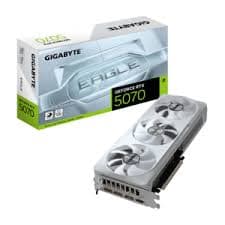
GeForce RTX 5070 Ti
avg, 1080p
The short answer
The RTX 5070 Ti is comfortably the better card, about 23% faster on average with 4 more gigabytes of VRAM on a wider 256-bit bus. That gap shows up most at 1440p and 4K, where the 5070's 192-bit bus starts to run out of bandwidth. The 5070 is not a bad card, it is efficient and a full $180 to $200 cheaper at street price, and it still runs every current game well at 1080p and most at 1440p. This is a straightforward budget call: pay more and get a card built for 1440p Ultra and light 4K, or save the difference and stay comfortably at 1080p to 1440p.
Both of these are 2025 Blackwell cards with DLSS 4 and the same generation of RT and Tensor cores, so this comparison is about how much tier gap $180 to $200 buys, not about old versus new. The 5070 Ti is a genuinely bigger chip: more CUDA cores, more RT cores, a wider memory bus and 4 extra gigabytes of GDDR7. The RTX 5070 is the efficient, still-capable little brother, aimed at 1080p and 1440p rather than 1440p Ultra and 4K.
From here we break down exactly where that $180 to $200 goes: game-by-game frame rates with 1% lows, how each card handles ray tracing and DLSS 4, a live CPU-pairing check, thermals and power draw side by side, two years of street pricing, and a plain verdict on which one earns its keep in a 1080p or 1440p build.
At a glance
Seven dimensions, two cards. Bigger area is not automatically better, each card owns different corners.
Strengths radar
Each axis scored 0-100 relative to the pair
Performance vs price
Up and to the left is better value
Grey dots are neighbouring cards for context.
Which should you buy?
Pick your use case, the winner changes with what you actually do.
The 5070 already delivers well over 200 fps in lighter titles, the extra Ti muscle goes mostly unused at this resolution.
The wider 256-bit bus and 23% more raw performance are exactly what 1440p Ultra and upscaled 4K need.
16 GB fits noticeably bigger models and batch sizes than 12 GB, and the extra Tensor cores speed up inference too.
Both carry Blackwell's AV1 encoder, but the 5070 Ti's dual encoder engine cuts export and multi-stream encode times meaningfully.
At 250 W on a single 16-pin connector, the 5070 fits smaller cases and quieter builds without giving up much.
For 1080p-1440p console-style play and current emulators, the 5070 already has headroom to spare at a lower price.
Already own an RTX 5070? Only upgrade if you're moving up in resolution.
Short answer: probably not
A 23% gain is real but not transformative if you're happy at 1080p or 1440p on a 165 Hz monitor. You would spend $180-200 to add headroom you may not use yet. Keep the 5070 unless you're specifically chasing 1440p Ultra, 4K with DLSS, or a bigger VRAM buffer for AI work.
If you do want more, moving straight to the 5070 Ti is the clean, same-generation upgrade path, everything else about your platform stays identical. Jumping to an RTX 5080 is a bigger step up again, worth it only if 4K native is the actual goal.
Full specification comparison
Every spec side by side. The highlighted figure wins each row.
| Specification | RTX 5070 | RTX 5070 Ti |
|---|---|---|
| Architecture | ||
| GPU / architecture | GB205 · Blackwell | GB203 · Blackwell |
| Process node | TSMC 4N (5 nm class) | TSMC 4N (5 nm class) |
| Release date | Mar 5, 2025 | Feb 20, 2025 |
| Launch MSRP | $549 ▲ | $749 |
| Compute | ||
| CUDA cores | 6,144 | 8,960 ▲ |
| RT cores | 48 · 4th gen | 70 · 4th gen ▲ |
| Tensor cores | 192 · 5th gen | 280 · 5th gen ▲ |
| Base / boost clock | 2160 / 2510 MHz | 2295 / 2452 MHz |
| L2 cache | 48 MB | 64 MB ▲ |
| Memory | ||
| VRAM | 12 GB GDDR7 | 16 GB GDDR7 ▲ |
| Memory bus | 192-bit | 256-bit ▲ |
| Bandwidth | 672 GB/s | 896 GB/s ▲ |
| Power & form factor | ||
| TDP | 250 W ▲ | 300 W |
| Power connector | 1× 16-pin (12V-2x6) | 1× 16-pin (12V-2x6) |
| Suggested PSU | 650 W ▲ | 700 W |
| PCIe interface | 5.0 ×16 | 5.0 ×16 |
| Features | ||
| Upscaling | DLSS 4 + Multi Frame Gen | DLSS 4 + Multi Frame Gen |
| AV1 encode (NVENC) | Yes · single encoder | Yes · dual encoder ▲ |
| Display outputs | 3×DP2.1a · HDMI2.1b | 3×DP2.1a · HDMI2.1b |
Average FPS by game
Switch resolution, metric, ray tracing and upscaling, the bars update live. Hover a bar for the avg / 1% / 0.1% breakdown.
Average FPS · 1080p · Rasterization. Representative data, hover a bar for avg / 1% / 0.1%. Note the RTX 5070 Ti's 1% lows fall off at 1440p and up from its 8 GB VRAM.
Smoothness & frametimes
Average FPS hides stutter. This is one run plotted as frametime, a flat line is smooth, spikes are hitches. Watch what the RTX 5070 Ti's 8 GB VRAM does in a texture-heavy game.
Frametime: Alan Wake 2, 1440p Ultra
Lower and flatter is better · 16.7 ms = 60 fps
Counterintuitive but real: the slower RTX 5070 delivers a smoother line here because 12 GB holds the texture pool the 8 GB RTX 5070 Ti keeps evicting, those spikes are VRAM stutter, not raw speed.
Lab scores
Clean apples-to-apples tests, useful, but weaker at predicting real games than the FPS above.
Ray tracing & upscaling
Ray tracing tanks both cards at native resolution. What makes it playable is upscaling, and here the RTX 5070 Ti has a real edge.
Is frame generation "real" performance?
Both cards get NVIDIA's full DLSS 4 stack, including Multi Frame Generation, which can insert up to three AI frames for every one rendered frame instead of DLSS 3's single inserted frame. On the RTX 5070 Ti's larger die that pushes 1440p RT frame rates well past 150 fps in supported titles, and even the 5070 gets a big smoothness boost at 1080p and 1440p.
Multi Frame Gen shines in single-player and cinematic games at high base frame rates, above roughly 55-60 fps native. It adds a touch of latency versus native rendering, so competitive shooters are better played with it off and Reflex on. Both cards support the same DLSS 4 model, so image quality is identical, the difference is purely how many frames each card can generate per second.
Will your CPU bottleneck these cards?
A faster GPU only helps if your CPU keeps up. Pick your CPU and resolution to see expected FPS and bottleneck for each card.
CPU + GPU pairing check
The willitbottleneck engine, built right into the comparison.
Estimated from a 43-CPU model across 1440p. A weak CPU mostly bites at 1080p; at higher resolutions the GPU becomes the limiter and the bottleneck shrinks.
Thermals & noise
The efficiency gap shows up here: the newer card runs cooler and quieter, day in and day out.
Real draw, efficiency & PSU
TDP is the rated figure; what matters is real gaming draw and how many frames you get per watt.
Both use a single 8-pin connector. If your PSU already ran the RTX 5070, it will run the RTX 5070 Ti easily. Leave about 30% headroom for spikes.
Will it fit, and what to pair it with?
Size to scale
Card length matters for small cases
What monitor to pair
RTX 5070: strong at 1440p 165 Hz and a solid 1080p 240 Hz+ card for esports. RTX 5070 Ti: built for 1440p 240 Hz and comfortable 4K 60-100 Hz with DLSS 4. Neither is wasted on a good 1440p monitor, but the Ti is the one to pair with a 4K panel.
Running an older PCIe 3.0 board?
Both run a full PCIe 5.0 ×16 link, and both are backward compatible with PCIe 4.0 motherboards at effectively no performance loss, since neither card saturates even a 4.0 ×16 link. PCIe 3.0 boards will lose a small, low single-digit percentage on the 5070 Ti under heavy load.
Price history & dollars-per-frame
Raw price is only half the story. Cost per frame is the number that decides it, and it keeps moving as prices fall.
New price over time
Street price of new cards (USD)
The 12 GB vs 16 GB question
RTX 5070 · 12 GB
- 12 GB comfortably covers 1080p and the large majority of 1440p titles at Ultra settings through 2026.
- GDDR7 at 672 GB/s keeps the narrower 192-bit bus from becoming a bottleneck in most current games.
- 4K texture packs and some path-traced titles can push past 12 GB, forcing a texture setting down a notch.
- Local AI batch sizes are more limited than the 5070 Ti's 16 GB allows.
RTX 5070 Ti · 16 GB
- 16 GB and a 256-bit bus give real headroom for 1440p Ultra, light 4K, and years of future VRAM growth.
- Local AI and Stable Diffusion XL workloads fit larger models and bigger batches without spilling to system RAM.
- Large Blender and Resolve projects stay fully resident on-card.
- That memory advantage is wasted if you're gaming at 1080p, where the bottleneck is elsewhere.
Emulation & memory bandwidth
The narrower bus is a real downgrade for emulation
Both cards are well past what any current console emulator needs. RPCS3, Xenia and Switch emulation at native or upscaled resolutions run comfortably on either, and the 5070 Ti's extra bandwidth only matters if you're pushing PS3 or Wii U emulation at 4K or higher internal resolutions with heavy shader compilation. For emulation alone, the RTX 5070 is already more card than most libraries need.
Creator, AI & streaming
The newer card is quicker per task, but the older card's extra VRAM unlocks larger jobs it can't fit at all.
Streaming: the AV1 encoder is the differentiator
Both use Blackwell's AV1 hardware encoder for clean streams at low bitrate. The RTX 5070 Ti adds a second encoder engine, which matters for dual-output scenarios (streaming while recording a separate high-quality local file) and for faster AV1 exports in Resolve or Premiere. A solo streamer on one output will not notice a difference.
Overclocking & undervolting
Both cards are already close to their power limit out of the box, so headroom is modest, around 5-6%. Undervolting gives a better return: similar clocks at noticeably lower temperature, noise and power draw on either card.
Pros & cons
RTX 5070
- $180-200 cheaper at street price with nearly identical efficiency
- Plenty for 1080p and most 1440p Ultra gaming
- Compact 2-slot form factor fits more cases
- 12 GB and a 192-bit bus start to show at 1440p Ultra and 4K
- About 23% slower on average
RTX 5070 Ti
- 23% faster with a genuinely wider memory subsystem
- 16 GB is a real cushion for 1440p Ultra, 4K and AI work
- Dual AV1 encoder for streaming and export-heavy workflows
- $180-200 more, and a 3-slot cooler on most AIB models
- Overkill if you're only gaming at 1080p
Buying pitfalls
Check the AIB cooler size, not just the spec sheet
Founders Edition cards are 2-slot and compact, but many third-party 5070 Ti cards run 3-slot, 320mm+ coolers to tame the 300 W TDP. Measure your case before buying, especially in a smaller build.
Don't buy the Ti for 1080p esports alone
In CPU-limited 1080p esports titles, the 5070 and 5070 Ti land within a few percent of each other, the gap only opens up at 1440p and above. If 1080p competitive is truly all you play, the cheaper card is the smarter buy.
RTX 5070 vs RTX 5070 Ti: your questions answered
It usually is, since you're getting about 23% more performance and a jump from 12 GB to 16 GB of VRAM on a 256-bit bus instead of 192-bit. The 5070 earns its keep by costing $180-200 less at street price while staying nearly as power-efficient, so the Ti only pulls ahead once you're pushing 1440p Ultra or higher.
Pick the 5070 if your monitor tops out at 1080p or a standard 1440p panel and you want to keep costs down. Pick the 5070 Ti if you're running a 1440p 240 Hz or 4K display, or doing AI and creator work that benefits from the extra memory.
Both launched in 2025 on the current Blackwell architecture with the full DLSS 4 feature set, so neither one is behind the times. As of September 2026 this pair still represents the mainstream and upper-mainstream tiers of NVIDIA's lineup.
It does. Those workloads tend to be limited by how much fits in memory rather than raw clock speed, so the 5070 Ti's 16 GB lets you load larger models and run bigger batches than the 5070's 12 GB allows before you hit a wall.
Both cards share the same Blackwell AV1 encoder, but the 5070 Ti adds a second encoder engine. That only shows up if you're streaming and recording a separate file at once, or exporting AV1 footage constantly; a single-output streamer won't notice much difference.
It's a real gap, roughly 25-30% in favor of the 5070 Ti thanks to its extra RT cores and wider memory bus. Both still trace rings around the previous generation at these price points, so this is a difference of degree, not of capability.
Yes, both are full Blackwell parts with the complete DLSS 4 stack, Multi Frame Generation included. Rendered image quality is the same on either card; the 5070 Ti just produces more frames per second because the underlying chip is faster.
That comes down to your processor more than the card itself. Run the pairing checker further up this page: a Ryzen 7 7700X, Core i5-13600K, or better keeps either GPU fed at 1440p, while an older or budget chip will bottleneck the 5070 Ti before it touches the 5070.
In real gaming loads the RTX 5070 pulls about 245 W against roughly 295 W for the 5070 Ti, close to a 17% difference. Frames per watt end up almost identical between them, so the Ti simply spends more total power to reach its higher frame rates.
Plan on a quality 650 W unit for the RTX 5070 and 700 W for the 5070 Ti, since both connect through a single 16-pin 12V-2x6 plug. Bump that up to 750-850 W if the rest of your build includes a high-draw CPU.
The Founders Edition versions of both are compact 2-slot cards, but a lot of third-party RTX 5070 Ti models use 3-slot coolers close to 320 mm long, so measure your case first. Both cards run a full PCIe 5.0 x16 link and give up nothing on a PCIe 4.0 motherboard.
No. The laptop versions of Blackwell GPUs carry the same names but run at reduced power limits and clocks, so a laptop 5070 Ti lands closer to a desktop 5070 in practice. Only compare laptop chips against other laptop chips, never against desktop numbers.
The RTX 5070 Ti is the one built for genuine 4K play with DLSS 4, particularly in less demanding games. The 5070 can handle 4K with upscaling turned on in lighter titles, but its natural home is 1440p.
Since both are still fairly recent, used listings are scarce and the discount is modest, typically $80-100 under street price. Buying new keeps you covered by full warranty, which counts for more on hardware this young.
Plenty. Both sit on the current Blackwell architecture with active Game Ready driver support, and NVIDIA has historically kept an architecture updated for five-plus years past its launch.
For most titles, no, you'll hit a CPU ceiling before the Ti's extra horsepower comes into play at 1080p. The 5070 is the more rational pick unless a monitor upgrade to 1440p or 4K is already on your near-term list.