
RTX 5080 vs RTX 5090
The complete head-to-head: full specs, real per-game FPS with 1% lows, ray tracing, a live CPU-bottleneck check, thermals, power and value, with a straight verdict.
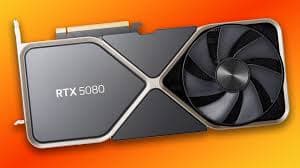
GeForce RTX 5080
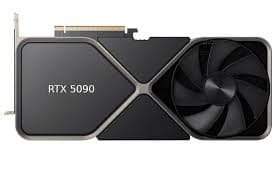
GeForce RTX 5090
avg, 1080p
The short answer
This one is not close, and it should not be. The RTX 5090 is about 32% faster than the RTX 5080 and carries double the VRAM, 32 GB versus 16 GB, on a memory bus twice as wide. It is also more than double the price at street value, over $2,200 versus under $1,000. For pure gaming, that is a steep price for 32% more frames, the 5080 already handles 4K Ultra well. The 5090 earns its price in a different lane: 32 GB of VRAM for serious local AI, large 3D scenes and heavy creator workloads, where it is not really competing with the 5080 at all. Buy the 5080 for gaming. Buy the 5090 only if you have a specific, VRAM-hungry reason to.
These are the top two Blackwell desktop cards, and the gap between them is deliberately huge. NVIDIA built the 5090 as a halo part first, a gaming card second, with double the CUDA cores, double the VRAM, and a 512-bit bus that exists mainly to feed AI and content-creation workloads. The 5080 is the more sensible flagship, a genuine 4K gaming card at under half the price.
This page walks through where that 32% actually comes from: 10 games with 1% lows, the RT and DLSS 4 numbers, a CPU-pairing check, temperatures and noise at 350 W versus 560 W, the street-price gap that has held near $1,200 all year, and a plain answer on which card fits your build. Expect a wide, deliberate split between them, not a photo finish.
At a glance
Seven dimensions, two cards. Bigger area is not automatically better, each card owns different corners.
Strengths radar
Each axis scored 0-100 relative to the pair
Performance vs price
Up and to the left is better value
Grey dots are neighbouring cards for context.
Which should you buy?
Pick your use case, the winner changes with what you actually do.
The 5080 already runs 4K Ultra well in almost everything, at less than half the 5090's price.
The 5090's extra RT and Tensor throughput is what actually shows up in the heaviest path-traced titles.
32 GB is the real reason to buy a 5090, it fits models and batch sizes a 16 GB card simply cannot.
Massive VRAM headroom keeps huge Resolve timelines and Blender scenes fully on-card without spilling.
Lower TDP means a smaller PSU, a quieter case, and more of your budget left for the rest of the system.
No current emulator comes close to needing 5090-level power, the 5080 is already overkill here.
Already own an RTX 5080? Skip the 5090 unless you have a specific reason.
Short answer: probably not
A 32% gain for over double the money is a bad trade for gaming alone. If your monitor and CPU are already fed well by the 5080, keep it, the 5090's advantage barely registers unless you're running the heaviest path-traced titles at native 4K without upscaling.
The 5090 makes sense as a direct buy, not an upgrade, when 32 GB of VRAM solves a real problem: training or running larger local AI models, editing huge multi-layer video timelines, or rendering enormous 3D scenes. If that is not your workload, the money is better spent on the rest of your PC.
Full specification comparison
Every spec side by side. The highlighted figure wins each row.
| Specification | RTX 5080 | RTX 5090 |
|---|---|---|
| Architecture | ||
| GPU / architecture | GB203 · Blackwell | GB202 · Blackwell |
| Process node | TSMC 4N (5 nm class) | TSMC 4N (5 nm class) |
| Release date | Jan 30, 2025 | Jan 30, 2025 |
| Launch MSRP | $999 ▲ | $1,999 |
| Compute | ||
| CUDA cores | 10,752 | 21,760 ▲ |
| RT cores | 84 · 4th gen | 170 · 4th gen ▲ |
| Tensor cores | 336 · 5th gen | 680 · 5th gen ▲ |
| Base / boost clock | 2295 / 2617 MHz ▲ | 2017 / 2410 MHz |
| L2 cache | 64 MB | 96 MB ▲ |
| Memory | ||
| VRAM | 16 GB GDDR7 | 32 GB GDDR7 ▲ |
| Memory bus | 256-bit | 512-bit ▲ |
| Bandwidth | 960 GB/s | 1,792 GB/s ▲ |
| Power & form factor | ||
| TDP | 360 W ▲ | 575 W |
| Power connector | 1× 16-pin (12V-2x6) | 1× 16-pin (12V-2x6) |
| Suggested PSU | 850 W ▲ | 1,000 W |
| PCIe interface | 5.0 ×16 | 5.0 ×16 |
| Features | ||
| Upscaling | DLSS 4 + Multi Frame Gen | DLSS 4 + Multi Frame Gen |
| AV1 encode (NVENC) | Yes · dual encoder | Yes · dual encoder |
| Display outputs | 3×DP2.1a · HDMI2.1b | 3×DP2.1a · HDMI2.1b |
Average FPS by game
Switch resolution, metric, ray tracing and upscaling, the bars update live. Hover a bar for the avg / 1% / 0.1% breakdown.
Average FPS · 1080p · Rasterization. Representative data, hover a bar for avg / 1% / 0.1%. Note the RTX 5090's 1% lows fall off at 1440p and up from its 8 GB VRAM.
Smoothness & frametimes
Average FPS hides stutter. This is one run plotted as frametime, a flat line is smooth, spikes are hitches. Watch what the RTX 5090's 8 GB VRAM does in a texture-heavy game.
Frametime: Cyberpunk 2077, 4K Ultra + Path Tracing
Lower and flatter is better · 16.7 ms = 60 fps
Counterintuitive but real: the slower RTX 5080 delivers a smoother line here because 12 GB holds the texture pool the 8 GB RTX 5090 keeps evicting, those spikes are VRAM stutter, not raw speed.
Lab scores
Clean apples-to-apples tests, useful, but weaker at predicting real games than the FPS above.
Ray tracing & upscaling
Ray tracing tanks both cards at native resolution. What makes it playable is upscaling, and here the RTX 5090 has a real edge.
Is frame generation "real" performance?
Both cards run the same DLSS 4 Multi Frame Generation model, inserting up to three AI frames per rendered frame. Where it really shows up is 4K with heavy path tracing: the 5090's much larger frame budget means Multi Frame Gen has more real frames to work from, so the final result is both higher fps and lower latency at the same visual settings than the 5080 achieves.
Use it for cinematic, single-player 4K gaming, that is exactly the scenario NVIDIA designed both cards for. Skip it for competitive shooters, and keep base frame rates above roughly 55-60 fps before turning it on, on either card.
Will your CPU bottleneck these cards?
A faster GPU only helps if your CPU keeps up. Pick your CPU and resolution to see expected FPS and bottleneck for each card.
CPU + GPU pairing check
The willitbottleneck engine, built right into the comparison.
Estimated from a 43-CPU model across 1440p. A weak CPU mostly bites at 1080p; at higher resolutions the GPU becomes the limiter and the bottleneck shrinks.
Thermals & noise
The efficiency gap shows up here: the newer card runs cooler and quieter, day in and day out.
Real draw, efficiency & PSU
TDP is the rated figure; what matters is real gaming draw and how many frames you get per watt.
Both use a single 8-pin connector. If your PSU already ran the RTX 5080, it will run the RTX 5090 easily. Leave about 30% headroom for spikes.
Will it fit, and what to pair it with?
Size to scale
Card length matters for small cases
What monitor to pair
RTX 5080: an excellent 4K 120-144 Hz card, and comfortable at 1440p 240 Hz. RTX 5090: built for 4K 240 Hz, ultrawide 5K, or multi-monitor and high-refresh setups where headroom matters. Neither card is really meant for a 1080p monitor.
Running an older PCIe 3.0 board?
Both run a full PCIe 5.0 ×16 link and lose essentially nothing on a PCIe 4.0 board. On PCIe 3.0, expect a small single-digit percentage loss on the 5090 specifically, since it is the card most likely to be bandwidth-limited by an older platform.
Price history & dollars-per-frame
Raw price is only half the story. Cost per frame is the number that decides it, and it keeps moving as prices fall.
New price over time
Street price of new cards (USD)
The 16 GB vs 32 GB question
RTX 5080 · 16 GB
- 16 GB comfortably covers native 4K Ultra in the overwhelming majority of 2026 games.
- 960 GB/s of bandwidth keeps the 256-bit bus from bottlenecking current titles.
- The heaviest path-traced titles at native 4K with full ray tracing can approach the 16 GB ceiling.
- Large local AI models and big Blender/Resolve scenes hit VRAM limits sooner than on the 5090.
RTX 5090 · 32 GB
- 32 GB is effectively future-proof for gaming, and it's the real reason creators and AI users buy this card.
- Runs local LLMs and Stable Diffusion batch sizes no 16 GB consumer card can match.
- Massive Blender scenes and multi-layer Resolve timelines stay fully resident on-card.
- For pure gaming, almost none of that extra 16 GB gets used, even at native 4K Ultra.
Emulation & memory bandwidth
The narrower bus is a real downgrade for emulation
Neither card is remotely challenged by current emulation. RPCS3, Xenia and Switch cores at native or even 2x internal resolution run smoothly on the RTX 5080, and the 5090 adds nothing meaningful here. If emulation is your main use case, save well over $1,000 and buy the 5080, or something smaller still.
Creator, AI & streaming
The newer card is quicker per task, but the older card's extra VRAM unlocks larger jobs it can't fit at all.
Streaming: the AV1 encoder is the differentiator
Both cards carry the same dual AV1 encoder setup, so pure streaming and export quality are close to identical. The 5090's advantage shows up in combined workloads, streaming while simultaneously rendering a large Blender or Resolve project in the background, where its extra compute and VRAM keep everything smooth at once.
Overclocking & undervolting
Both cards ship close to their power limit, so manual overclocking headroom is small, around 3-4%. Undervolting is the better move on either, and it matters most on the 575 W RTX 5090, where a good undervolt can cut power draw noticeably with almost no performance loss.
Pros & cons
RTX 5080
- Less than half the price of the 5090 for 76% of its gaming performance
- 360 W and a 3-slot cooler are far easier to fit and power
- Genuinely excellent native 4K card on its own
- 16 GB can be limiting for the heaviest AI and creator workloads
- 32% slower, and the gap grows at native 4K with full path tracing
RTX 5090
- The fastest consumer gaming GPU available, by a clear margin
- 32 GB of VRAM unlocks serious local AI and creator work the 5080 cannot touch
- Massive headroom for years of future games and workloads
- Over $2,200 street, more than double the 5080
- 575 W needs a serious PSU and case airflow, and most of that VRAM goes unused for gaming
Buying pitfalls
The RTX 5090 needs a real 1000 W+ power supply
Transient spikes on the 5090 can briefly approach 700 W. Undersized or older PSUs, and cheap 4-to-1 8-pin adapters instead of a native ATX 3.0/3.1 cable, are the main cause of stability problems on this card. Budget for a quality 1000-1200 W unit.
Check case airflow before buying either card
3-slot and 4-slot coolers on these cards are long and heavy. Confirm your case supports the card's length and has enough front and top airflow, especially for the 5090's 575 W of heat.
RTX 5080 vs RTX 5090: your questions answered
About 32% on average across our 10-game suite, and it carries double the VRAM and double the memory bus on top of that. The catch is price: it costs more than double what the 5080 does at street value, so the performance gap and the money gap are not remotely proportional.
Put it toward the 5080 if gaming, even native 4K, is the goal, it wins on cost per frame by a wide margin. Save for the 5090 only when 32 GB of VRAM solves an actual problem, like local AI work, large 3D scenes, or heavy multi-layer video editing.
Yes. Both launched January 2025 as Blackwell flagships and nothing has replaced them as of September 2026, so they still sit at the top of NVIDIA's lineup and are not at risk of looking dated.
It matters a lot. The 32 GB pool lets it hold local models and batch sizes the 5080's 16 GB simply cannot fit, and the added Tensor cores and bandwidth on top of that shorten training and inference time as well.
For plain streaming they are nearly equal, since both use the identical dual AV1 encoder. The difference shows once you stack workloads, streaming alongside a big Resolve render or a heavy background project, where the 5090's extra VRAM and compute keep things smooth.
Yes, in native 4K path tracing without any upscaling the gap opens to roughly 35-40%, wider than what you see in raster-only games. That is the specific scenario where the 5090's extra RT hardware earns its keep.
No, both the 5080 and 5090 support the same DLSS 4 and Multi Frame Generation feature set with equal image quality. The 5090 simply starts from a higher base frame rate, so it ends up with more generated frames and lower latency at the same settings.
It is a real risk with the 5090 at 1080p or 1440p, where even top-tier chips like a Ryzen 7 9800X3D or Core Ultra 9 285K can become the limiting factor. Run the pairing checker above, both cards are designed to stretch their legs at 4K rather than lower resolutions.
Under real gaming load the 5080 pulls about 350 W to the 5090's roughly 560 W, a 37% gap, and our thermal readings show it running cooler and quieter at the same time, not just drawing less power.
A solid 850 W unit is enough for the RTX 5080. Step up to 1,000 W, or 1,000-1,200 W for headroom, on the RTX 5090, and use a native ATX 3.0/3.1 cable there instead of a cheap 4-to-1 adapter.
Expect roughly 310 mm and 3 slots for the 5080, and 336 mm or more across 4 slots for many 5090 cards, so measure your case first. Both run a full PCIe 5.0 x16 link and barely notice a PCIe 4.0 motherboard.
No, and this trips people up constantly. Laptop Blackwell parts share the model name but run at far lower power limits, so a laptop RTX 5090 can land below a desktop RTX 5080 in real performance. Compare desktop numbers to desktop numbers only.
The 5080 already handles native 4K well on its own. Step up to the 5090 only if you want extra headroom for 4K at very high refresh rates, ultrawide 5K, or multi-monitor setups where that extra performance actually gets used.
Not by much. Used pricing on cards this new and this in-demand only trims roughly $100-350 off street price, around $850 used for the 5080 and $1,850 for the 5090, and you give up warranty protection on an expensive part. New is the safer call at these price points.
Almost certainly. As the current Blackwell flagships, both get active Game Ready driver support, and NVIDIA's track record runs 5 or more years of updates per generation, so neither is close to being cut off.
For gaming alone, no. You are paying more than double the 5080's price for roughly a third more performance. The 5090 justifies its cost through VRAM-hungry AI and content work, not through raw gaming speed by itself.