
RTX 4090 vs RTX 5090
The complete head-to-head: full specs, real per-game FPS with 1% lows, ray tracing, a live CPU-bottleneck check, thermals, power and value, with a straight verdict.
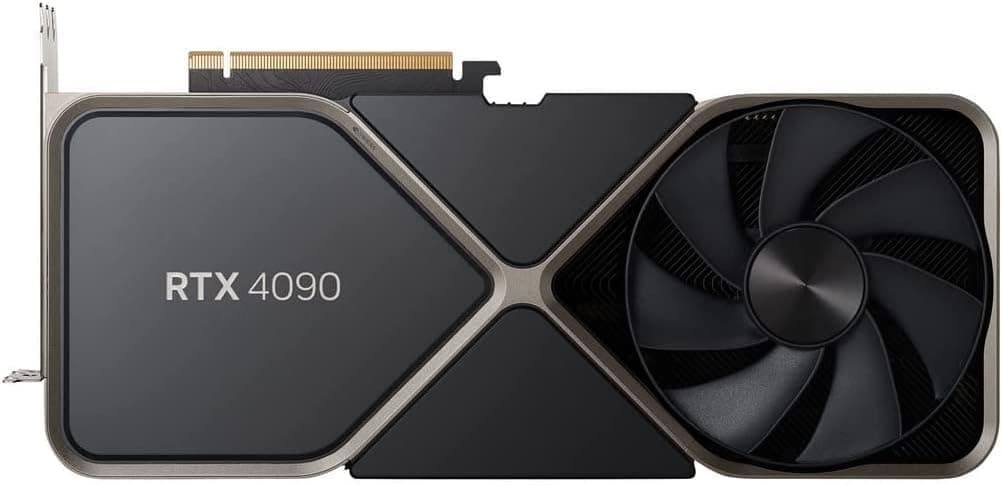
GeForce RTX 4090
GeForce RTX 5090
avg, 1080p
The short answer
The RTX 5090 is the fastest consumer GPU that exists, about 22% ahead of the RTX 4090 at 1080p and further ahead still at 4K, and it carries a full 32 GB of VRAM against the 4090's 24 GB. It is also bigger, hungrier, and priced above its own already-high MSRP thanks to persistent demand from gamers and AI workloads alike. The RTX 4090 has not gotten slower, it has just been outclassed by a bigger, newer chip, and because it is discontinued it now holds its resale value unusually well. Both cards are for a small, no-compromise budget; below that tier, look elsewhere.
This is the flagship-versus-flagship matchup: the card that defined the last generation against the card that replaced it. The 5090 is bigger in every spec that matters, more cores, more memory, more bandwidth, more power, and the performance gap follows. The 4090 remains the second-fastest consumer GPU ever made, and because NVIDIA has stopped producing it, its price has held up far better than a typical previous-generation card.
Everything below lines the two flagships up head to head: measured frame rates and 1% lows across ten games, how the 4090's DLSS 3 Frame Generation compares with the 5090's DLSS 4 Multi Frame Generation, a live CPU-pairing check so you know if your processor can keep up, thermals and power draw at 450 W versus 575 W, price movement since the 5090 launched, and a verdict that names a winner for each use case.
At a glance
Seven dimensions, two cards. Bigger area is not automatically better, each card owns different corners.
Strengths radar
Each axis scored 0-100 relative to the pair
Performance vs price
Up and to the left is better value
Grey dots are neighbouring cards for context.
Which should you buy?
Pick your use case, the winner changes with what you actually do.
The fastest card available, and the gap over the 4090 only grows as resolution climbs past 1080p.
More RT cores, a newer architecture, and DLSS 4's transformer model make path tracing meaningfully more playable on the 5090.
32 GB fits noticeably larger models and batch sizes than 24 GB. For serious local AI work this is the deciding spec.
Faster core, more VRAM for large timelines, and dual encoders make short work of the heaviest creator pipelines.
450 W and a smaller cooler footprint fit into more cases and existing 850 W supplies than the 5090's 575 W monster.
Slower, yes, but the 4090 is available for meaningfully less than the 5090's elevated street price and delivers most of the capability.
Already own an RTX 4090? Only upgrade if you need the VRAM.
Short answer: probably not
A 22% average gain does not justify the cost of moving from one flagship to the next unless you specifically need the 5090's extra 8 GB of VRAM for local AI models, or you want the absolute best 4K experience available and money is not the constraint.
For gaming alone, the 4090 remains an outstanding card years after launch. Put the upgrade money toward a faster CPU, a higher refresh 4K monitor, or simply wait, the 5090's price premium over MSRP is unlikely to hold forever.
Full specification comparison
Every spec side by side. The highlighted figure wins each row.
| Specification | RTX 4090 | RTX 5090 |
|---|---|---|
| Architecture | ||
| GPU / architecture | AD102 · Ada Lovelace | GB202 · Blackwell |
| Process node | TSMC 4N (5 nm class) | TSMC 4NP (5 nm class) |
| Release date | Oct 12, 2022 | Jan 30, 2025 |
| Launch MSRP | $1,599 ▲ | $1,999 |
| Compute | ||
| CUDA cores | 16,384 | 21,760 ▲ |
| RT cores | 128 · 3rd gen | 170 · 4th gen ▲ |
| Tensor cores | 512 · 4th gen | 680 · 5th gen ▲ |
| Base / boost clock | 2235 / 2520 MHz ▲ | 2017 / 2410 MHz |
| L2 cache | 72 MB | 96 MB ▲ |
| Memory | ||
| VRAM | 24 GB GDDR6X | 32 GB GDDR7 ▲ |
| Memory bus | 384-bit | 512-bit ▲ |
| Bandwidth | 1,008 GB/s | 1,792 GB/s ▲ |
| Power & form factor | ||
| TDP | 450 W ▲ | 575 W |
| Power connector | 1× 16-pin (12VHPWR) | 1× 16-pin (12V-2x6) |
| Suggested PSU | 850 W ▲ | 1000 W |
| PCIe interface | 4.0 ×16 | 5.0 ×16 ▲ |
| Features | ||
| Upscaling | DLSS 3 + Frame Gen | DLSS 4 + Multi Frame Gen ▲ |
| AV1 encode (NVENC) | Yes · 2 encoders | Yes · 3 encoders ▲ |
| Display outputs | 3×DP1.4a · HDMI 2.1 | 3×DP2.1 · HDMI 2.1b ▲ |
Average FPS by game
Switch resolution, metric, ray tracing and upscaling, the bars update live. Hover a bar for the avg / 1% / 0.1% breakdown.
Average FPS · 1080p · Rasterization. Representative data, hover a bar for avg / 1% / 0.1%. Note the RTX 5090's 1% lows fall off at 1440p and up from its 8 GB VRAM.
Smoothness & frametimes
Average FPS hides stutter. This is one run plotted as frametime, a flat line is smooth, spikes are hitches. Watch what the RTX 5090's 8 GB VRAM does in a texture-heavy game.
Frametime: Alan Wake 2 with path tracing, 4K
Lower and flatter is better · 16.7 ms = 60 fps
Counterintuitive but real: the slower RTX 4090 delivers a smoother line here because 12 GB holds the texture pool the 8 GB RTX 5090 keeps evicting, those spikes are VRAM stutter, not raw speed.
Lab scores
Clean apples-to-apples tests, useful, but weaker at predicting real games than the FPS above.
Ray tracing & upscaling
Ray tracing tanks both cards at native resolution. What makes it playable is upscaling, and here the RTX 5090 has a real edge.
Is frame generation "real" performance?
Both cards support DLSS Frame Generation, but only the 5090 gets DLSS 4's Multi Frame Generation, inserting up to three AI frames per real one instead of the 4090's single inserted frame under DLSS 3. On a 240 Hz monitor that difference is very visible in supported titles.
Both cards already produce high base frame rates on their own, so frame generation matters less here than on a budget card, use it mainly to push path-traced 4K to a high refresh rate rather than to rescue a low frame rate. Skip it for competitive shooters regardless of which card you own.
Will your CPU bottleneck these cards?
A faster GPU only helps if your CPU keeps up. Pick your CPU and resolution to see expected FPS and bottleneck for each card.
CPU + GPU pairing check
The willitbottleneck engine, built right into the comparison.
Estimated from a 43-CPU model across 1440p. A weak CPU mostly bites at 1080p; at higher resolutions the GPU becomes the limiter and the bottleneck shrinks.
Thermals & noise
The efficiency gap shows up here: the newer card runs cooler and quieter, day in and day out.
Real draw, efficiency & PSU
TDP is the rated figure; what matters is real gaming draw and how many frames you get per watt.
Both use a single 8-pin connector. If your PSU already ran the RTX 4090, it will run the RTX 5090 easily. Leave about 30% headroom for spikes.
Will it fit, and what to pair it with?
Size to scale
Card length matters for small cases
What monitor to pair
RTX 4090: excellent at 4K 100-144 Hz and the best card for 1440p at 240 Hz-plus. RTX 5090: built for 4K 144-240 Hz and the only sensible choice for the newest 5K and 8K displays. Neither card is wasted below 1440p high refresh.
Running an older PCIe 3.0 board?
The 5090 runs PCIe 5.0 ×16, but no current motherboard chipset or game saturates that bandwidth, so it is future headroom rather than a real gain today. The 4090's PCIe 4.0 ×16 costs nothing in practice on any modern board.
Price history & dollars-per-frame
Raw price is only half the story. Cost per frame is the number that decides it, and it keeps moving as prices fall.
New price over time
Street price of new cards (USD)
The 24 GB vs 32 GB question
RTX 4090 · 24 GB
- 24 GB is enough for the overwhelming majority of games and creative workloads at any resolution today.
- Handles most local LLMs and Stable Diffusion workflows other than the very largest models, which need 32 GB and up.
- The largest open-weight models and the biggest batch sizes still spill past 24 GB, where the 5090 keeps working.
- 1,008 GB/s of bandwidth is well behind the 5090's 1,792 GB/s, which matters in memory-bound AI and rendering tasks.
RTX 5090 · 32 GB
- 32 GB is the first consumer card able to comfortably run many large local AI models and full-resolution 3D scenes without swapping.
- 1,792 GB/s of GDDR7 bandwidth, nearly double the 4090's, keeps the extra cores fed at 4K and in the heaviest RT workloads.
- That headroom costs 125 W more and a bigger, louder cooler to dissipate it.
- Most games do not use anywhere near 24 GB yet, so the extra 8 GB is a creator and AI benefit more than a gaming one.
Emulation & memory bandwidth
The narrower bus is a real downgrade for emulation
Both cards are massive overkill for Switch, PS3 or Wii U emulation, either will run RPCS3 or Ryujinx-style cores at very high internal resolutions without breaking a sweat. If you are doing serious PS3 or PS2 emulation research work at extreme upscale factors, the 5090's extra bandwidth gives it more headroom, but almost nobody will notice the difference in practice.
Creator, AI & streaming
The newer card is quicker per task, but the older card's extra VRAM unlocks larger jobs it can't fit at all.
Streaming: the AV1 encoder is the differentiator
The RTX 4090 has dual hardware AV1 encoders, already enough to stream and record locally at once. The RTX 5090 goes further with a third encoder, exclusive to it in the current lineup, which is built for creators running multiple simultaneous export or encode jobs. The 5090's faster core and larger VRAM pool also shorten export times on huge Resolve or Premiere timelines.
Overclocking & undervolting
Both cards ship close to their thermal and power limits from the factory, so headroom for a traditional overclock is thin, roughly 5-7% at best. Undervolting is the far better use of time at this power tier: similar performance with a real drop in temperature, fan noise, and total system draw.
Pros & cons
RTX 4090
- Cheaper than the 5090, new or used, by a wide margin
- 450 W is far easier on PSU, case airflow, and total system heat
- 24 GB covers nearly every game and most creator and AI work
- About 22% slower on average, more at 4K
- No longer in production, so supply will only get tighter
RTX 5090
- The fastest consumer GPU available, by a clear margin
- 32 GB and 1,792 GB/s of bandwidth lead every other consumer card for AI and creator work
- A third hardware AV1 encoder, exclusive to the 5090, plus DLSS 4 Multi Frame Generation
- 575 W draw needs a serious PSU and case cooling plan
- Priced well above its own MSRP due to sustained demand
Buying pitfalls
Case size and power connector clearance
Both cards run 300+ mm on most partner models and 3.5-4 slots thick. Measure your case's maximum GPU length and confirm your PSU cable can bend cleanly to the 12V-2x6 or 12VHPWR connector without a sharp fold, a known failure point on early Ada and Blackwell adapters.
The 5090's price premium may not last
Persistent AI and gaming demand has kept 5090 street prices well above its $1,999 MSRP through much of 2025 and 2026. If you can wait for supply to normalize, the effective price gap to the 4090 could shrink meaningfully.
RTX 4090 vs RTX 5090: your questions answered
About 22% ahead across the ten games tested at 1080p, and the margin opens up further once you move to 4K. The 32 GB of GDDR7 on the 5090 also gives it more room to breathe in memory-heavy scenes than the 4090's 24 GB.
Grab the 5090 if raw speed and the deepest VRAM pool matter more to you than price, particularly for AI or creator work. Grab the 4090 instead if you want flagship-tier gaming for a lot less cash and don't need every last gigabyte of memory.
It holds up well. It is still the second-fastest gaming GPU NVIDIA has ever shipped and chews through native 4K ultra settings without trouble. Production has stopped, but that has made it scarcer, not weaker.
Only for two reasons: you're bumping into the 4090's 24 GB ceiling on local AI models, or you want the single fastest path-traced 4K experience money can buy. A 22% average uplift doesn't otherwise justify trading in a card this capable.
Yes. 32 GB and nearly double the 4090's memory bandwidth let it hold bigger local models and larger batch sizes, and it clears render jobs faster too. The 4090's 24 GB still covers most workloads, just not the largest ones.
It edges ahead. Both cards carry dual hardware AV1 encoders, but the 5090 adds a third encoder found nowhere else in the lineup, and its larger VRAM pool gives multi-layer 8K timelines more room before things slow down.
Both carry dedicated RT cores capable of playable path tracing once DLSS is switched on. The 5090's newer RT hardware and DLSS 4 pull it ahead in the heaviest path-traced titles, though the 4090 is far from left behind.
It's the DLSS 4 feature that inserts up to three AI-rendered frames for every real one, and it's built exclusively into RTX 50-series silicon. The 4090 sticks with DLSS 3's single-frame insertion, a smaller boost but still worthwhile.
It's a real risk with both, since these two GPUs are the ones most likely to run into a CPU ceiling at 1080p or even 1440p. Run the pairing checker on this page, and pair either card with something in the Ryzen 7 7800X3D or Core i9-14900K class to avoid wasting the GPU's headroom.
The 4090 pulls about 430 W under real gaming loads against roughly 550 W for the 5090, and correspondingly stays several degrees cooler and quieter. Neither card spins its fans at idle, so both go silent at the desktop.
NVIDIA lists 850 W as the minimum for the RTX 4090 and 1000 W for the RTX 5090, each running off a single 16-pin connector. Given the transient power spikes both cards can throw, an ATX 3.0-rated unit with headroom above those figures is the safer call.
The 4090 runs about 304 mm and 3 slots on most partner cards, while the 5090 stretches to roughly 336 mm and 3.5 slots, so measure your case before ordering either one. PCIe 5.0 on the 5090 is headroom for later, no current game or board comes close to saturating PCIe 4.0 bandwidth.
No. The laptop chips carrying those names are far smaller, lower-power parts that share branding but not silicon or performance with the desktop cards reviewed here, treat them as an entirely different product line.
Yes, that's their home resolution. Native 4K at ultra settings with ray tracing on is comfortable on either card, and the 5090 has extra headroom left over for high-refresh 4K or the newest 5K and 8K panels.
A used RTX 4090 near $1,400 is the sharpest deal at the flagship level today. Reach for a new RTX 5090 only when you specifically need its VRAM ceiling or the outright fastest card regardless of its price sitting well above MSRP.
Yes, for a long time yet. Both sit on architectures recent enough to stay inside NVIDIA's active Game Ready driver cycle, so driver support isn't a reason to prefer one card over the other.