
RTX 3090 vs RTX 3090 Ti
The complete head-to-head: full specs, real per-game FPS with 1% lows, ray tracing, a live CPU-bottleneck check, thermals, power and value, with a straight verdict.
GeForce RTX 3090
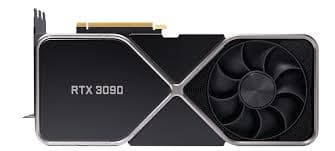
GeForce RTX 3090 Ti
avg, 1080p
The short answer
The RTX 3090 Ti is about 10% faster than the RTX 3090, but the two cards share an identical 24 GB of VRAM, so this matchup is really about clock speed and bandwidth, not memory headroom. The Ti's 450W TDP is a real cost in heat, noise and PSU requirements for a fairly modest average FPS gain. Unless you specifically need the last few percent of performance or the slightly faster GDDR6X, the RTX 3090 is the far smarter buy on the used market today.
Both cards use NVIDIA's full-fat GA102 die with 24 GB of GDDR6X on a 384-bit bus, the Ti is a higher-clocked, faster-memory refresh released 18 months after the original. Unlike most matchups on this site, VRAM capacity is not the story here, both cards carry exactly the same 24 GB, so the decision comes down to clock speed, bandwidth and how much extra power draw you are willing to accept.
You'll find the full spec sheet below, plus frame-by-frame benchmarks with 1% lows, ray tracing numbers, a live CPU-bottleneck check, thermals, power draw and price history, all pointed at one question: is the Ti's extra 10% worth 100 more watts and roughly $100 more money.
At a glance
Seven dimensions, two cards. Bigger area is not automatically better, each card owns different corners.
Strengths radar
Each axis scored 0-100 relative to the pair
Performance vs price
Up and to the left is better value
Grey dots are neighbouring cards for context.
Which should you buy?
Pick your use case, the winner changes with what you actually do.
Both are massive overkill at 1080p, the 3090 saves money and power for the same practical experience.
The extra clock speed and bandwidth give the Ti a real, if modest, edge holding higher settings at 4K.
Identical 24GB capacity on both, so the cheaper 3090 delivers the same model and batch-size ceiling for less money.
Neither has AV1, but the Ti's faster GDDR6X shows up in bandwidth-heavy export and render workloads.
Same VRAM ceiling as the Ti for meaningfully less money and 100 fewer watts to cool.
24GB is 24GB either way, so the cheaper card gives identical headroom for modded texture packs.
Already own an RTX 3090? Skip the Ti.
Short answer: probably not
You already have the same 24 GB VRAM ceiling as the Ti. A 10% average gain is not worth the price premium or the extra 100 watts of heat and noise, especially since you are not unlocking any new capability, just a faster version of the same card.
If you want a genuine upgrade, look at a used RTX 4080 or RTX 4090, both meaningfully faster and far more efficient per frame. Only step up to the 3090 Ti if you specifically need the last few percent of bandwidth for a professional workload.
Full specification comparison
Every spec side by side. The highlighted figure wins each row.
| Specification | RTX 3090 | RTX 3090 Ti |
|---|---|---|
| Architecture | ||
| GPU / architecture | GA102 · Ampere | GA102 · Ampere |
| Process node | Samsung 8 nm | Samsung 8 nm |
| Release date | Sep 24, 2020 | Mar 29, 2022 |
| Launch MSRP | $1,499 ▲ | $1,999 |
| Compute | ||
| CUDA cores | 10,496 | 10,752 ▲ |
| RT cores | 82 · 2nd gen | 84 · 2nd gen ▲ |
| Tensor cores | 328 · 3rd gen | 336 · 3rd gen ▲ |
| Base / boost clock | 1395 / 1695 MHz | 1560 / 1860 MHz ▲ |
| L2 cache | 6 MB | 6 MB |
| Memory | ||
| VRAM | 24 GB GDDR6X | 24 GB GDDR6X |
| Memory bus | 384-bit | 384-bit |
| Bandwidth | 936 GB/s | 1008 GB/s ▲ |
| Power & form factor | ||
| TDP | 350 W ▲ | 450 W |
| Power connector | 3× 8-pin (FE: 1× 12-pin) | 1× 16-pin 12VHPWR |
| Suggested PSU | 750 W ▲ | 850 W |
| PCIe interface | 4.0 ×16 | 4.0 ×16 |
| Features | ||
| Upscaling | DLSS 4 Super Res (no FG) | DLSS 4 Super Res (no FG) |
| AV1 encode (NVENC) | No | No |
| Display outputs | 3×DP1.4a · HDMI 2.1 | 3×DP1.4a · HDMI 2.1 |
Average FPS by game
Switch resolution, metric, ray tracing and upscaling, the bars update live. Hover a bar for the avg / 1% / 0.1% breakdown.
Average FPS · 1080p · Rasterization. Representative data, hover a bar for avg / 1% / 0.1%. Note the RTX 3090 Ti's 1% lows fall off at 1440p and up from its 8 GB VRAM.
Smoothness & frametimes
Average FPS hides stutter. This is one run plotted as frametime, a flat line is smooth, spikes are hitches. Watch what the RTX 3090 Ti's 8 GB VRAM does in a texture-heavy game.
Frametime: Cyberpunk 2077, 1440p Ultra
Lower and flatter is better · 16.7 ms = 60 fps
Counterintuitive but real: the slower RTX 3090 delivers a smoother line here because 12 GB holds the texture pool the 8 GB RTX 3090 Ti keeps evicting, those spikes are VRAM stutter, not raw speed.
Lab scores
Clean apples-to-apples tests, useful, but weaker at predicting real games than the FPS above.
Ray tracing & upscaling
Ray tracing tanks both cards at native resolution. What makes it playable is upscaling, and here the RTX 3090 Ti has a real edge.
Is frame generation "real" performance?
Neither card supports DLSS Frame Generation, that arrived with the RTX 40 series and NVIDIA has never brought it to Ampere. Both do get the newer DLSS 4 transformer-based upscaler via driver update, so image quality on Super Resolution is current, generated frames simply are not part of either card's toolkit.
If Frame Generation is a priority, this whole matchup is the wrong one, look at an RTX 40 or 50 series card. What you see in the benchmarks on this page for the 3090 and 3090 Ti is real, rendered performance only.
Will your CPU bottleneck these cards?
A faster GPU only helps if your CPU keeps up. Pick your CPU and resolution to see expected FPS and bottleneck for each card.
CPU + GPU pairing check
The willitbottleneck engine, built right into the comparison.
Estimated from a 43-CPU model across 1440p. A weak CPU mostly bites at 1080p; at higher resolutions the GPU becomes the limiter and the bottleneck shrinks.
Thermals & noise
The efficiency gap shows up here: the newer card runs cooler and quieter, day in and day out.
Real draw, efficiency & PSU
TDP is the rated figure; what matters is real gaming draw and how many frames you get per watt.
Both use a single 8-pin connector. If your PSU already ran the RTX 3090, it will run the RTX 3090 Ti easily. Leave about 30% headroom for spikes.
Will it fit, and what to pair it with?
Size to scale
Card length matters for small cases
What monitor to pair
RTX 3090: a genuine 4K 60-100fps card in most current games, and capable at 1440p 144Hz+ with room to spare. RTX 3090 Ti: the same territory with about 10% more headroom, useful for holding 4K 120Hz in more demanding titles.
Running an older PCIe 3.0 board?
Both cards use a full PCIe 4.0 ×16 link and are unaffected on a PCIe 4.0 or 5.0 board. On an older PCIe 3.0 board, expect a small one to three percent loss on either, not enough to change the decision.
Price history & dollars-per-frame
Raw price is only half the story. Cost per frame is the number that decides it, and it keeps moving as prices fall.
New price over time
Street price of new cards (USD)
The 24 GB vs 24 GB question
RTX 3090 · 24 GB
- 24 GB is identical to the 3090 Ti's capacity, so you lose zero VRAM headroom by choosing the cheaper card.
- More than enough for any current game, plus large local AI models and big 3D scenes.
- 384-bit bus and 936 GB/s bandwidth are still excellent but a step behind the Ti's faster memory.
- For AI and creator workloads where VRAM capacity is what matters, the 3090 delivers the exact same ceiling as the Ti for less money.
RTX 3090 Ti · 24 GB
- Same 24 GB capacity as the 3090, plus faster 21 Gbps GDDR6X for about 8% more real bandwidth.
- The extra bandwidth shows up most in bandwidth-bound creator and AI workloads, not typical gaming.
- You pay a real premium in both price and power draw for a capacity you already get on the cheaper card.
- 450 W TDP means the bandwidth advantage comes at a real cost in heat and noise.
Emulation & memory bandwidth
The narrower bus is a real downgrade for emulation
Both cards have huge memory bandwidth headroom for Switch and PS3 emulation at very high internal resolutions, the 3090 Ti's 1008 GB/s edges out the 3090's 936 GB/s, but either is massive overkill for emulation alone. Save the money and put it toward the 3090 unless you specifically need the extra bandwidth for something else.
Creator, AI & streaming
The newer card is quicker per task, but the older card's extra VRAM unlocks larger jobs it can't fit at all.
Streaming: the AV1 encoder is the differentiator
Neither has a hardware AV1 encoder, that came with the RTX 40 series. Both rely on NVENC H.264/HEVC, which is fine for most streaming setups, just not as bitrate-efficient as AV1. If a workflow leans on AV1 specifically, look at a 40 or 50 series card instead.
Overclocking & undervolting
Both are already near their power limits at stock, especially the 450W 3090 Ti, so overclocking headroom is small. Undervolting is the better lever, especially on the Ti, similar performance at meaningfully lower power draw, heat and noise.
Pros & cons
RTX 3090
- Identical 24GB VRAM to the 3090 Ti, for meaningfully less money
- 350W is far easier to cool and power than the Ti's 450W
- Excellent value on the used market for AI and creator work
- About 10% slower in games
- Slightly less memory bandwidth than the Ti
RTX 3090 Ti
- About 10% faster, with the fastest memory bandwidth of any Ampere card
- Best-binned GA102 die NVIDIA shipped
- 450W TDP demands a serious PSU, case airflow and a 16-pin cable
- Costs meaningfully more for the same 24GB you already get on the 3090
Buying pitfalls
The 3090 Ti needs a real 16-pin cable
The 3090 Ti Founders Edition was the first card to use the 16-pin 12VHPWR connector. Confirm your PSU has a native 12VHPWR cable or a quality adapter rated for the load, don't rely on a cheap bundled adapter for a 450W card.
24GB on both means the VRAM argument doesn't apply here
Unlike most matchups on this site, these two cards share the same 24GB capacity. Don't buy the 3090 Ti expecting a VRAM upgrade, you are paying for clock speed, bandwidth and marginal RT gains, not more memory.
RTX 3090 vs RTX 3090 Ti: your questions answered
In most games it's close to margin-of-error, the Ti is roughly 10% faster on average with a bit more bandwidth. Since both cards carry the same 24GB of VRAM, that 10% is essentially all you're paying the premium for, plus 100 extra watts of heat and noise.
Go with the RTX 3090 for value, it matches the Ti's 24GB VRAM ceiling while costing less and drawing 100 fewer watts. Only reach for the 3090 Ti if the extra clock speed and bandwidth matter for a professional or benchmarking workload.
Yes, mostly on the strength of its 24GB of VRAM, still more than most current GPUs including several newer, faster cards. Its raster performance trails today's flagships, but the memory capacity keeps it a strong pick for AI and creator work.
Not much, both carry the same 24GB, the largest capacity in this site's Ampere lineup. The 3090 Ti's faster memory gives a slight edge in bandwidth-heavy jobs, but the 3090 lands within a few percent for meaningfully less money.
Neither card has a hardware AV1 encoder, that showed up with the RTX 40 series, so both lean on NVENC H.264/HEVC. The 3090 Ti's faster GDDR6X does shave a bit of time off large-timeline scrubbing and exports.
Both use the same 2nd-generation RT core design, the Ti just carries a couple more cores and higher clocks. Ray tracing taxes either card heavily, so pairing it with DLSS upscaling is the way to stay playable on both.
Both pick up the newer DLSS 4 transformer-based upscaler through a driver update, so Super Resolution quality is current on either. Neither supports Frame Generation though, NVIDIA reserved that for the RTX 40 and 50 series and never brought it to Ampere.
It's a real possibility, both are fast cards that a weak CPU can hold back, especially at 1080p. Check the pairing tool on this page, a Ryzen 7 7800X3D or Core i7-13700K or better keeps either card fed at 1440p and 4K.
The RTX 3090 pulls 350W against the Ti's 450W, and that gap shows up directly in temperature and noise, the 3090 runs several degrees cooler and roughly 5dB quieter under load. Both go silent at idle thanks to fan-stop.
Plan on a quality 750W unit for the RTX 3090 and a genuine 850W unit for the RTX 3090 Ti. The Ti's 16-pin 12VHPWR connector needs either a native cable from your PSU or a properly rated adapter, not something to cut corners on at 450W.
Both are big cards, Founders Edition versions run from 313mm on the 3090 up to 336mm on the Ti with triple-slot coolers, so measure your case first. Both run a full PCIe 4.0 x16 link and lose only a small amount on an older PCIe 3.0 board.
There's no laptop RTX 3090 Ti at all, and the mobile RTX 3090 that does exist is a much weaker chip than its desktop namesake. Never line up laptop and desktop numbers as if they're the same silicon.
Yes, comfortably. Both are genuine 4K cards at 60fps and often well beyond in most current games, especially with DLSS. They remain among the strongest Ampere options for high-resolution gaming in 2026.
Both cards have been discontinued for a while, so used is really the only realistic route to either one. Look for a return window, ask about mining history, and check the cooler and fans closely given the age and power draw of these two.
Yes, for several more years. Both run on the Ampere architecture, which NVIDIA still supports with Game Ready drivers, so neither is close to end-of-life for a 2026 purchase.
Mainly for professional or benchmarking use where every percent of clock speed and bandwidth counts, or if you find one at only a small premium. For gaming and typical AI or creator work, the RTX 3090's matching 24GB at a lower price and power draw is the better value.