
RTX 3090 vs RTX 4080
The complete head-to-head: full specs, real per-game FPS with 1% lows, ray tracing, a live CPU-bottleneck check, thermals, power and value, with a straight verdict.
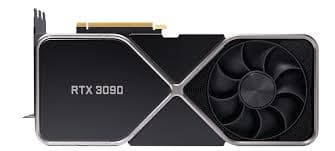
GeForce RTX 3090
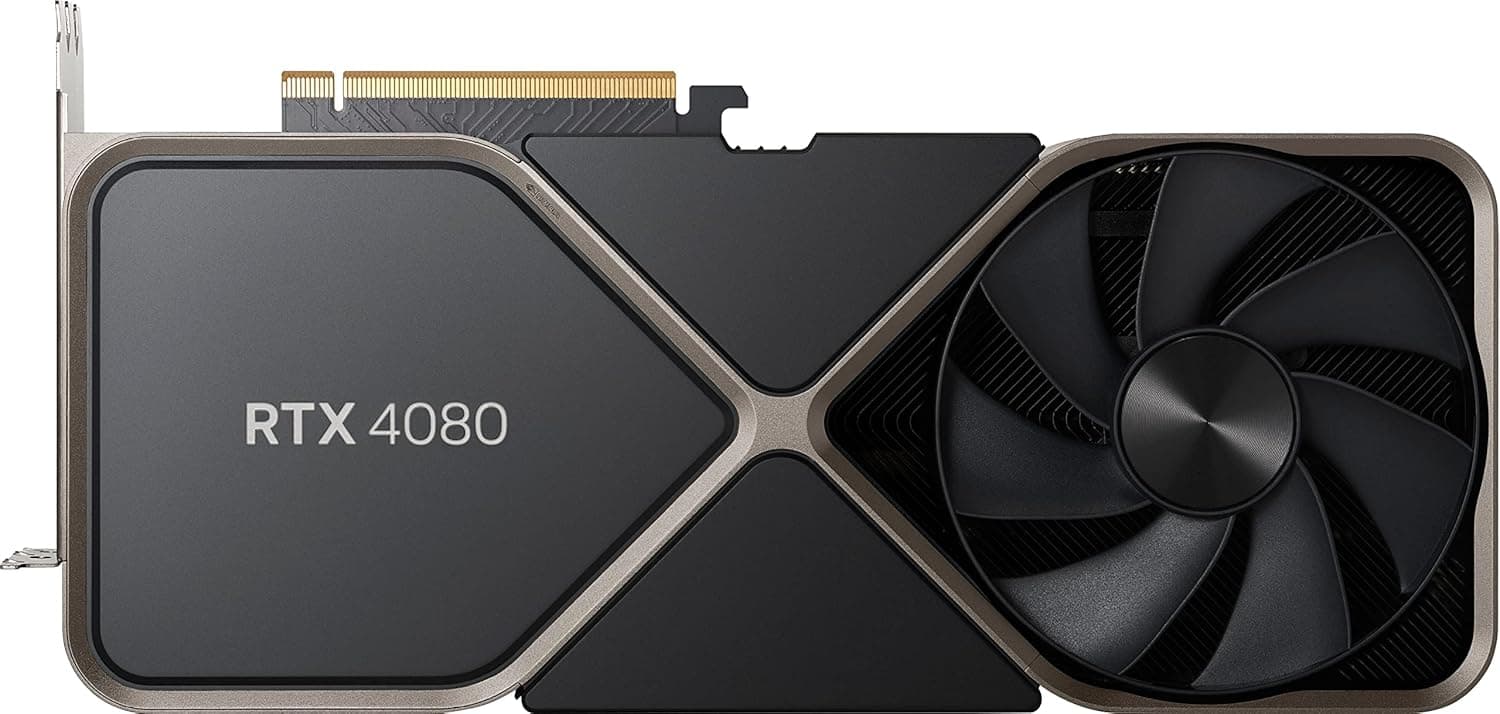
GeForce RTX 4080
avg, 1080p
The short answer
The RTX 4080 is the better all-round card, about 13% faster in raster, far ahead in ray tracing, and it adds DLSS 3 Frame Generation and AV1 encoding the 3090 will never get. The catch is memory: the 3090's 24 GB and 384-bit bus beat the 4080's 16 GB outright, so anyone doing serious local AI, huge Blender scenes or heavily modded games gets more headroom from the older, cheaper flagship. This is a real trade-off, not a clean win for either card, decide on VRAM versus speed and features.
This is the classic old-flagship-versus-new-x080 matchup. The RTX 3090 launched in 2020 as NVIDIA's 24GB Ampere halo card, the RTX 4080 arrived two years later as a faster, more efficient, feature-rich Ada Lovelace card with a smaller 16GB VRAM pool. Both now sit in a similar used-price bracket, which makes the trade-off unusually direct: raw memory capacity against speed, ray tracing and DLSS 3.
You'll find the full spec breakdown here: frame rates across ten games with 1% lows, ray tracing and DLSS 3 behaviour, a live CPU-pairing check, thermals, power draw, price history, and a verdict that weighs the 4080's 13% speed lead against the 3090's 8GB VRAM edge.
At a glance
Seven dimensions, two cards. Bigger area is not automatically better, each card owns different corners.
Strengths radar
Each axis scored 0-100 relative to the pair
Performance vs price
Up and to the left is better value
Grey dots are neighbouring cards for context.
Which should you buy?
Pick your use case, the winner changes with what you actually do.
Faster, cooler, and Frame Generation pushes competitive-adjacent titles even further ahead where supported.
3rd-gen RT cores and DLSS 3 Frame Generation make the 4080 the clear pick for demanding ray-traced games.
24 GB fits meaningfully bigger models and batches than the 4080's 16 GB. For local AI, capacity beats speed.
Ada's hardware AV1 encoder gives cleaner streams at the same bitrate and faster exports than the 3090 can manage.
Cheaper on the used market for its 24GB, a strong choice if speed is not the top priority.
The extra 8GB of VRAM avoids texture streaming stutter in heavily modded scenes the 4080 can hit first.
Already own an RTX 3090? Think carefully before switching to a 4080.
Short answer: probably not
You would gain about 13% more speed, ray tracing headroom and DLSS 3, but lose 8 GB of VRAM in the process. If your workloads are gaming-only and you don't touch local AI or huge creator scenes, the trade is reasonable. If VRAM capacity is why you bought a 3090 in the first place, this sidegrade works against you.
For a clean upgrade with no VRAM downside, look at a used RTX 4090 (24GB) instead, a genuine 55-65% jump over the 3090 with every Ada feature intact. It costs more, but it does not ask you to give anything up.
Full specification comparison
Every spec side by side. The highlighted figure wins each row.
| Specification | RTX 3090 | RTX 4080 |
|---|---|---|
| Architecture | ||
| GPU / architecture | GA102 · Ampere | AD103 · Ada |
| Process node | Samsung 8 nm | TSMC 4N (5 nm) ▲ |
| Release date | Sep 24, 2020 | Nov 16, 2022 |
| Launch MSRP | $1,499 | $1,199 ▲ |
| Compute | ||
| CUDA cores | 10,496 ▲ | 9,728 |
| RT cores | 82 · 2nd gen | 76 · 3rd gen ▲ |
| Tensor cores | 328 · 3rd gen | 304 · 4th gen ▲ |
| Base / boost clock | 1395 / 1695 MHz | 2205 / 2505 MHz ▲ |
| L2 cache | 6 MB | 64 MB ▲ |
| Memory | ||
| VRAM | 24 GB GDDR6X ▲ | 16 GB GDDR6X |
| Memory bus | 384-bit ▲ | 256-bit |
| Bandwidth | 936 GB/s ▲ | 716.8 GB/s |
| Power & form factor | ||
| TDP | 350 W | 320 W ▲ |
| Power connector | 3× 8-pin (FE: 1× 12-pin) | 1× 16-pin 12VHPWR |
| Suggested PSU | 750 W | 750 W |
| PCIe interface | 4.0 ×16 | 4.0 ×16 |
| Features | ||
| Upscaling | DLSS 4 Super Res (no FG) | DLSS 4 + Frame Gen ▲ |
| AV1 encode (NVENC) | No | Yes ▲ |
| Display outputs | 3×DP1.4a · HDMI 2.1 | 3×DP1.4a · HDMI 2.1 |
Average FPS by game
Switch resolution, metric, ray tracing and upscaling, the bars update live. Hover a bar for the avg / 1% / 0.1% breakdown.
Average FPS · 1080p · Rasterization. Representative data, hover a bar for avg / 1% / 0.1%. Note the RTX 4080's 1% lows fall off at 1440p and up from its 8 GB VRAM.
Smoothness & frametimes
Average FPS hides stutter. This is one run plotted as frametime, a flat line is smooth, spikes are hitches. Watch what the RTX 4080's 8 GB VRAM does in a texture-heavy game.
Frametime: Alan Wake 2, 1440p Ultra
Lower and flatter is better · 16.7 ms = 60 fps
Counterintuitive but real: the slower RTX 3090 delivers a smoother line here because 12 GB holds the texture pool the 8 GB RTX 4080 keeps evicting, those spikes are VRAM stutter, not raw speed.
Lab scores
Clean apples-to-apples tests, useful, but weaker at predicting real games than the FPS above.
Ray tracing & upscaling
Ray tracing tanks both cards at native resolution. What makes it playable is upscaling, and here the RTX 4080 has a real edge.
Is frame generation "real" performance?
DLSS 3 Frame Generation inserts an AI-made frame between two real ones, on the RTX 4080 the counter can climb dramatically in supported games, and NVIDIA Reflex claws back most of the added latency. The RTX 3090 does not support it at all, that feature is exclusive to RTX 40 and 50 series hardware.
Use it for single-player and cinematic games on the 4080, and skip it for competitive shooters or when your base frame rate is under about 50fps, that is where the latency starts to feel off. It only works in DLSS 3-supported titles, of which there are now well over 100.
Will your CPU bottleneck these cards?
A faster GPU only helps if your CPU keeps up. Pick your CPU and resolution to see expected FPS and bottleneck for each card.
CPU + GPU pairing check
The willitbottleneck engine, built right into the comparison.
Estimated from a 43-CPU model across 1440p. A weak CPU mostly bites at 1080p; at higher resolutions the GPU becomes the limiter and the bottleneck shrinks.
Thermals & noise
The efficiency gap shows up here: the newer card runs cooler and quieter, day in and day out.
Real draw, efficiency & PSU
TDP is the rated figure; what matters is real gaming draw and how many frames you get per watt.
Both use a single 8-pin connector. If your PSU already ran the RTX 3090, it will run the RTX 4080 easily. Leave about 30% headroom for spikes.
Will it fit, and what to pair it with?
Size to scale
Card length matters for small cases
What monitor to pair
RTX 3090: a strong 4K 60-100fps card, and excellent at 1440p 144Hz+. RTX 4080: the same territory with more headroom for 4K 100-144Hz thanks to DLSS 3 Frame Generation in supported titles.
Running an older PCIe 3.0 board?
Both cards run a full PCIe 4.0 ×16 link and are unaffected on a 4.0 or 5.0 motherboard. On an older PCIe 3.0 board, expect a small one to three percent loss on either, not enough to change the decision.
Price history & dollars-per-frame
Raw price is only half the story. Cost per frame is the number that decides it, and it keeps moving as prices fall.
New price over time
Street price of new cards (USD)
The 24 GB vs 16 GB question
RTX 3090 · 24 GB
- 24 GB comfortably beats the 4080's 16 GB, a real edge for local AI models, big Blender scenes and heavily modded games.
- The 384-bit bus and 936 GB/s bandwidth still outpace the 4080's narrower 256-bit path.
- You are trading that memory advantage for slower cores, weaker ray tracing and no Frame Generation.
- For anyone whose workload is genuinely memory-bound, the 3090 remains the better buy despite its age.
RTX 4080 · 16 GB
- 16 GB is still generous for nearly all 1440p and 4K gaming through the life of this card.
- It is a real step down from the 3090's 24 GB, and the first place the 4080 will show its age in AI and creator workloads.
- 64 MB of L2 cache reduces effective memory pressure well below the raw 16 GB figure for gaming.
- For large local LLMs or big batch AI work, 16 GB is the limiting factor before compute is.
Emulation & memory bandwidth
The narrower bus is a real downgrade for emulation
The 3090's 936 GB/s over a 384-bit bus gives it an edge in raw memory bandwidth for high-resolution Switch and PS3 emulation, but the 4080's much larger 64 MB L2 cache and faster clocks close most of that gap in practice. Either card is comfortably overkill for emulation on its own.
Creator, AI & streaming
The newer card is quicker per task, but the older card's extra VRAM unlocks larger jobs it can't fit at all.
Streaming: the AV1 encoder is the differentiator
The RTX 4080 has a hardware AV1 encoder, the 3090 tops out at H.264 and HEVC. AV1 gives cleaner streams at the same bitrate and faster exports in AV1-aware software, a real advantage for anyone who streams or edits video regularly.
Overclocking & undervolting
The 4080 has a bit more overclocking headroom thanks to Ada's higher clock ceiling, typically 6 to 8%. The 3090 is more power-limited at stock, so undervolting delivers a bigger relative win there than overclocking does on either card.
Pros & cons
RTX 3090
- 24GB VRAM beats the 4080's 16GB by a wide margin
- Cheaper on the used market for the memory you get
- Still a genuine 4K-capable card in 2026
- About 13% slower in games, and further behind in ray tracing
- No DLSS 3 Frame Generation and no AV1 encoder
- 350W TDP with no efficiency gains from a newer node
RTX 4080
- Faster across the board, and DLSS 3 Frame Generation widens the gap further in supported titles
- Hardware AV1 encoder for streaming and faster exports
- More efficient despite similar TDP, thanks to the newer 4nm-class node
- 16GB VRAM, a real step down from the 3090's 24GB
- 16-pin power connector requires care with cabling
Buying pitfalls
The 4080's 16-pin cable needs care
The RTX 4080 uses the 16-pin 12VHPWR connector, which has had well-documented melting issues when not fully seated or when using a cheap adapter. Use a native cable from a compatible PSU where possible, and make sure it clicks fully home.
Don't confuse this with the RTX 4080 Super
NVIDIA released the RTX 4080 Super in January 2024 at a lower $999 price with slightly higher clocks. If a used listing says '4080 Super', it is a different, cheaper, marginally faster card, not the original 4080 covered on this page.
RTX 3090 vs RTX 4080: your questions answered
In games, yes: it is roughly 13% quicker overall and pulls well clear in ray-traced titles, plus it brings DLSS 3 Frame Generation and an AV1 encoder the 3090 simply lacks. The one place the 3090 wins outright is memory, its 24GB beats the 4080's 16GB, which counts for a lot in AI work and large creator projects.
Go with the 4080 if gaming speed, ray tracing, and modern features are what you care about. Go with the 3090 if you are running local AI models, big 3D renders, or heavily modded games where that extra 8GB actually gets used. There is no universally wrong answer here, it comes down to your workload.
It does, mostly because of the 24GB of VRAM, a figure plenty of newer, faster cards still cannot match. It trails the 4080 in raster performance and falls further behind in ray tracing, but as a 4K gaming and local AI card it is still very capable.
Only if your use is mostly gaming. You would pick up about 13% more speed and DLSS 3, but give up 8GB of memory. If that memory is the reason you own a 3090 in the first place, look at a used RTX 4090 instead, it adds speed without asking you to give up any VRAM.
The RTX 3090. Its 24GB handles noticeably larger models and batch sizes than the 4080's 16GB allows. The 4080's Tensor cores are individually quicker, but in local AI work, running out of memory stops you before raw speed does.
The RTX 4080, because its hardware AV1 encoder produces cleaner streams at a given bitrate and speeds up exports. If you are scrubbing very large timelines and need more memory headroom, the 3090's extra VRAM can still be the deciding factor.
It handles DLSS 4 upscaling plus DLSS 3's single Frame Generation, but not the multi-frame generation NVIDIA reserved for the RTX 50 series. The RTX 3090 only gets DLSS 4 Super Resolution upscaling, it has no frame generation of any kind.
Not really. The 4080's third-generation RT cores and its much bigger L2 cache give it a lead that is often above 30% in ray-traced games, well clear of the 3090's older second-generation RT hardware.
A bit, yes. Since Frame Generation inserts AI-created frames, there is a small latency cost, and NVIDIA Reflex recovers most of it. It suits single-player titles on the 4080; for competitive shooters, or whenever your base frame rate drops under roughly 50fps, turn it off.
More likely your CPU holds the GPU back, not the reverse, at 1080p and even 1440p. Run the pairing checker on this page, but as a rule a Ryzen 7 7800X3D or Core i7-13700K or better keeps both cards fed at 1440p and 4K.
The RTX 4080 comes out ahead here, 320W versus the 3090's 350W, and its newer manufacturing node means it runs several degrees cooler and quieter under load. Both go silent at idle thanks to fan-stop.
A solid 750W unit covers either card. Just make sure the 4080's 16-pin 12VHPWR connector uses a native cable or a properly rated adapter, a cheap bundled adapter is not worth the risk.
Both are big cards, Founders Edition and most aftermarket versions run 300mm or longer with triple-slot coolers, so measure your case first. Neither loses meaningful performance on PCIe 4.0, and even an older PCIe 3.0 board only costs a small amount.
No, the laptop RTX 4080 is a distinct, less powerful chip, and NVIDIA never made a mobile RTX 3090. Do not line up laptop numbers against these desktop figures, use the mobile comparison page instead.
Yes. The 3090 manages 4K well running native settings, and the 4080 pushes further still, since DLSS 3 Frame Generation in supported titles lets it hold higher frame rates at the same resolution.
Both cards live on the used market at this point, the 3090 is discontinued and the original 4080 has been succeeded by the Super. Buy from a seller offering a return window, and if you are looking at a 4080, check the 16-pin connector closely for damage before handing over money.
Plenty long for both. Ampere (3090) and Ada Lovelace (4080) are both still getting full Game Ready driver support from NVIDIA, so buying either in 2026 does not put you near an end-of-life cliff.