
Ryzen 7 7700X vs Core i7-14700K
The complete head-to-head: full specs, real 1080p gaming fps with 1% lows, productivity benchmarks, a live GPU-bottleneck check, power, platform cost and a straight verdict.
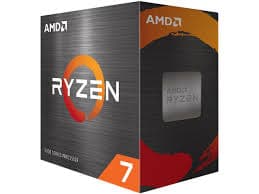
Ryzen 7 7700X
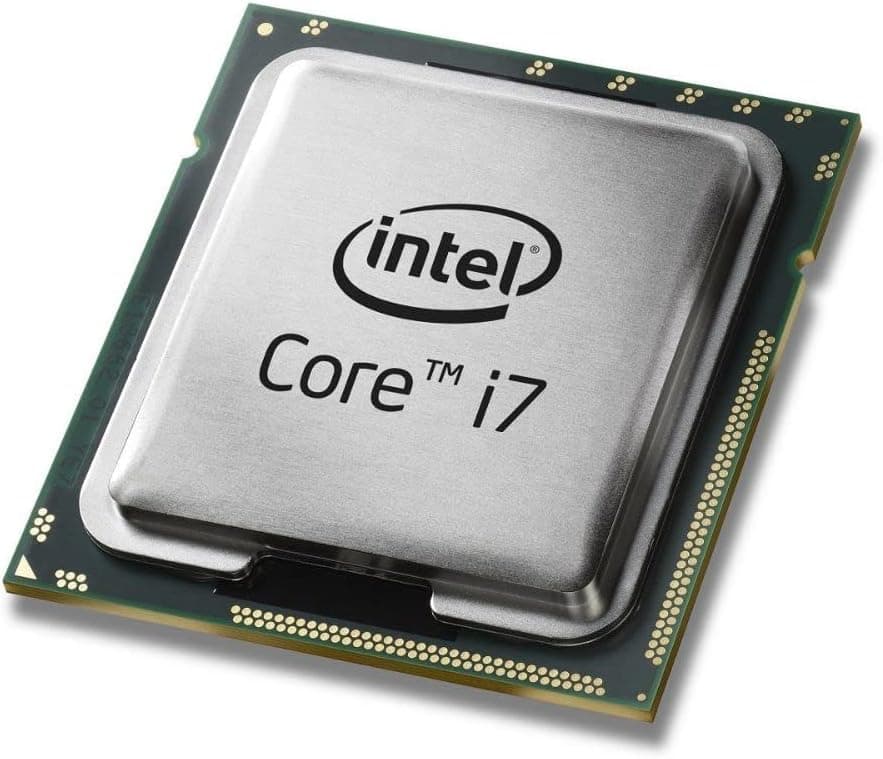
Core i7-14700K
gaming, 1080p
The short answer
The Core i7-14700K is the faster chip in every benchmark here, about 15% quicker in games and roughly 93% ahead in multi-core work, because it packs 20 cores against the Ryzen 7 7700X's eight. That is the general Ryzen 7 versus Core i7 story right now: Intel's hybrid core stack wins raw throughput by a wide margin in anything multi-threaded, while AMD's tighter eight-core design wins on power draw, heat and price per gaming frame. The 7700X still games extremely well and costs meaningfully less to buy and run. Choose the 14700K if you render, compile or stream heavily and want the fastest chip at this tier. Choose the 7700X if gaming and everyday use are the priority and you want lower power bills on a platform with a longer runway.
This is the mainstream tier where most gaming and workstation builds land, and it also answers the broader Ryzen 7 versus Core i7 question, since these are the two chips buyers most often shortlist against each other. The Ryzen 7 7700X is an eight-core Zen 4 chip tuned for high clocks and efficiency. The Core i7-14700K pairs eight performance cores with twelve efficiency cores for 20 total, a much bigger die aimed at anyone who also renders, compiles or streams.
What follows is the full spec sheet, 1080p gaming fps with 1% lows, productivity benchmarks, a GPU-bottleneck checker, power draw, platform cost, and a clear verdict on which one is worth your money.
At a glance
Six dimensions, two chips. Each owns different corners, bigger area is not automatically better.
Strengths radar
Each axis scored 0-100 relative to the pair
Gaming vs price
Up and to the left is better value
Grey dots are neighbouring chips for context.
Which should you buy?
Pick your use case, the winner changes with what you actually do.
The 7700X trails by 15% but costs less to buy and run, the cheaper path to strong 1080p and 1440p gaming.
The 14700K's clocks and thread count push it further ahead in CPU-bound titles like CS2 and Valorant.
20 threads leave far more headroom for x264 encoding alongside the game without dropped frames.
More than double the multi-core throughput makes the 14700K the clear choice for heavy render or build jobs.
The 7700X draws under half the power under full load and is easy to cool on a good air tower.
The 14700K holds a real fps lead in Valorant, CS2 and Fortnite, the titles where extra frames matter most.
Building for gaming only? The 7700X pays for itself.
Read this before you spend
A 15% average gaming gap rarely changes how a game feels unless you are chasing 240 Hz-plus at 1080p on a top-tier GPU. Put the roughly 60 dollar price gap, plus the lower cooling and board demands, toward a better graphics card, which raises frame rates far more than the CPU swap would.
Pick the 14700K when this machine earns its keep outside games too, rendering, compiling, or heavy multitasking where 20 threads actually get used. For a dedicated gaming build, the 7700X gets you most of the performance for noticeably less money and heat.
Full specification comparison
Every spec side by side. The highlighted figure wins each row.
| Specification | Ryzen 7 7700X | Core i7-14700K |
|---|---|---|
| Architecture | ||
| Architecture | Zen 4 | Raptor Lake Refresh |
| Process node | TSMC 5 nm ▲ | Intel 7 (10 nm class) |
| Release date | Sep 27, 2022 | Oct 17, 2023 |
| Launch MSRP | $399 ▲ | $409 |
| Cores & clocks | ||
| Cores / threads | 8 / 16 | 20 / 28 (8P+12E) ▲ |
| Base / boost clock | 4.5 / 5.4 GHz | 3.4 / 5.6 GHz ▲ |
| Overclocking | Unlocked | Unlocked |
| Cache & memory | ||
| Total cache | 40 MB | 61 MB ▲ |
| 3D V-Cache | None | None |
| Memory support | DDR5-5200 | DDR5-5600 ▲ |
| Platform & power | ||
| Socket | AM5 | LGA1700 |
| TDP / peak power | 105 W (142 W PPT) ▲ | 125 W (253 W PL2) |
| Integrated graphics | RDNA 2 (2 CU) | UHD Graphics 770 |
| Bundled cooler | None | None |
Gaming FPS by game
Tested at 1080p with a top GPU so the processor is the limit. Switch resolution and metric, the bars update live.
Average FPS at 1080p, paired with a top-tier GPU so the processor is the limit. The gap between these two chips is widest at 1080p and shrinks as resolution rises and the GPU takes over.
Cache, clocks and 1% lows
Why the cache and clock balance decides the gaming feel
Neither of these runs 3D V-Cache, so the performance gap traces back to core layout instead. The 7700X is a symmetrical eight-core Zen 4 design, every core identical and running at high clocks. The 14700K uses Intel's hybrid layout, eight full-power P-cores plus twelve smaller E-cores, reaching 20 total threads by adding a large pool of background-friendly cores around a smaller performance core cluster.
That extra cache and core count is exactly why the 14700K's lead grows so much larger in productivity than in gaming. Games mostly lean on a handful of fast threads and don't scale cleanly past eight or so cores, but rendering, compiling and encoding scale almost linearly with thread count, which is where the 14700K's extra 12 E-cores do real work.
Productivity & content creation
Rendering, encoding and compiling lean on cores and threads more than games do, so the ranking can flip here.
Streaming and content work
For streaming while gaming, the 14700K's 20 threads give it a wide margin for x264 software encoding without touching game frame rates, and it is dramatically faster exporting or transcoding footage afterward. The 7700X streams well too if you lean on GPU-based NVENC or AV1 encoding, which offloads the work from the CPU almost entirely, closing most of the practical gap for streamers using a modern graphics card.
Will these CPUs bottleneck your GPU?
A faster CPU only helps if your graphics card needs the frames. Pick your GPU and resolution to see expected fps and any bottleneck for each chip.
Will these CPUs bottleneck your GPU?
The willitbottleneck engine, built right into the comparison.
Estimated across a 17-GPU model at 1080p. A CPU only bottlenecks at 1080p with a fast GPU; push to higher resolutions and the GPU becomes the limit, so the bottleneck shrinks or disappears.
Both chips comfortably feed anything up to a high-end GPU, and the 15% gaming gap between them mainly shows up at 1080p with a top-tier card chasing very high frame rates. Pair either with a mainstream GPU like an RTX 4070 and the graphics card will usually be the limiting factor first.
At 1440p the gap narrows and at 4K it is close to a tie for both chips, since the GPU becomes the bottleneck well before either CPU runs out of headroom. Use the checker on this page with your specific GPU to see your real-world result.
Power draw, heat & cooler needs
What the chip actually pulls under load, how hot it runs, and the cooler you should budget for.
Platform, motherboard & memory
The chip price is only part of it. Socket, board cost, memory type and upgrade path decide the real bill.
Socket & upgrade path
The Ryzen 7 7700X uses AM5, a socket AMD has committed to supporting with new chips into 2027 and beyond, so a board bought today can take a faster CPU down the road. The Core i7-14700K uses LGA1700, Intel's now-retired desktop socket; Raptor Lake Refresh was its final generation, so there is no future CPU upgrade on the same board.
Memory: DDR4 vs DDR5
The 7700X officially supports DDR5-5200, the 14700K DDR5-5600, and both perform best with a 6000 MT/s CL30 kit and EXPO or XMP enabled. Many LGA1700 boards also ship in DDR4 variants, giving the 14700K an option to reuse cheaper existing memory, something AM5 cannot do since it is DDR5 only.
Price history & dollars-per-frame
Raw price is half the story. Cost per gaming frame is the number that decides it, and it keeps moving as prices fall.
Price over time
Street price of each chip (USD)
Overclocking & tuning
Both chips are unlocked. The 7700X has modest headroom since it already ships close to its clock ceiling, so PBO plus a mild manual tune nets small gains. The 14700K has more room on paper, particularly for the E-cores and memory, but chasing it pushes power draw and heat even higher, so most builders get more value from undervolting than from a full manual overclock.
Pros & cons
Ryzen 7 7700X
- Far cheaper per gaming frame and to buy outright
- Draws roughly half the power under full load, easier to cool
- AM5 platform has a real upgrade path into 2027 and beyond
- About 15% slower in games and well behind in multi-core work
- 16 threads cap its ceiling in the heaviest workloads
Core i7-14700K
- Clearly faster in games and dramatically ahead in productivity
- 20 threads make it a strong hybrid gaming-and-work chip
- Wider memory support including DDR4 boards
- Costs more and draws far more power under full load
- LGA1700 is a discontinued platform with no CPU upgrade path
Buying pitfalls
Match the cooler to the chip, not just the socket
The 7700X is comfortable on a solid air cooler or 240mm AIO. The 14700K's 253 W peak draw wants a strong tower or a 280mm-plus AIO to hold its boost clocks under sustained load, especially during rendering, or it will throttle.
Update the BIOS before installing a 14700K
Raptor Lake and Raptor Lake Refresh K-series chips saw an elevated-voltage instability issue surface through 2024, since fixed with a microcode update. Make sure the motherboard is on a current BIOS before first boot to avoid it.
Ryzen 7 7700X vs Core i7-14700K: your questions answered
In raw performance, yes. The 14700K is about 15% faster in games and roughly 93% ahead in multi-core work thanks to its 20 threads against the 7700X's 16. The 7700X answers with far lower power draw, a cheaper platform, and a better price per gaming frame.
Buy the 7700X for a gaming-first build where value and low power matter. Buy the 14700K if you also render, compile, or run heavy multi-threaded work and want the fastest chip at this tier, and don't mind higher power draw and cost.
About 15% on average at 1080p with a top-tier GPU, where the CPU sets the pace. That gap shrinks at 1440p and nearly disappears at 4K, since the graphics card becomes the limiting factor at higher resolutions for both chips.
Intel's Core i7-14700K generally beats AMD's Ryzen 7 7700X in both gaming and, especially, multi-core throughput this generation, while the 7700X wins on power draw, cost and platform runway. Neither family wins across the board, it depends on your workload and budget.
The 14700K wins both, but the productivity gap is far larger, nearly double the Cinebench multi-core score. In gaming the 15% edge mostly matters at 1080p chasing very high refresh rates; at 1440p and 4K it barely registers.
The 14700K, thanks to its 20 threads giving far more room for x264 software encoding without dropping frames. If you stream using GPU NVENC or AV1 encoding instead, the CPU load is light on either chip and the gap shrinks a lot.
Rarely, and mostly only at 1080p with a very fast GPU. Pair either chip with a mainstream card like an RTX 4070 and the GPU will usually be the limiting factor first. Use the checker on this page with your specific graphics card.
The 7700X is comfortable on a good air cooler or 240mm AIO. The 14700K's 253 W peak draw wants a strong tower or 280mm-plus AIO to sustain boost. A 650 to 750 W PSU covers either chip paired with a mid-to-high-end GPU.
No. The 7700X needs an AM5 board and the 14700K needs an LGA1700 board, they are not interchangeable. Both run DDR5, though the 14700K also has DDR4 board options, which AM5 does not offer.
Yes, both are unlocked. The 7700X has modest headroom since it ships close to its limit already. The 14700K has more room on paper, especially with memory and E-core tuning, but it also pushes power and heat higher, so many builders get more from undervolting than a full manual overclock.
A used 7700X around 220 dollars is solid value on a modern AM5 platform from a trustworthy seller. A used 14700K around 270 dollars still beats new pricing. Buy new for a warranty, and confirm the exact chip and check for damage on any used purchase.
Very little. At 4K the GPU is nearly always the limiting factor, shrinking the 15% 1080p gap to close to nothing. If you game at 4K, the cheaper 7700X is the smarter buy and the price difference is better spent on the graphics card.
AM5. AMD has committed to supporting it with new chips into 2027 and beyond, so a 7700X build today can take a faster CPU later without a new board. LGA1700 is retired, Raptor Lake Refresh was its last generation, so a 14700K build has no CPU upgrade path on the same motherboard.
Yes. The 7700X includes a basic RDNA 2 iGPU and the 14700K includes Intel UHD Graphics 770. Both work for desktop use and troubleshooting without a discrete card, but neither is built for real gaming.
If you use its extra threads for rendering, compiling or heavy multitasking, yes, the gap is large. For a gaming-focused build, especially at 1440p or 4K, the 7700X delivers nearly the same result for less money and much less heat.
Intel's hybrid design stacks twelve small efficiency cores around eight performance cores, reaching 20 cores and 28 threads. AMD's Ryzen 7 uses a simpler eight-core, 16-thread layout with no efficiency cores, which keeps it cheaper and cooler but caps its multi-threaded ceiling well below the 14700K's.