
Ryzen 7 7700X vs Core i9-14900K
The complete head-to-head: full specs, real 1080p gaming fps with 1% lows, productivity benchmarks, a live GPU-bottleneck check, power, platform cost and a straight verdict.
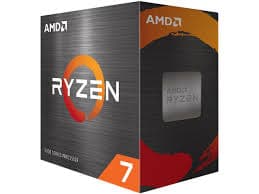
Ryzen 7 7700X
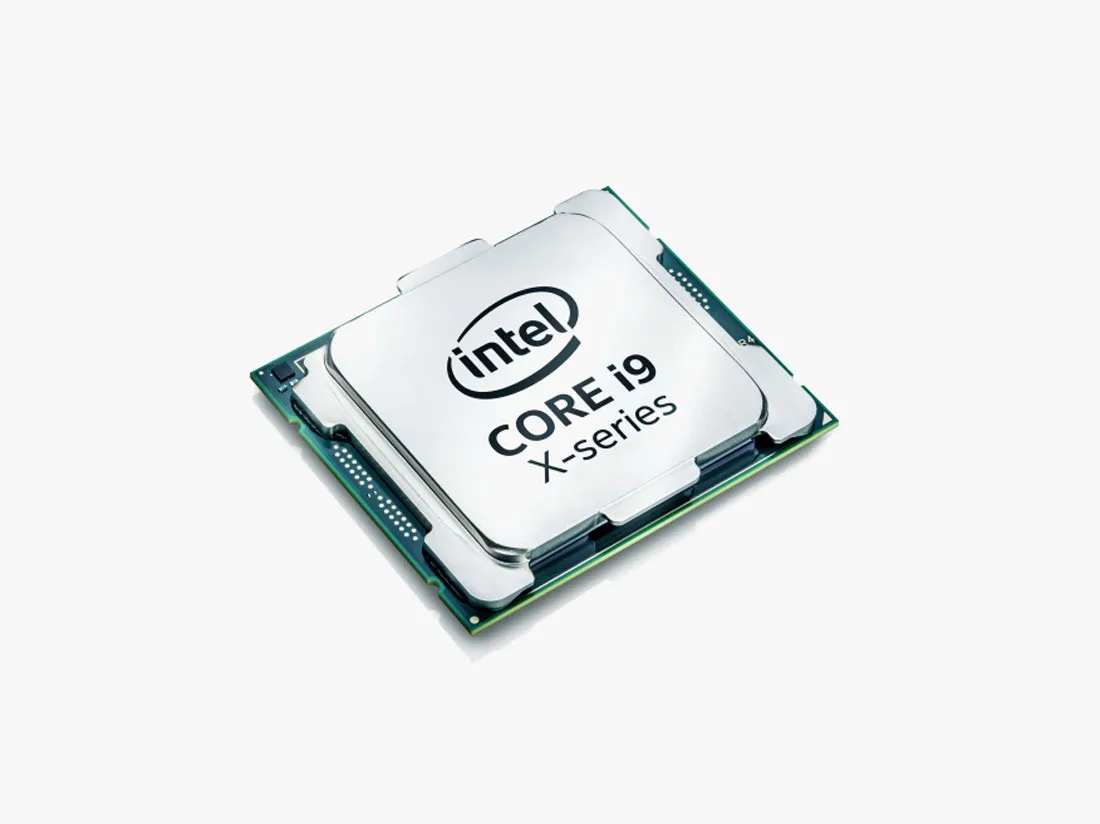
Core i9-14900K
gaming, 1080p
The short answer
This is really a Ryzen 7 versus Core i9 tier question dressed up as one matchup, and the tiers show. The Core i9-14900K is about 15% faster in games at 1080p and roughly double the Ryzen 7 7700X in heavy multi-threaded work, because it packs 24 cores against 8. It also costs almost twice as much, draws far more power, and needs serious cooling to hold its boost clocks. The 7700X is not really competing for the outright performance crown here, it is competing on price, power, and platform, and on those it wins clearly. If you want the fastest chip regardless of cost, buy the 14900K. If you want excellent 1080p and 1440p gaming for a lot less money and a cooler, quieter build, the 7700X is the smarter Ryzen 7 versus Core i9 answer for most people.
The Ryzen 7 7700X and the Core i9-14900K sit on opposite ends of a mainstream-versus-flagship divide, and that gap is the whole story of this Ryzen 7 versus Core i9 comparison. The 7700X is an 8-core Zen 4 chip built for efficient AM5 gaming builds at a sane price. The 14900K is Intel's outgoing flagship, a 24-core hybrid design with huge power headroom aimed at buyers who want the fastest chip Intel makes, gaming and productivity both.
What follows covers full specs, 1080p gaming fps with a top-tier GPU, productivity benchmarks, a GPU-bottleneck checker, power and cooling needs, platform cost, and a straight verdict on whether the Core i9 premium is worth it over the Ryzen 7.
At a glance
Six dimensions, two chips. Each owns different corners, bigger area is not automatically better.
Strengths radar
Each axis scored 0-100 relative to the pair
Gaming vs price
Up and to the left is better value
Grey dots are neighbouring chips for context.
Which should you buy?
Pick your use case, the winner changes with what you actually do.
The 14900K's very high boost clock gives it the outright gaming lead, useful at 1080p with a 240 Hz-plus monitor.
The 7700X gives up about 15% in games but costs roughly half as much, the better dollar-per-frame pick.
24 threads give the 14900K far more headroom for software encoding without stealing frames from the game.
Triple the core count makes the 14900K roughly twice as fast in Cinebench, Blender, and code builds.
The 7700X runs on a modest air cooler at 105 W, where the 14900K wants a big tower or AIO to hold its clocks.
The 14900K's unlocked multiplier and per-core tuning give it more raw headroom, but update BIOS microcode first.
Own a 7700X? Only move to a 14900K for a real workload reason.
Read this before you spend
A 15% gaming gain is a hard sell for around 480 dollars, especially since the 14900K also forces a full platform swap, new LGA1700 motherboard, and often a beefier cooler and PSU. If gaming is most of what you do, keep the 7700X and put the money into a better GPU instead.
The upgrade makes sense if you regularly render, encode, compile, or run other heavily threaded work, where the 14900K's 24 cores roughly double your throughput. For a gaming-first build, this is not a close call, the 7700X stays the rational choice.
Full specification comparison
Every spec side by side. The highlighted figure wins each row.
| Specification | Ryzen 7 7700X | Core i9-14900K |
|---|---|---|
| Architecture | ||
| Architecture | Zen 4 | Raptor Lake Refresh |
| Process node | TSMC 5 nm ▲ | Intel 7 (10 nm) |
| Release date | Sep 27, 2022 | Oct 17, 2023 |
| Launch MSRP | $399 ▲ | $589 |
| Cores & clocks | ||
| Cores / threads | 8 / 16 | 24 / 32 (8P+16E) ▲ |
| Base / boost clock | 4.5 / 5.4 GHz | 3.2 / 6.0 GHz ▲ |
| Overclocking | Unlocked | Unlocked |
| Cache & memory | ||
| Total cache | 40 MB | 68 MB ▲ |
| 3D V-Cache | None | None |
| Memory support | DDR5-5200 | DDR5-5600 / DDR4-3200 ▲ |
| Platform & power | ||
| Socket | AM5 | LGA1700 |
| TDP | 105 W ▲ | 125 / 253 W (PL1/PL2) |
| Integrated graphics | RDNA 2 (2 CU) | UHD 770 |
| Bundled cooler | None | None |
Gaming FPS by game
Tested at 1080p with a top GPU so the processor is the limit. Switch resolution and metric, the bars update live.
Average FPS at 1080p, paired with a top-tier GPU so the processor is the limit. The gap between these two chips is widest at 1080p and shrinks as resolution rises and the GPU takes over.
Cache, clocks and 1% lows
Why the cache and clock balance decides the gaming feel
Neither chip here relies on 3D V-Cache, so the gaming gap comes down to clock speed and core layout instead. The 14900K's fastest cores boost to 6.0 GHz and its hybrid design lets Intel's thread scheduler park background tasks on the smaller efficiency cores, keeping the fast P-cores free for the game.
The 7700X answers with 40 MB of combined cache on a simpler, uniform 8-core layout, which keeps gaming performance strong without the scheduling complexity of a hybrid chip. It cannot match the 14900K's peak clock, which is the direct source of its 15% gaming deficit here.
Productivity & content creation
Rendering, encoding and compiling lean on cores and threads more than games do, so the ranking can flip here.
Streaming and content work
For streaming, the 14900K's 24 threads give it a large edge, there is enough spare capacity to run a full x264 software encode alongside the game with room left over. The 7700X's 16 threads handle GPU-based NVENC or AV1 encoding fine, but a demanding software encode will visibly compete with the game for cycles.
Will these CPUs bottleneck your GPU?
A faster CPU only helps if your graphics card needs the frames. Pick your GPU and resolution to see expected fps and any bottleneck for each chip.
Will these CPUs bottleneck your GPU?
The willitbottleneck engine, built right into the comparison.
Estimated across a 17-GPU model at 1080p. A CPU only bottlenecks at 1080p with a fast GPU; push to higher resolutions and the GPU becomes the limit, so the bottleneck shrinks or disappears.
The 14900K rarely bottlenecks any GPU at 1080p or above, it is fast enough to feed even an RTX 5090. The 7700X is still a strong gaming chip and will fully feed anything up to a high-end card at 1080p, but with the very fastest GPUs at 1080p it starts to cap frame rates below what the GPU could otherwise deliver.
At 1440p and 4K the gap between these two shrinks a lot, because the GPU becomes the limiting factor for both chips. If your resolution is 1440p or 4K, the 7700X keeps up closely with the far pricier 14900K, and the money is better spent on the graphics card.
Power draw, heat & cooler needs
What the chip actually pulls under load, how hot it runs, and the cooler you should budget for.
Platform, motherboard & memory
The chip price is only part of it. Socket, board cost, memory type and upgrade path decide the real bill.
Socket & upgrade path
These chips use different, incompatible sockets. The 7700X runs on AM5, which AMD has committed to supporting into 2027 and beyond, so a board bought today carries forward to future Ryzen chips. The 14900K uses LGA1700, which Intel has already moved on from with the LGA1851 Arrow Lake platform, making a 14900K build a platform dead end for future CPU upgrades.
Memory: DDR4 vs DDR5
Both officially support DDR5, with the 14900K also able to run DDR4 depending on the motherboard chosen, which can shave some cost off an Intel build. For either chip, a 6000 MT/s DDR5 kit with AMD EXPO or Intel XMP enabled is the sweet spot for gaming performance.
Price history & dollars-per-frame
Raw price is half the story. Cost per gaming frame is the number that decides it, and it keeps moving as prices fall.
Price over time
Street price of each chip (USD)
Overclocking & tuning
Both chips have unlocked multipliers. The 7700X responds well to Curve Optimizer undervolting and a modest all-core bump, gaining a few percent for free lower power. The 14900K has more raw headroom with per-core ratio and AVX offset tuning, but pushing it further raises an already high power draw and heat output fast, so most owners get more from undervolting for stability than from chasing extra clocks.
Pros & cons
Ryzen 7 7700X
- Roughly half the price of the 14900K, far better value
- Runs cool and quiet on a modest air cooler
- AM5 platform has a real upgrade path into 2027 and beyond
- Around 15% slower in games at 1080p
- Well behind in heavily multi-threaded work
Core i9-14900K
- Fastest gaming chip in this pairing, especially at 1080p
- Roughly double the multi-core throughput for rendering and compiling
- Very high single-thread peak clock
- Costs almost twice as much
- Draws far more power and needs serious cooling
- LGA1700 is a dead-end platform
Buying pitfalls
Update the 14900K's BIOS before anything else
Intel's 13th and 14th-gen K-series chips, the 14900K included, shipped with a voltage bug that could cause instability and, in some cases, permanent degradation. Intel issued a microcode fix and extended warranties. Update to the latest BIOS with the 0x129 microcode or newer before running the chip stock, and avoid unlocked power limits beyond Intel's baseline profile.
Cooling and PSU sizing differ a lot
The 7700X is happy with a solid air cooler and a mid-range PSU. The 14900K can draw up to 253 W under full load, so it needs a large air tower or a 280mm-plus AIO and a robust 750 W-plus power supply to stay stable under sustained multi-core work.
Ryzen 7 7700X vs Core i9-14900K: your questions answered
For raw performance, yes, it is about 15% faster in games and roughly double the speed in heavy multi-threaded work. But it costs almost twice as much and draws far more power, so for a gaming-first budget build the 7700X is the better overall pick.
Buy the Core i9 tier, represented here by the 14900K, if you need the fastest possible chip for rendering, compiling, or high-refresh competitive gaming and the budget allows it. Buy the Ryzen 7 tier, the 7700X, if you want strong 1080p and 1440p gaming for close to half the price and a cooler, simpler build.
About 15% on average at 1080p with a top-tier GPU. The gap narrows at 1440p and nearly disappears at 4K, where the graphics card becomes the limiting factor for both chips.
Yes. It is still a strong 1080p and 1440p gaming chip, and at 4K it keeps pace with the far pricier 14900K because the GPU is doing the heavy lifting at that resolution.
The 14900K, by a clear margin. Its 24 threads leave much more headroom for a software x264 encode running alongside the game. The 7700X still streams well with GPU-based NVENC or AV1 encoding, where the CPU load is light.
With the very fastest GPUs at 1080p it can cap frame rates slightly below what the card could otherwise hit. At 1440p and 4K it keeps up closely with the 14900K, so the bottleneck mostly matters for 1080p high-refresh builds.
No. The 7700X uses AM5, the 14900K uses LGA1700, and the sockets are not interchangeable. Picking the CPU also picks the whole platform.
Yes. Intel's 13th and 14th-gen K-series chips had a voltage-related instability issue that Intel addressed with microcode updates and extended warranty coverage. Update to the latest BIOS before running a 14900K stock or with any power-limit increase.
A large air tower or a 280mm-plus AIO liquid cooler, since it can draw up to 253 W under full load. The 7700X is comfortable on a good mid-range air cooler at its 105 W rating.
Both include a basic integrated GPU good for desktop use and troubleshooting without a discrete card, but neither is meant for real gaming. A separate graphics card is required for gaming performance either way.
The 7700X's AM5 platform, by far. AMD has committed to supporting AM5 into 2027 and beyond, while the 14900K's LGA1700 socket is already superseded by Intel's LGA1851 Arrow Lake platform, making a 14900K build a dead end for future CPU-only upgrades.
Not really. At 4K the GPU is the limiting factor for both chips and the gap between them nearly disappears, so the 7700X delivers almost identical 4K gaming results for close to half the price.
A fast 6000 MT/s DDR5 kit with EXPO or XMP enabled gets the best out of either chip. The 14900K also supports DDR4 on some boards, which can lower total build cost slightly if that route is chosen.
Yes, both have unlocked multipliers. The 7700X gains a little from Curve Optimizer undervolting and a small all-core bump. The 14900K has more raw headroom but pushing it further increases an already high power draw quickly, so most owners undervolt for stability instead.
A used 7700X around 210 dollars is very good value if bought from a reputable seller. For the 14900K, buying new is safer given the known voltage issue on early units, so a warrantied new chip with the latest microcode is the lower-risk choice.
A quality 550 to 650 W PSU comfortably covers a 7700X build with a mid-to-high-end GPU. The 14900K's higher power draw calls for at least 750 W, more with a high-end graphics card added.