
Ryzen 5 5500 vs Ryzen 5 5600
The complete head-to-head: full specs, real 1080p gaming fps with 1% lows, productivity benchmarks, a live GPU-bottleneck check, power, platform cost and a straight verdict.
Ryzen 5 5500
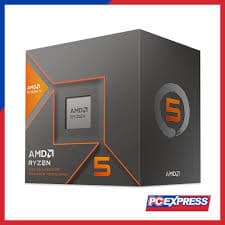
Ryzen 5 5600
gaming, 1080p
The short answer
The Ryzen 5 5600 is meaningfully faster than the Ryzen 5 5500, about 16% ahead in games, and it is the one to buy if your budget stretches to it. The gap is not a rounding error. AMD built the 5500 from a cut-down laptop die, so it ships with half the L3 cache, a lower boost clock, and no PCIe 4.0 support at all, meaning even a fast PCIe 4.0 SSD or GPU runs at PCIe 3.0 speeds on this chip. The 5500 still works and is genuinely cheap, but it is the compromise part in this pairing, not a hidden bargain.
Both of these are six-core, twelve-thread Zen 3 chips on the AM4 socket, and on paper they look close. In practice they are not the same tier of processor. The Ryzen 5 5500 was carved out of a mobile Cezanne die with half its L3 cache disabled and its PCIe lanes locked to generation 3, which was fine for the ultra-budget OEM builds it was designed for. The Ryzen 5 5600 is a full desktop Zen 3 part with double the cache and PCIe 4.0 support, and it shows up clearly in the numbers.
This page lays out full specs, 1080p gaming fps, productivity benchmarks, a GPU-bottleneck checker, power draw, platform cost, and a plain verdict on which one actually deserves your money.
At a glance
Six dimensions, two chips. Each owns different corners, bigger area is not automatically better.
Strengths radar
Each axis scored 0-100 relative to the pair
Gaming vs price
Up and to the left is better value
Grey dots are neighbouring chips for context.
Which should you buy?
Pick your use case, the winner changes with what you actually do.
If $70 is genuinely the ceiling, the 5500 still plays modern games at 1080p and beats any budget Intel option at that price.
The 5600 is 16% faster in games and the extra cache is the reason why, worth the roughly $25 gap for most builds.
The 5500 has no PCIe 4.0 lanes at all, so a fast Gen4 drive is wasted on it. The 5600 runs it at full speed.
The 5600's higher clocks leave a bit more headroom for encoding while a game runs, though neither is a streaming chip.
More usable cache lifts Cinebench and Blender scores too, so the 5600 is the better all-rounder, not just faster in games.
If you already own everything else and just need a cheap CPU upgrade from an older Ryzen, the 5500 is a valid, low-risk swap.
Building new on AM4? Spend the extra $25 on the 5600.
Read this before you spend
A 16% gaming gap plus double the L3 cache and real PCIe 4.0 support is a big jump for about $25. Unless every dollar is spoken for, the Ryzen 5 5600 is the smarter buy for a new build, and it will not bottleneck a PCIe 4.0 SSD or a mid-range GPU the way the 5500 quietly can.
If you already own a Ryzen 5 5500, the upgrade to a 5600 is a lateral move on the same socket. It is worth doing if you are also adding a fast NVMe drive or a stronger GPU that wants the extra cache; otherwise put the money into the graphics card instead.
Full specification comparison
Every spec side by side. The highlighted figure wins each row.
| Specification | Ryzen 5 5500 | Ryzen 5 5600 |
|---|---|---|
| Architecture | ||
| Architecture | Zen 3 | Zen 3 |
| Process node | TSMC 7 nm | TSMC 7 nm |
| Release date | Apr 2022 | Apr 2022 |
| Launch MSRP | $159 ▲ | $199 |
| Cores & clocks | ||
| Cores / threads | 6 / 12 | 6 / 12 |
| Base / boost clock | 3.6 / 4.2 GHz | 3.5 / 4.4 GHz ▲ |
| Overclocking | Unlocked, limited headroom | Unlocked ▲ |
| Cache & memory | ||
| L3 cache | 16 MB | 32 MB ▲ |
| Total cache | 19 MB | 35 MB ▲ |
| Memory support | DDR4-3200 | DDR4-3200 |
| Platform & power | ||
| Socket | AM4 | AM4 |
| TDP | 65 W | 65 W |
| PCIe generation | PCIe 3.0 only | PCIe 4.0 ▲ |
| Bundled cooler | Wraith Stealth | Wraith Stealth |
Gaming FPS by game
Tested at 1080p with a top GPU so the processor is the limit. Switch resolution and metric, the bars update live.
Average FPS at 1080p, paired with a top-tier GPU so the processor is the limit. The gap between these two chips is widest at 1080p and shrinks as resolution rises and the GPU takes over.
Cache, clocks and 1% lows
Why the cache and clock balance decides the gaming feel
Neither chip has 3D V-Cache, but this pair is still a cache story. The Ryzen 5 5500 was built from a Cezanne mobile die with half its L3 cache physically disabled to hit a lower price point, leaving it with 16 MB of L3 against the 5600's full 32 MB. Games lean on L3 to avoid slow trips to system memory, so that missing cache is a large part of the 16% gaming gap between two chips with identical core counts and near-identical clocks.
It is a useful reminder that core count and clock speed alone do not tell the whole story. The 5600 also carries a slightly higher boost clock, but the cache difference is the bigger factor, which is why the gap holds fairly steady across both light esports titles and heavier AAA games in the chart above.
Productivity & content creation
Rendering, encoding and compiling lean on cores and threads more than games do, so the ranking can flip here.
Streaming and content work
Neither chip is built for heavy streaming. Both can handle light OBS use with GPU NVENC encoding while gaming, since that offloads the encode to the graphics card, but software x264 encoding alongside a demanding game will hurt frame rates on either one. The 5600's extra cache and clock headroom make it the safer pick if you plan to stream at all.
Will these CPUs bottleneck your GPU?
A faster CPU only helps if your graphics card needs the frames. Pick your GPU and resolution to see expected fps and any bottleneck for each chip.
Will these CPUs bottleneck your GPU?
The willitbottleneck engine, built right into the comparison.
Estimated across a 17-GPU model at 1080p. A CPU only bottlenecks at 1080p with a fast GPU; push to higher resolutions and the GPU becomes the limit, so the bottleneck shrinks or disappears.
Both chips are budget parts, so pairing either with a genuinely high-end GPU like an RTX 5080 or 5090 wastes money, the graphics card will outrun the CPU at 1080p. They make far more sense with a mid-range card such as an RTX 5060 Ti or RX 9070, where the GPU is realistically the limiting factor most of the time.
The 5500's missing PCIe 4.0 support is a separate issue from CPU bottlenecking. It will not meaningfully cap a PCIe 4.0 GPU running in a Gen 3 slot, the real-world frame rate loss is small, but it does cap any PCIe 4.0 NVMe SSD to Gen 3 transfer speeds, which matters for game load times and file transfers, not fps.
Power draw, heat & cooler needs
What the chip actually pulls under load, how hot it runs, and the cooler you should budget for.
Platform, motherboard & memory
The chip price is only part of it. Socket, board cost, memory type and upgrade path decide the real bill.
Socket & upgrade path
Both use the AM4 socket, which is now a legacy platform with no further CPU releases planned by AMD. A budget B450 or B550 motherboard around $60 to $80 covers either chip comfortably. There is no meaningful upgrade path beyond AM4's existing lineup, so treat whichever chip you buy as close to the ceiling for this board rather than a stepping stone.
Memory: DDR4 vs DDR5
Both run DDR4 and top out at the same official DDR4-3200 support, so a basic 3200 MT/s CL16 kit is the sensible, cheap choice for either build. Neither chip benefits much from exotic high-speed DDR4 kits, the returns diminish quickly past 3200 to 3600 MT/s on Zen 3.
Price history & dollars-per-frame
Raw price is half the story. Cost per gaming frame is the number that decides it, and it keeps moving as prices fall.
Price over time
Street price of each chip (USD)
Overclocking & tuning
Both chips carry an unlocked multiplier, but Zen 3 non-X parts have modest overclocking headroom to begin with, and the 5500's cut-down die leaves it with even less room to push before hitting thermal or silicon limits. A mild all-core PBO tune nets a few percent on either chip. Neither is worth buying specifically to overclock; buy for the stock performance you see here.
Pros & cons
Ryzen 5 5500
- The cheapest real six-core AM4 chip available in 2026
- Still handles modern games at 1080p on a tight budget
- Low power draw, runs cool on the bundled cooler
- No PCIe 4.0 support at all, caps fast NVMe SSDs
- Half the L3 cache of the 5600, about 16% slower in games
Ryzen 5 5600
- 16% faster in games from the extra cache alone
- Full PCIe 4.0 support for fast SSDs and GPUs
- Still cheap, roughly $25 more than the 5500
- Not dramatically faster in absolute terms, both are entry-level
- AM4 platform offers no future CPU upgrade path
Buying pitfalls
The 5500 has no PCIe 4.0 lanes, full stop
This is not a BIOS setting or a limitation you can work around. The 5500's PCIe lanes run at generation 3 speeds no matter what motherboard or SSD you pair it with. If a fast Gen4 NVMe drive matters to you, budget for the 5600 instead.
AM4 is a dead-end platform
Both chips sit on a socket AMD has closed out. There is no future CPU to drop in later beyond what already exists for AM4, unlike AM5 which AMD has committed to supporting into 2027 and beyond. Buy either chip expecting to keep it for the life of the build, not to upgrade the CPU again on this board.
Ryzen 5 5500 vs Ryzen 5 5600: your questions answered
Yes, clearly. The 5600 is about 16% faster in games, has double the L3 cache, a higher boost clock, and full PCIe 4.0 support that the 5500 lacks entirely. For roughly $25 more it is the better chip in every measurable way.
Buy the 5600 unless the extra $25 is genuinely unavailable. The 5500 is a fine emergency-budget chip, but the cache and PCIe cuts make it a clear step down, not just a slightly slower option.
AMD built the 5500 from a Cezanne mobile and OEM die with half its L3 cache disabled and its PCIe lanes locked to generation 3. It was designed to hit an ultra-low price point for prebuilt PCs, and that lower bill of materials is why it sells for roughly $60 to $70 less.
No. This is the 5500's biggest limitation. Every PCIe lane on the chip runs at generation 3 speeds regardless of motherboard, which caps any PCIe 4.0 SSD or GPU to Gen 3 transfer rates. If a fast NVMe drive matters to you, choose the 5600 instead.
Yes, for 1080p with a mid-range GPU. It plays current games acceptably and beats budget Intel chips at its price, it just trails the 5600 by about 16% and cannot fully exploit a fast PCIe 4.0 SSD.
The 5600, though the gap is smaller than in gaming, around 7% in Cinebench multi-core. Neither chip is aimed at heavy workstation tasks, both are budget six-core parts.
Only lightly. Both can stream using GPU-based NVENC encoding without much frame rate loss, but neither has the extra cores or cache to comfortably run demanding CPU-based x264 encoding alongside a game. The 5600's slightly higher clocks give it a small edge.
With a high-end GPU like an RTX 5080 or 5090, both will hold back frame rates at 1080p. With a realistic mid-range card such as an RTX 5060 Ti, the GPU is the more likely limit most of the time. Use the checker on this page against your specific card.
No. Both include AMD's Wraith Stealth cooler in the box, and both are 65 W parts that run comfortably on it for typical use. An aftermarket cooler is a nice-to-have for lower noise, not a requirement.
Both use the AM4 socket and DDR4 memory, so a budget B450 or B550 board around $60 to $80 works for either. A basic DDR4-3200 CL16 kit is the sensible choice, neither chip gains much from faster memory.
Both have unlocked multipliers, but Zen 3 non-X chips have limited headroom, and the 5500's cut-down die has even less. A mild PBO tune adds a few percent on either. Neither is worth buying specifically to overclock.
Both are common on the used market. A used 5600 around $75 is a strong budget pick with low risk since these chips rarely fail. Buy from a reputable seller and confirm it is not physically damaged; there is little else to check on a CPU.
Very similarly. At 4K the graphics card becomes the limiting factor for almost any modern GPU, so the CPU gap between the 5500 and 5600 shrinks to a few frames per second. If you game exclusively at 4K, the cheaper 5500 is the more sensible buy.
Not at this exact tier, but AM4 does have gaming-focused X3D options like the Ryzen 7 5700X3D and 5800X3D if you want a bigger gaming jump on the same socket and are willing to spend significantly more.
Only for a tight budget. AM4 is a legacy platform with no further CPU upgrades coming, so it makes sense mainly if you already own parts or need the lowest possible entry cost. A fresh build with room to grow is better served by AM5.
An RTX 5060, RTX 5060 Ti, or RX 9070 class card is a sensible match for both at 1080p or 1440p. Pairing either CPU with a flagship GPU wastes the graphics card's potential at 1080p.