
Ryzen 7 5700X vs Ryzen 7 5800X
The complete head-to-head: full specs, real 1080p gaming fps with 1% lows, productivity benchmarks, a live GPU-bottleneck check, power, platform cost and a straight verdict.
Ryzen 7 5700X
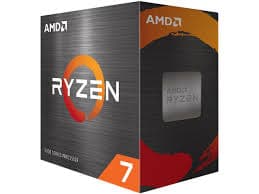
Ryzen 7 5800X
gaming, 1080p
The short answer
The Ryzen 7 5800X is about 6% faster than the 5700X in games and holds a similar lead in productivity, but it draws considerably more power to get there, 105 W against the 5700X's 65 W TDP. Same eight cores, same sixteen threads, same 32 MB of L3 cache, on the same AM4 socket. The 5700X was AMD's later, cooler-running answer built to undercut the 5800X on price and power, and for most builders in 2026 it is the more sensible pick unless you can find the 5800X cheap or specifically want the extra headroom.
Both of these are 8-core, 16-thread Zen 3 chips with the same 32 MB of L3 cache on the same AM4 socket, but they were built to different power targets. The Ryzen 7 5800X launched in late 2020 as one of the original Zen 3 flagships at a 105 W TDP and a steep $449 MSRP. The Ryzen 7 5700X arrived over a year later, tuned down to 65 W and priced at $299, trading a modest amount of clock speed for a much cooler, cheaper chip.
Below is the full spec sheet, 1080p gaming fps, productivity benchmarks, a GPU-bottleneck checker, power draw, platform cost, and a plain verdict on which one makes more sense for your build.
At a glance
Six dimensions, two chips. Each owns different corners, bigger area is not automatically better.
Strengths radar
Each axis scored 0-100 relative to the pair
Gaming vs price
Up and to the left is better value
Grey dots are neighbouring chips for context.
Which should you buy?
Pick your use case, the winner changes with what you actually do.
The 5700X gives up only about 6% in games while running far cooler and cheaper, the smarter default for most builds.
The 5800X leads in every benchmark here, worth it if you already own the cooling to handle 105 W.
65 W means the 5700X runs comfortably on modest air cooling in a compact case where the 5800X would struggle.
Higher clocks give the 5800X a real edge in Cinebench and Blender, useful if productivity is a regular workload.
The 5800X's extra clock headroom leaves slightly more room for x264 encoding layered on top of a game.
If you already have a cooler that handles 105 W comfortably, the 5800X's small performance edge becomes free.
Own a 5700X? The 5800X is not worth chasing.
Read this before you spend
A 6% gaming gain for a jump from 65 W to 105 W of heat is a bad trade if you already own a 5700X. You would spend real money to gain a difference you will rarely notice in play, and you would need a stronger cooler to keep the 5800X's higher power draw in check. Keep the 5700X and put the money into your GPU.
If you are building fresh and can find the 5700X for meaningfully less, it is the better all-around choice for most people. Choose the 5800X only if the price gap has closed or you specifically want the extra clock headroom for productivity work.
Full specification comparison
Every spec side by side. The highlighted figure wins each row.
| Specification | Ryzen 7 5700X | Ryzen 7 5800X |
|---|---|---|
| Architecture | ||
| Architecture | Zen 3 | Zen 3 |
| Process node | TSMC 7 nm | TSMC 7 nm |
| Release date | Apr 2022 | Nov 2020 |
| Launch MSRP | $299 ▲ | $449 |
| Cores & clocks | ||
| Cores / threads | 8 / 16 | 8 / 16 |
| Base / boost clock | 3.4 / 4.6 GHz | 3.8 / 4.7 GHz ▲ |
| Overclocking | Unlocked | Unlocked |
| Cache & memory | ||
| L3 cache | 32 MB | 32 MB |
| Total cache | 36 MB | 36 MB |
| Memory support | DDR4-3200 | DDR4-3200 |
| Platform & power | ||
| Socket | AM4 | AM4 |
| TDP | 65 W ▲ | 105 W |
| PCIe generation | PCIe 4.0 | PCIe 4.0 |
| Bundled cooler | None | None |
Gaming FPS by game
Tested at 1080p with a top GPU so the processor is the limit. Switch resolution and metric, the bars update live.
Average FPS at 1080p, paired with a top-tier GPU so the processor is the limit. The gap between these two chips is widest at 1080p and shrinks as resolution rises and the GPU takes over.
Cache, clocks and 1% lows
Why the cache and clock balance decides the gaming feel
Neither chip carries 3D V-Cache, and here it does not matter because both have the exact same 32 MB of L3 across their eight cores. With cache and core count identical, this pair comes down to clock speed and power target: the 5800X runs its cores harder within a 105 W envelope, while the 5700X was tuned to hit similar clocks at 65 W, giving up a small amount of headroom for a much cooler chip.
It is a clean illustration of the diminishing returns on pushing clock speed higher without more cache to feed those cores. The 5800X's extra 40 W buys roughly 6% more gaming performance and a few percent more in productivity, not a proportional jump.
Productivity & content creation
Rendering, encoding and compiling lean on cores and threads more than games do, so the ranking can flip here.
Streaming and content work
Both handle light-to-moderate streaming reasonably well thanks to their eight cores and sixteen threads, more headroom than the six-core chips in this lineup. Software x264 encoding alongside a game is workable on either, and the 5800X's extra clock speed gives it a slight edge for heavier encode settings. GPU-based NVENC or AV1 encoding works comfortably on both.
Will these CPUs bottleneck your GPU?
A faster CPU only helps if your graphics card needs the frames. Pick your GPU and resolution to see expected fps and any bottleneck for each chip.
Will these CPUs bottleneck your GPU?
The willitbottleneck engine, built right into the comparison.
Estimated across a 17-GPU model at 1080p. A CPU only bottlenecks at 1080p with a fast GPU; push to higher resolutions and the GPU becomes the limit, so the bottleneck shrinks or disappears.
Both are capable mid-to-upper-tier gaming chips. Paired with a high-end GPU like an RTX 5080 at 1080p, the 5800X's clock edge shows up more clearly; paired with a mid-range card, both chips feed the GPU fully most of the time and the difference nearly disappears.
At 1440p and especially 4K, the graphics card becomes the dominant factor in frame rate for either chip, so the practical gap between the 5700X and 5800X shrinks to just a few frames per second in most games.
Power draw, heat & cooler needs
What the chip actually pulls under load, how hot it runs, and the cooler you should budget for.
Platform, motherboard & memory
The chip price is only part of it. Socket, board cost, memory type and upgrade path decide the real bill.
Socket & upgrade path
Both use the AM4 socket and work on an affordable B550 board around $70 to $90. AM4 is a closed platform now, with no further CPU releases planned by AMD, so either chip should be viewed as close to the ceiling for this board rather than a stepping stone to something newer down the line.
Memory: DDR4 vs DDR5
Both officially support DDR4-3200 and gain little from pushing much faster memory on Zen 3. A solid 3200 MT/s CL16 kit is the sensible, budget-friendly choice for either build, since returns diminish quickly past that point.
Price history & dollars-per-frame
Raw price is half the story. Cost per gaming frame is the number that decides it, and it keeps moving as prices fall.
Price over time
Street price of each chip (USD)
Overclocking & tuning
Both chips carry unlocked multipliers. The 5800X has a bit more raw thermal headroom to explore with PBO and a manual all-core overclock if paired with strong cooling, though it starts from a higher baseline power draw. The 5700X responds well to PBO tuning too and can close some of the 6% gap while staying far cooler than an overclocked 5800X.
Pros & cons
Ryzen 7 5700X
- Same 8 cores and cache as the 5800X for meaningfully less
- Runs at 65 W, much easier to cool and keep quiet
- Only about 6% behind in games, smaller gap in productivity
- Slightly lower clocks across the board
- No bundled cooler, budget for one either way
Ryzen 7 5800X
- Fastest of the two everywhere, games and productivity alike
- Well-known, widely available on the used AM4 market
- More thermal headroom to push with a manual overclock
- 105 W TDP means real heat and a stronger cooler needed
- Costs more for a gap that is small in daily use
Buying pitfalls
Neither chip includes a cooler
Budget separately for cooling. A good air cooler in the 240mm-tower class suits the 5700X's 65 W comfortably. The 5800X's 105 W wants a stronger air cooler or a 240mm AIO to hold its boost clocks under sustained load, especially in a warm case.
The 5800X runs noticeably hotter
Its higher power target means higher stock temperatures and more case heat, which matters in a small or poorly ventilated build. If quiet, cool operation matters more than the last 6% of performance, the 5700X is the easier chip to live with.
Ryzen 7 5700X vs Ryzen 7 5800X: your questions answered
In raw performance, yes, by about 6% in games and a few percent in productivity. But it does this at 105 W against the 5700X's 65 W, so it runs hotter and needs stronger cooling. For most builders the 5700X's lower cost and lower heat make it the better overall pick.
The 5700X for most people, it is cheaper, runs far cooler, and gives up only about 6% in performance. Choose the 5800X if you already own cooling that handles 105 W comfortably or find it at a real discount.
Power target and clock speed. Both have 8 cores, 16 threads, and the same 32 MB of L3 cache. The 5800X runs at 105 W with higher clocks; the 5700X is tuned to 65 W with slightly lower clocks, trading a small performance gap for much lower heat and cost.
Yes, it remains a strong 1080p and 1440p gaming chip when paired with a capable GPU. It trails the 5800X by only about 6%, a gap that is small in real gameplay and shrinks further at higher resolutions.
The 5800X, by a modest margin of 2 to 3% in Cinebench and Blender thanks to its higher clocks. Both are genuinely capable 8-core chips for rendering and compiling, not just gaming parts.
Yes, reasonably. Eight cores and sixteen threads give both real headroom for software x264 encoding alongside a game, more than the six-core chips in this lineup. The 5800X's clock edge gives it a small advantage for heavier encode settings.
With a high-end GPU like an RTX 5080 at 1080p, the 5800X's clock edge becomes more visible. With a mid-range card or at 1440p and 4K, both feed the GPU fully most of the time and the gap nearly disappears. Check the checker on this page against your specific card.
Yes, neither includes one in the box. A good air cooler suits the 5700X's 65 W. The 105 W 5800X wants a stronger air tower or a 240mm AIO to sustain its boost clocks, especially under prolonged load.
Both use AM4 and DDR4, so a B550 board around $70 to $90 handles either comfortably. A DDR4-3200 CL16 kit is the sensible choice, since neither chip gains much from pushing faster memory.
Yes, both have unlocked multipliers. The 5800X has more raw thermal headroom to push with strong cooling. The 5700X also responds well to PBO tuning and stays far cooler even when pushed, closing some but not all of the gap.
Both are common and generally reliable on the used AM4 market. A used 5700X around $100 is a strong, low-risk value pick. Buy from a reputable seller and check the pins are straight before installing.
Very close, within a few frames per second, since the graphics card becomes the limiting factor for almost any modern GPU at 4K. If you game mainly at 4K, the cheaper, cooler 5700X is the more sensible buy.
Yes, the Ryzen 7 5800X3D is a genuinely faster gaming chip on the same AM4 socket, with a large jump in L3 cache. It costs more than either chip here but is worth considering if gaming performance is the priority.
Mainly for a tight budget or if you already own AM4 parts. It is a legacy platform with no further CPU releases coming from AMD. A fresh build with room to grow is better served by AM5, but either of these chips remains a solid, cheap option on AM4.
A quality 550 to 650 W PSU covers a build with either chip and a mid-range GPU comfortably. The 5800X's higher TDP means a bit more headroom is wise if pairing it with a power-hungry graphics card.
An RTX 5070 or RX 9070 XT class card is a sensible match for both at 1080p or 1440p, letting either CPU keep up without becoming the bottleneck in most titles.