
A100 vs RTX 4090
The complete head-to-head: full specs, real per-game FPS with 1% lows, ray tracing, a live CPU-bottleneck check, thermals, power and value, with a straight verdict.
NVIDIA A100
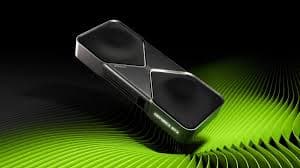
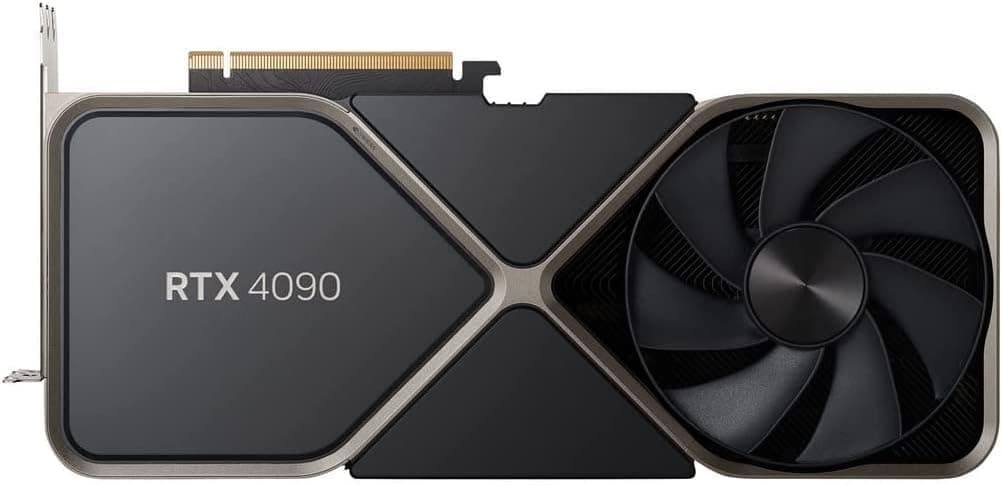
GeForce RTX 4090
avg, 1080p
The short answer
This is not a close comparison, and it is not supposed to be. The A100 is a datacenter compute accelerator built on a completely different die, GA100, that has no ray tracing cores, no video output hardware, and no game-optimized drivers. It cannot be plugged into a monitor. The RTX 4090 is a gaming flagship that also happens to do useful AI and creator work. For anything involving a display or a frame rate, the RTX 4090 wins by a landslide, our illustrative gaming figures below exist only to show the scale of the gap, not because anyone runs games on an A100. The A100 earns its enormous price in a different arena entirely: FP64 double-precision throughput, 80 GB of ECC HBM2e memory, and multi-GPU scaling for training and HPC work the 4090 was never built for.
These two get compared because both show up in AI conversations, but they are not really the same category of product. The RTX 4090 is a consumer gaming GPU that happens to be useful for local AI work. The A100 is a purpose-built datacenter accelerator with no display outputs at all, designed for racks of servers running training and inference at scale, not for a desktop case.
Because one of these two cannot output a picture at all, the sections below split into two tracks: the FP64, memory and training numbers where the A100 genuinely competes, and the gaming, streaming and monitor questions that only the RTX 4090 can answer, with price history and a final verdict tying both tracks together.
At a glance
Seven dimensions, two cards. Bigger area is not automatically better, each card owns different corners.
Strengths radar
Each axis scored 0-100 relative to the pair
Performance vs price
Up and to the left is better value
Grey dots are neighbouring cards for context.
Which should you buy?
Pick your use case, the winner changes with what you actually do.
The A100 has no ray tracing cores and no video output. It is not a gaming option in any scenario. The RTX 4090 is the only card here that can play a game at all.
80 GB of ECC HBM2e, 2,039 GB/s of bandwidth, and NVLink scaling across multiple cards make the A100 the right tool for training runs and models the 4090 cannot fit or feed fast enough.
For a single desktop running local LLM inference or Stable Diffusion, the RTX 4090's 24 GB and far lower price make it the practical choice by a wide margin.
The A100 delivers roughly 9.7 TFLOPS of native FP64, the RTX 4090's consumer die is deliberately crippled to about 1.3 TFLOPS. For real double-precision science, there is no contest.
The A100 has no display output, so it cannot drive a monitor or a capture setup at all. The RTX 4090 does the job outright.
The A100 was never meant to sit in a desktop tower with a monitor attached. The RTX 4090 is the only one of these two that belongs in that build.
Own an RTX 4090 and considering an A100? Ask what you're actually solving.
Short answer: probably not
If you are hitting a real 24 GB VRAM wall on training runs, need FP64 precision for simulation work, or need multiple cards to scale with NVLink, the A100 solves problems the RTX 4090 genuinely cannot. If you are chasing generic 'more AI power' without a specific bottleneck, an A100 is roughly $8,000 to $10,000 for a card that cannot even be used to check its own progress on a monitor without a second GPU or remote access.
For most people doing serious but not datacenter-scale AI work, a better move than buying an A100 outright is renting A100 or H100 time by the hour from a cloud provider for the specific training run, and keeping the RTX 4090 for local inference, editing, and everything else.
Full specification comparison
Every spec side by side. The highlighted figure wins each row.
| Specification | A100 | RTX 4090 |
|---|---|---|
| Architecture | ||
| GPU / architecture | GA100 · Ampere (datacenter) | AD102 · Ada (consumer) |
| Process node | TSMC N7 (7 nm) | TSMC 4N (5 nm) ▲ |
| Release date | May 2020 | Oct 2022 |
| Launch price | ~$15,000 (80GB PCIe) | $1,599 ▲ |
| Compute | ||
| CUDA cores | 6,912 | 16,384 ▲ |
| RT cores | None | 128 · 3rd gen ▲ |
| Tensor cores | 432 · 3rd gen (FP64-capable) | 512 · 4th gen |
| Base / boost clock | 765 / 1410 MHz | 2235 / 2520 MHz ▲ |
| L2 cache | 40 MB | 72 MB ▲ |
| FP64 (double precision) | 9.7 TFLOPS ▲ | ~1.3 TFLOPS |
| FP32 (single precision) | 19.5 TFLOPS | 82.6 TFLOPS ▲ |
| Memory | ||
| VRAM | 80 GB HBM2e (ECC) ▲ | 24 GB GDDR6X |
| Memory bus | 5,120-bit ▲ | 384-bit |
| Bandwidth | 2,039 GB/s ▲ | 1,008 GB/s |
| Power & form factor | ||
| TDP | 300 W ▲ | 450 W |
| Power connector | 1× 8-pin (CPU/EPS) | 1× 16-pin (12VHPWR) |
| Suggested PSU (host system) | 750 W ▲ | 850 W |
| PCIe interface | 4.0 ×16 | 4.0 ×16 |
| Features | ||
| Display outputs | None, compute-only | 3×DP1.4a · HDMI 2.1 ▲ |
| Upscaling | Not applicable | DLSS 3 + Frame Gen ▲ |
| Multi-GPU scaling | NVLink, up to 600 GB/s ▲ | None (consumer) |
Average FPS by game
Switch resolution, metric, ray tracing and upscaling, the bars update live. Hover a bar for the avg / 1% / 0.1% breakdown.
Average FPS · 1080p · Rasterization. Representative data, hover a bar for avg / 1% / 0.1%. Note the RTX 4090's 1% lows fall off at 1440p and up from its 8 GB VRAM.
Smoothness & frametimes
Average FPS hides stutter. This is one run plotted as frametime, a flat line is smooth, spikes are hitches. Watch what the RTX 4090's 8 GB VRAM does in a texture-heavy game.
Frametime: Not applicable, the A100 has no display output to measure
Lower and flatter is better · 16.7 ms = 60 fps
Counterintuitive but real: the slower A100 delivers a smoother line here because 12 GB holds the texture pool the 8 GB RTX 4090 keeps evicting, those spikes are VRAM stutter, not raw speed.
Lab scores
Clean apples-to-apples tests, useful, but weaker at predicting real games than the FPS above.
Ray tracing & upscaling
Ray tracing tanks both cards at native resolution. What makes it playable is upscaling, and here the RTX 4090 has a real edge.
Is frame generation "real" performance?
The RTX 4090 supports DLSS 3 Frame Generation, inserting an AI-made frame between two real ones to raise the on-screen frame rate on a high-refresh display. The A100 has no equivalent, it has no display engine and no consumer game driver stack, so the concept does not apply to it at all.
On the RTX 4090, use Frame Generation for single-player and cinematic games, and skip it for competitive shooters or when your base frame rate drops below roughly 50 fps, where the added latency becomes noticeable.
Will your CPU bottleneck these cards?
A faster GPU only helps if your CPU keeps up. Pick your CPU and resolution to see expected FPS and bottleneck for each card.
CPU + GPU pairing check
The willitbottleneck engine, built right into the comparison.
Estimated from a 43-CPU model across 1440p. A weak CPU mostly bites at 1080p; at higher resolutions the GPU becomes the limiter and the bottleneck shrinks.
Thermals & noise
The efficiency gap shows up here: the newer card runs cooler and quieter, day in and day out.
Real draw, efficiency & PSU
TDP is the rated figure; what matters is real gaming draw and how many frames you get per watt.
Both use a single 8-pin connector. If your PSU already ran the A100, it will run the RTX 4090 easily. Leave about 30% headroom for spikes.
Will it fit, and what to pair it with?
Size to scale
Card length matters for small cases
What monitor to pair
The A100 has no display outputs whatsoever, it is a pure compute accelerator meant to live in a server chassis accessed remotely. The RTX 4090 drives 4K at high refresh rates and is a genuine desktop gaming and creator GPU.
Running an older PCIe 3.0 board?
Both use a full PCIe 4.0 ×16 link, so interface bandwidth is not a limiting factor for either card. The practical difference is deployment: the A100 typically lives in a server or workstation chassis built around it, while the RTX 4090 slots into a normal desktop PCIe slot.
Price history & dollars-per-frame
Raw price is only half the story. Cost per frame is the number that decides it, and it keeps moving as prices fall.
New price over time
Street price of new cards (USD)
The 80 GB vs 24 GB question
A100 · 80 GB
- 80 GB of ECC HBM2e loads full-size large language models and massive training batches that will never fit on a 24 GB consumer card.
- 2,039 GB/s of bandwidth, roughly double the RTX 4090, keeps that memory fed for data-hungry training workloads.
- NVLink lets multiple A100s pool memory and bandwidth for training runs that need more than one card can hold.
- All of that capacity is wasted for gaming or general desktop use, since the card cannot even output a video signal.
RTX 4090 · 24 GB
- 24 GB GDDR6X handles every current game at 4K and covers most local AI inference and mid-size fine-tuning jobs.
- It is a real, usable desktop GPU: three display outputs, full driver support, and a normal PC build around it.
- 24 GB is a hard ceiling for large-scale LLM training and big HPC datasets, which is exactly where the A100 exists.
- No ECC and no NVLink, so it does not scale cleanly across multiple cards for serious training clusters.
Emulation & memory bandwidth
The narrower bus is a real downgrade for emulation
This one is simple: the A100 has no display output, so it cannot run a console emulator or any application that needs to render to a screen at all, full stop. The RTX 4090 handles even the most demanding high-resolution emulation, Yuzu-style Switch cores and RPCS3 included, without breaking a sweat.
Creator, AI & streaming
The newer card is quicker per task, but the older card's extra VRAM unlocks larger jobs it can't fit at all.
Streaming: the AV1 encoder is the differentiator
The A100 does include hardware video encode and decode blocks for datacenter transcoding pipelines, but it has zero display outputs, so it cannot be used as a desktop streaming or capture GPU in any normal sense. The RTX 4090's AV1 encoder handles streaming and export duties directly, which is the only realistic option of the two for a content creator's desktop.
Overclocking & undervolting
Overclocking is not a relevant concept for either card here in the way enthusiasts usually mean it. The A100's clocks and power states are locked by datacenter firmware with no user-facing override. The RTX 4090 has some headroom, but most owners get more real value from undervolting for lower noise and heat.
Pros & cons
A100
- 80 GB of ECC HBM2e with 2,039 GB/s of bandwidth, built for training at scale
- Genuine FP64 double-precision throughput for real scientific computing
- NVLink support for multi-GPU scaling across a training cluster
- No display outputs of any kind, cannot be used as a desktop GPU
- No ray tracing hardware and no gaming driver stack whatsoever
RTX 4090
- A real, usable desktop GPU with full display, gaming and creator support
- Faster clocks and far more raw FP32 throughput for shading and rendering
- A fraction of the A100's price, new or used
- 24 GB VRAM is a real ceiling for large-scale AI training
- No ECC and no multi-GPU scaling for serious training clusters
Buying pitfalls
The A100 cannot connect to a monitor
There is no DisplayPort, no HDMI, nothing. It is a pure compute card meant to be accessed over the network in a server rack. If you need a GPU that can display anything on a screen, the A100 is not an option regardless of budget.
Buying one outright rarely makes financial sense
At $7,500 to $10,000 used, an A100 is an enormous outlay for an individual or small team. Cloud providers rent A100 and newer H100 time by the hour, and for most training jobs short of continuous, large-scale use, renting costs far less than owning.
A100 vs RTX 4090: your questions answered
Yes, but only in the categories it was built for. It has no ray tracing hardware and no video output, so the RTX 4090 wins every display-based task without argument. Where the A100 pulls ahead is FP64 throughput, 80 GB of ECC memory, and multi-card NVLink scaling for training runs the 4090 cannot attempt.
Start with your VRAM ceiling. If a model or batch size needs more than 24 GB, or you're training across multiple cards with NVLink, the A100 is the only one that works. Everyone else, including most people running local inference or Stable Diffusion, gets more practical value from the RTX 4090's lower price.
No. There are no DisplayPort or HDMI connectors on the card at all, and the GA100 die was never given ray tracing cores. The gaming frame rates listed on this page exist purely to show scale, nobody is running Cyberpunk on an A100 in practice.
For real-scale training, yes. 80 GB of ECC HBM2e at 2,039 GB/s, plus NVLink to pool multiple cards, handles jobs that simply won't fit in the RTX 4090's 24 GB. If you're doing local inference or fine-tuning a smaller model, the 4090 is capable and dramatically cheaper.
A large one. The A100 runs native FP64 at about 9.7 TFLOPS, while NVIDIA deliberately caps the RTX 4090's consumer die at roughly 1.3 TFLOPS. Anyone doing serious simulation or scientific computing needs the A100 or a comparable datacenter part, not a gaming card.
No to both. The GA100 die was built without ray tracing cores, and without a display pipeline there's nothing for DLSS to upscale to. Both features belong entirely to the RTX 4090 in this pairing.
In gaming, yes, a slower CPU will cap the RTX 4090's frame rate, so pair it with a high-end Ryzen 7/9 or Core i7/i9 and check the calculator above. CPU bottlenecking barely registers for the A100 since it's rarely used for anything frame-rate dependent.
The RTX 4090 pulls more under real load, roughly 440 W against the A100's 260 W. The A100 carries no fan of its own and depends on a server or workstation chassis for airflow, while the RTX 4090 manages its own cooling with onboard fans.
An RTX 4090 build wants a solid 850 W unit. The A100 isn't something you drop into a gaming PSU at all, it lives in a server or workstation chassis with its own qualified power delivery, typically sized around 750 W per card.
The A100 is a fairly compact dual-slot card at 267 mm, but it's meant for a server or certified workstation chassis, not a home PC case. The RTX 4090 is bigger at 304 mm and three slots, needing real clearance in a tower. Both use a full PCIe 4.0 x16 link, so bandwidth isn't the bottleneck for either one.
No, there's no mobile A100. If you need similar workstation-grade compute in a laptop, the closest options are cards like the RTX 5000 Ada, which are a different architecture built for a different job entirely.
The RTX 4090 handles 4K at ultra settings without much trouble in nearly every current title. The A100 can't drive a display at any resolution, it simply has no video output circuitry on the card.
For most individuals and small teams, yes, renting A100 or H100 hours from a cloud provider beats buying outright unless you need near-constant heavy use. If your workload fits in 24 GB, a used RTX 4090 around $1,550 is the better-value purchase by far.
No. The A100 runs a separate datacenter driver branch built around compute stability and enterprise support, with no game tuning involved. The RTX 4090 gets NVIDIA's standard Game Ready drivers, updated for new releases as they launch.
Training and serving large AI models, plus double-precision HPC computing, at datacenter scale. It's designed to sit in a rack next to several other A100s and be operated remotely, not to sit in a tower under someone's desk.
For local inference, fine-tuning smaller models, and most hobbyist or small-team AI work, yes, it's a strong and far cheaper stand-in. For training models from scratch, scaling across multiple GPUs, or anything that needs more than 24 GB, it can't, and that's precisely the gap the A100 was built to fill.