
RTX 6000 Ada vs RTX 4090
The complete head-to-head: full specs, real per-game FPS with 1% lows, ray tracing, a live CPU-bottleneck check, thermals, power and value, with a straight verdict.
NVIDIA RTX 6000 Ada Generation
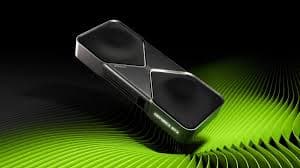
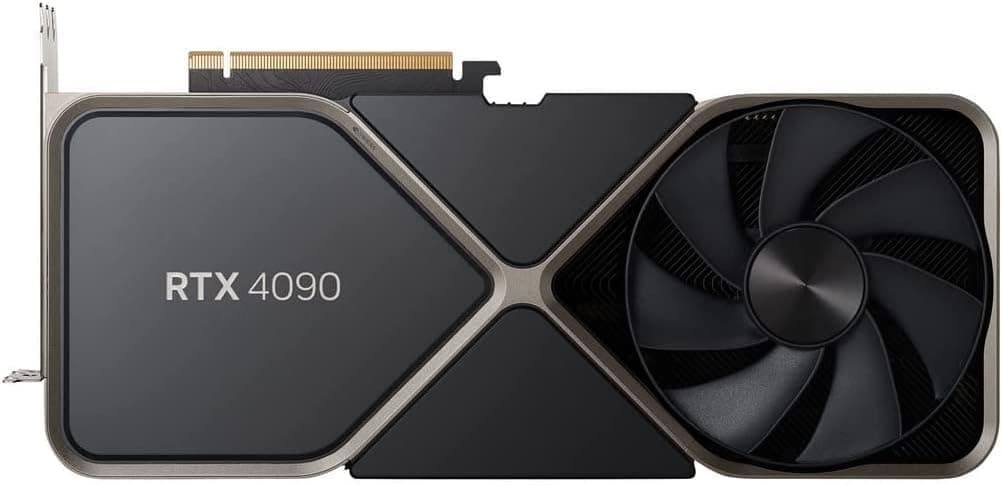
GeForce RTX 4090
avg, 1080p
The short answer
Both cards use the same AD102 die, but they are built for different jobs. The RTX 4090 runs about 17% faster in games, costs roughly a third of the price, and pulls more power doing it. The RTX 6000 Ada trades some clock speed and gaming polish for 48 GB of ECC VRAM, a quiet dual-slot blower cooler, and ISV-certified drivers for CAD and DCC software. If you game, buy the 4090, it is not close. If your workload needs more than 24 GB of protected memory, or your software vendor requires a certified professional card, the RTX 6000 Ada earns its price. Nobody should buy the RTX 6000 Ada to play games.
These two share the same AD102 silicon and the same Ada Lovelace generation, which is exactly why people cross-shop them. One is NVIDIA's flagship gaming card. The other is a professional workstation board with double the memory, ECC protection, and a driver stack built for CAD and content-creation software rather than frame rates. They are not really competitors, they are the same chip aimed at two different buyers.
Scroll down for the AD102 spec breakdown, the 4090's gaming frame rates set against the 6000 Ada's workstation numbers, a check on whether the extra ECC memory and 48 GB pool actually matter for your workload, thermal and noise readings for the blower cooler versus the open-air design, and a bottom-line call on which of these two cards fits a gaming rig versus a CAD or AI workstation.
At a glance
Seven dimensions, two cards. Bigger area is not automatically better, each card owns different corners.
Strengths radar
Each axis scored 0-100 relative to the pair
Performance vs price
Up and to the left is better value
Grey dots are neighbouring cards for context.
Which should you buy?
Pick your use case, the winner changes with what you actually do.
The RTX 4090 is a dedicated gaming chip with more clock headroom, game-tuned drivers, and it costs about a third of the RTX 6000 Ada. There is no gaming case for the workstation card.
48 GB of ECC VRAM fits models, batches and datasets the 4090's 24 GB cannot load, and ECC protects long unattended training runs from silent memory errors.
NVIDIA validates the RTX 6000 Ada against SolidWorks, Revit, Maya and dozens of other professional titles, so certified workflows behave predictably in ways a GeForce driver is not built to guarantee.
A blower cooler, 300 W power limit and rear-exhaust design let several RTX 6000 Adas sit side by side in a workstation tower without cooking each other, something the 4090's open-air 450 W cooler cannot do.
At roughly a third of the price, the 4090 is faster in every game and in most compute workloads that fit inside 24 GB. Dollar for dollar it is not close.
Same generation encoder, same AV1 hardware block, so the far cheaper 4090 does the identical streaming and export job for a fraction of the cost.
Already own an RTX 4090? The RTX 6000 Ada is not an upgrade.
Short answer: probably not
For gaming, or for any compute job that comfortably fits in 24 GB, the RTX 6000 Ada is a sidegrade at best. You would pay roughly $3,700 more for a card that is slower in every game and most single-precision compute benchmarks. The only reason to make that jump is a hard VRAM ceiling: models, scenes or datasets that will not load on 24 GB, or a professional application that requires a certified driver for support and warranty reasons.
If you are VRAM-limited today, the RTX 6000 Ada's 48 GB with ECC is the direct answer. If you just want more speed, look at the RTX 5090 instead, it is newer, faster than both of these cards, and still costs a fraction of the RTX 6000 Ada.
Full specification comparison
Every spec side by side. The highlighted figure wins each row.
| Specification | RTX 6000 Ada | RTX 4090 |
|---|---|---|
| Architecture | ||
| GPU / architecture | AD102 · Ada | AD102 · Ada |
| Process node | TSMC 4N (5 nm) | TSMC 4N (5 nm) |
| Release date | Dec 2022 | Oct 2022 |
| Launch MSRP | $6,800 | $1,599 ▲ |
| Compute | ||
| CUDA cores | 18,176 ▲ | 16,384 |
| RT cores | 142 · 3rd gen ▲ | 128 · 3rd gen |
| Tensor cores | 568 · 4th gen ▲ | 512 · 4th gen |
| Base / boost clock | 915 / 2505 MHz | 2235 / 2520 MHz ▲ |
| L2 cache | 96 MB ▲ | 72 MB |
| Memory | ||
| VRAM | 48 GB GDDR6 (ECC) ▲ | 24 GB GDDR6X |
| Memory bus | 384-bit | 384-bit |
| Bandwidth | 960 GB/s | 1,008 GB/s ▲ |
| Power & form factor | ||
| TDP | 300 W ▲ | 450 W |
| Power connector | 1× 16-pin (12VHPWR) | 1× 16-pin (12VHPWR) |
| Suggested PSU | 650 W ▲ | 850 W |
| PCIe interface | 4.0 ×16 | 4.0 ×16 |
| Features | ||
| Upscaling | DLSS 3 + Frame Gen | DLSS 3 + Frame Gen |
| ECC memory | Yes ▲ | No |
| Display outputs | 4×DP1.4a | 3×DP1.4a · HDMI 2.1 |
Average FPS by game
Switch resolution, metric, ray tracing and upscaling, the bars update live. Hover a bar for the avg / 1% / 0.1% breakdown.
Average FPS · 1080p · Rasterization. Representative data, hover a bar for avg / 1% / 0.1%. Note the RTX 4090's 1% lows fall off at 1440p and up from its 8 GB VRAM.
Smoothness & frametimes
Average FPS hides stutter. This is one run plotted as frametime, a flat line is smooth, spikes are hitches. Watch what the RTX 4090's 8 GB VRAM does in a texture-heavy game.
Frametime: Cyberpunk 2077, 4K Ultra + Ray Tracing
Lower and flatter is better · 16.7 ms = 60 fps
Counterintuitive but real: the slower RTX 6000 Ada delivers a smoother line here because 12 GB holds the texture pool the 8 GB RTX 4090 keeps evicting, those spikes are VRAM stutter, not raw speed.
Lab scores
Clean apples-to-apples tests, useful, but weaker at predicting real games than the FPS above.
Ray tracing & upscaling
Ray tracing tanks both cards at native resolution. What makes it playable is upscaling, and here the RTX 4090 has a real edge.
Is frame generation "real" performance?
Both cards support DLSS 3 Frame Generation because they share the same AD102 die and the same 4th-gen Tensor and Optical Flow hardware. The RTX 4090's Studio and Game Ready drivers expose it the same way the RTX 6000 Ada's driver does, an AI-inserted frame between two real ones that roughly doubles the counter on a high-refresh screen.
In practice almost nobody runs Frame Generation on the RTX 6000 Ada, its workloads are compute and pro-app rendering, not competitive or cinematic gaming. On the RTX 4090 it is genuinely useful, use it for single-player and cinematic titles, skip it for competitive shooters and for base frame rates under about 50 fps, where the added latency starts to feel wrong.
Will your CPU bottleneck these cards?
A faster GPU only helps if your CPU keeps up. Pick your CPU and resolution to see expected FPS and bottleneck for each card.
CPU + GPU pairing check
The willitbottleneck engine, built right into the comparison.
Estimated from a 43-CPU model across 1440p. A weak CPU mostly bites at 1080p; at higher resolutions the GPU becomes the limiter and the bottleneck shrinks.
Thermals & noise
The efficiency gap shows up here: the newer card runs cooler and quieter, day in and day out.
Real draw, efficiency & PSU
TDP is the rated figure; what matters is real gaming draw and how many frames you get per watt.
Both use a single 8-pin connector. If your PSU already ran the RTX 6000 Ada, it will run the RTX 4090 easily. Leave about 30% headroom for spikes.
Will it fit, and what to pair it with?
Size to scale
Card length matters for small cases
What monitor to pair
RTX 6000 Ada: four DisplayPort 1.4a outputs make it well suited to multi-monitor CAD and visualization rigs. RTX 4090: three DP1.4a plus HDMI 2.1 is built around a single high-refresh 4K gaming display. Both comfortably drive 4K at high frame rates when the workload allows it.
Running an older PCIe 3.0 board?
Both run a full PCIe 4.0 ×16 link, so neither is bandwidth-limited on a current motherboard, and both work fine, at 4.0 speeds, in a PCIe 5.0 slot. Interface bandwidth is not a consideration in this comparison.
Price history & dollars-per-frame
Raw price is only half the story. Cost per frame is the number that decides it, and it keeps moving as prices fall.
New price over time
Street price of new cards (USD)
The 48 GB vs 24 GB question
RTX 6000 Ada · 48 GB
- 48 GB fits full-precision LLM inference, large diffusion batches and massive 3D or BIM scenes that will not load on 24 GB.
- ECC memory catches and corrects bit errors, which matters for multi-day training runs and simulations where a silent flip corrupts results.
- Well suited to multi-GPU render farms and virtualized workstation setups where each user needs a large, reliable memory pool.
- None of that extra capacity or ECC protection helps a single game, which rarely uses more than 12 to 16 GB even at 4K.
RTX 4090 · 24 GB
- 24 GB GDDR6X is plenty for every current game at 4K, with headroom for texture mods and high-resolution texture packs.
- Higher raw bandwidth (1,008 GB/s) than the RTX 6000 Ada despite the smaller pool, which is what actually moves the needle in games.
- No ECC, so long unattended AI training or scientific runs carry a small but real risk of an uncorrected memory error.
- 24 GB is a real ceiling for local LLMs and large diffusion workloads that the 48 GB card simply does not hit.
Emulation & memory bandwidth
The narrower bus is a real downgrade for emulation
Both cards are wildly overkill for emulation, RPCS3, Yuzu-style Switch cores and high-resolution scaling barely stress either one. If you had to pick, the RTX 4090's higher memory bandwidth gives it a small edge in bandwidth-heavy emulation at very high internal resolutions, but the difference is not something you would notice in practice. Buy neither of these cards for emulation alone.
Creator, AI & streaming
The newer card is quicker per task, but the older card's extra VRAM unlocks larger jobs it can't fit at all.
Streaming: the AV1 encoder is the differentiator
Both use the identical Ada AV1 hardware encoder, so stream and export quality at a given bitrate are the same on either card. The only real difference is price: the RTX 4090 delivers the same streaming and video-export result for roughly a third of the cost of the RTX 6000 Ada.
Overclocking & undervolting
Neither card has real overclocking headroom in the traditional sense. The RTX 6000 Ada is power-limited by its 300 W cap and professional driver, so there is very little to gain. The RTX 4090 has more room, but most owners get more value from undervolting for lower noise and heat than from chasing a small clock bump.
Pros & cons
RTX 6000 Ada
- 48 GB of ECC VRAM, double the 4090 with error correction
- ISV-certified drivers for CAD, DCC and other professional software
- Quiet, efficient blower cooler built for dense, multi-GPU workstations
- About 17% slower in games and most single-precision compute
- Costs roughly three times as much as the RTX 4090
RTX 4090
- Faster in every game and most compute workloads that fit in 24 GB
- About a third of the price, new or used
- Game Ready drivers with day-one optimization for new releases
- No ECC, a real risk for long unattended training runs
- 24 GB is a genuine ceiling for large AI and pro-visualization workloads
Buying pitfalls
This is not a gaming purchase
The RTX 6000 Ada is priced and engineered for certified professional workloads, not frame rates. If gaming performance per dollar is the goal, this comparison has one answer and it is the RTX 4090. Buying the RTX 6000 Ada for a gaming PC is close to always the wrong call.
Studio drivers, not Game Ready drivers
The RTX 6000 Ada ships on NVIDIA's Studio/RTX Enterprise driver branch, tuned for stability and ISV certification rather than day-one game optimization. Expect slower day-one patches for brand-new game releases compared with the RTX 4090's Game Ready driver cadence.
RTX 6000 Ada vs RTX 4090: your questions answered
Depends what you're optimizing for. On frame rates and price the RTX 4090 wins outright, roughly 17% quicker and about a third of the cost. On memory headroom, ECC protection and certified professional software, the RTX 6000 Ada pulls ahead just as clearly. Neither is 'better' in a vacuum, they're built for different desks.
Default to the RTX 4090 unless one of three things is true for you: your workload needs more than 24 GB of VRAM, you need ECC memory for unattended runs, or your software vendor requires a certified professional card for support. Outside those three cases, the RTX 6000 Ada's extra cost buys you nothing useful.
It holds up well. It still ranks among the fastest gaming GPUs you can buy and chews through 4K ultra settings without much trouble. The RTX 50 series has taken the outright crown, but that doesn't make the 4090 obsolete.
It's the deciding factor. The RTX 6000 Ada's 48 GB of ECC memory loads bigger models and larger batch sizes than the RTX 4090's 24 GB ever will, and ECC guards multi-day training jobs against a silent bit flip corrupting the run. For anything that fits inside 24 GB, the 4090's extra speed and lower cost win out.
Only if the software is on NVIDIA's certification list. For validated titles like SolidWorks, Revit or Maya, the RTX 6000 Ada is the safer pick because NVIDIA tunes drivers against those exact applications. For everyday creator work in Premiere or DaVinci Resolve that stays under 24 GB, the RTX 4090 is faster and dramatically cheaper.
Essentially yes, since both sit on the same AD102 die with matching 3rd-gen RT cores and 4th-gen Tensor cores. Ray tracing and DLSS 3 run identically in feature terms on either card. Clock speed is where they diverge, and the RTX 4090's higher boost clock gives it a small lead in RT-heavy scenes.
The hardware supports it, since it shares the same silicon and Optical Flow accelerator as the RTX 4090. Almost nobody actually enables it there, though, because the 6000 Ada's job is compute and certified professional rendering, not chasing frame counters in games.
At 1080p and 1440p, yes, a mid-tier CPU can cap both of these GPUs before they hit their ceiling. Run the pairing checker above; a high-end Ryzen 7/9 or Core i7/i9 is what it takes to keep either card fed at 1440p and beyond.
The RTX 4090, by a wide margin, drawing 440 W in real gaming loads against the RTX 6000 Ada's 285 W, and running louder and hotter under sustained use because it's tuned to chase peak performance rather than the 6000 Ada's quieter, power-capped blower setup.
A solid 650 W unit is enough for the RTX 6000 Ada. Plan on 850 W for the RTX 4090, more if you're pairing it with a power-hungry CPU. Both use a single 16-pin 12VHPWR connector, so the plug itself isn't the deciding factor.
The RTX 6000 Ada is a compact 267 mm dual-slot card that clears most workstation cases without issue. The RTX 4090 is a much bigger 304 mm triple-slot card, so measure your case before ordering one. Both run a full PCIe 4.0 x16 link, so interface bandwidth never becomes the bottleneck for either card.
No, NVIDIA's mobile workstation range stops at the RTX 5000 Ada Generation, there's no laptop equivalent of the 6000 Ada. Laptop RTX 4090 chips do exist, but they're a smaller, less powerful part than the desktop card in this comparison.
Yes, without strain. Both push through 4K ultra settings in modern games, and the RTX 4090 keeps its usual roughly 17% lead over the RTX 6000 Ada at that resolution too.
A used RTX 4090 near $1,550 is the best value in this whole comparison for gaming or general use. A used RTX 6000 Ada is only worth chasing if you specifically need its VRAM and ECC, and even then, look for one with remaining warranty or a seller you trust.
No. The RTX 4090 rides NVIDIA's Game Ready branch, which ships fast around new game launches. The RTX 6000 Ada runs on the Studio/RTX Enterprise branch instead, prioritizing stability and ISV certification over being first with day-one game patches.
Basically never. Despite sharing a die with the RTX 4090, it's slower in games, costs roughly three times as much, and gives a gamer nothing worth having. The only reasons to buy it are the VRAM, the ECC protection, or a professional certification requirement, none of which a gaming rig needs.