
RX 7600 vs RTX 3060
The complete head-to-head: full specs, real per-game FPS with 1% lows, ray tracing, a live CPU-bottleneck check, thermals, power and value, with a straight verdict.
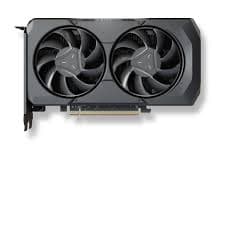
Radeon RX 7600
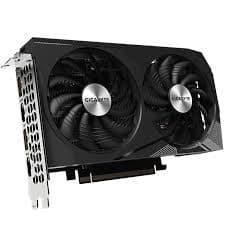
GeForce RTX 3060
avg, 1080p
The short answer
This is a genuine trade-off, not a blowout. The RX 7600 is about 7% faster in raw raster, runs a touch cooler, and has a hardware AV1 encoder the RTX 3060 lacks entirely. The RTX 3060 answers back with 12 GB of VRAM on a wider bus versus the 7600's 8 GB, plus stronger ray tracing hardware and NVIDIA's more mature DLSS upscaler. If you stream or record, the AV1 encoder alone can decide it. If you play at 1440p, do any local AI work, or want ray tracing to actually be usable, the extra memory on the 3060 matters more than the raster win.
These two sit within about $40 of each other at retail and get cross-shopped constantly: AMD's newest mid-range raster chip against NVIDIA's aging but still-relevant 12 GB workhorse. The RX 7600 is the newer architecture, and it shows in efficiency and raw fps-per-dollar. The RTX 3060 is two years older, but NVIDIA over-built it on memory from day one, and that decision is still paying off for buyers today.
What follows breaks down where that extra 4 GB of RTX 3060 memory actually earns its keep against the RX 7600's AV1 encoder and lower price, game by game, with a CPU pairing check, thermals, power draw, price trends, and a clear pick for your use case.
At a glance
Seven dimensions, two cards. Bigger area is not automatically better, each card owns different corners.
Strengths radar
Each axis scored 0-100 relative to the pair
Performance vs price
Up and to the left is better value
Grey dots are neighbouring cards for context.
Which should you buy?
Pick your use case, the winner changes with what you actually do.
Faster on average, cooler, and cheaper new. The straightforward pick for pure 1080p raster gaming.
12 GB and a 192-bit bus hold up better once textures and resolution climb past what the 7600's 8 GB is comfortable with.
More VRAM and mature Tensor core / CUDA support make the 3060 the better local AI card by a clear margin.
The 7600 has a hardware AV1 encoder; the 3060's Ampere silicon predates NVIDIA's AV1 support entirely.
Ampere's RT cores are meaningfully stronger per-unit than RDNA 3's ray accelerators, and DLSS makes RT more usable than FSR does here.
The 3060's wider 192-bit bus and larger 12 GB buffer outperform the 7600's Infinity-Cache-assisted 128-bit setup in demanding cores.
Already own a 3060 or a 7600? Neither is worth sidegrading into the other.
Short answer: probably not
A 7% raster swing in either direction isn't worth the money or the hassle if you already own one of these, especially since you'd be trading away either VRAM capacity or an AV1 encoder depending on which way you go. Keep what you have.
When it's time for a real upgrade, an RX 7700 XT or RTX 4070 is a genuine 40-60% jump over either card and brings the full modern feature set with it. If you specifically want AV1 and more VRAM together, the RTX 4060 Ti 16GB is worth a look too.
Full specification comparison
Every spec side by side. The highlighted figure wins each row.
| Specification | RX 7600 | RTX 3060 |
|---|---|---|
| Architecture | ||
| GPU / architecture | Navi 33 · RDNA 3 | GA106 · Ampere |
| Process node | TSMC 6 nm ▲ | Samsung 8 nm |
| Release date | May 25, 2023 | Feb 25, 2021 |
| Launch MSRP | $269 ▲ | $329 |
| Compute | ||
| Stream / CUDA cores | 2,048 stream processors | 3,584 CUDA cores |
| RT accelerators / cores | 32 · 2nd gen RDNA RT | 28 · 2nd gen Ampere RT ▲ |
| AI accelerators / Tensor cores | 64 AI accelerators | 112 · 3rd gen Tensor ▲ |
| Base / game clock | 1720 / 2655 MHz ▲ | 1320 / 1777 MHz |
| L2 / Infinity Cache | 2 MB L2 + 32 MB Infinity Cache ▲ | 3 MB L2 |
| Memory | ||
| VRAM | 8 GB GDDR6 | 12 GB GDDR6 ▲ |
| Memory bus | 128-bit | 192-bit ▲ |
| Bandwidth | 288 GB/s (+ Infinity Cache) | 360 GB/s ▲ |
| Power & form factor | ||
| TDP | 165 W ▲ | 170 W |
| Power connector | 1× 8-pin | 1× 8-pin |
| Suggested PSU | 550 W | 550 W |
| PCIe interface | 4.0 ×8 | 4.0 ×16 ▲ |
| Features | ||
| Upscaling | FSR 3 + Fluid Motion Frames | DLSS 2 / Super Resolution |
| AV1 encode | Yes ▲ | No |
| Display outputs | HDMI 2.1 · 2×DP2.1 | 3×DP1.4a · HDMI 2.1 |
Average FPS by game
Switch resolution, metric, ray tracing and upscaling, the bars update live. Hover a bar for the avg / 1% / 0.1% breakdown.
Average FPS · 1080p · Rasterization. Representative data, hover a bar for avg / 1% / 0.1%. Note the RTX 3060's 1% lows fall off at 1440p and up from its 8 GB VRAM.
Smoothness & frametimes
Average FPS hides stutter. This is one run plotted as frametime, a flat line is smooth, spikes are hitches. Watch what the RTX 3060's 8 GB VRAM does in a texture-heavy game.
Frametime: Hogwarts Legacy, 1440p Ultra
Lower and flatter is better · 16.7 ms = 60 fps
Counterintuitive but real: the slower RX 7600 delivers a smoother line here because 12 GB holds the texture pool the 8 GB RTX 3060 keeps evicting, those spikes are VRAM stutter, not raw speed.
Lab scores
Clean apples-to-apples tests, useful, but weaker at predicting real games than the FPS above.
Ray tracing & upscaling
Ray tracing tanks both cards at native resolution. What makes it playable is upscaling, and here the RTX 3060 has a real edge.
Is frame generation "real" performance?
The RX 7600 supports FSR 3's Fluid Motion Frames, AMD's frame generation tech, and unlike DLSS 3 it isn't locked to a specific GPU generation, so it works well here. The RTX 3060 cannot use DLSS 3 Frame Generation at all, that feature requires Ada Lovelace's Optical Flow Accelerator, which Ampere doesn't have. The 3060 can technically run FSR 3 Frame Generation too, since it's an open standard, but AMD's own driver-level Fluid Motion Frames implementation is more polished on its own hardware.
Either way, treat frame generation as a nice-to-have for single-player games with a base frame rate above roughly 50 fps, not a fix for a game that's already struggling. Turn it off for anything competitive.
Will your CPU bottleneck these cards?
A faster GPU only helps if your CPU keeps up. Pick your CPU and resolution to see expected FPS and bottleneck for each card.
CPU + GPU pairing check
The willitbottleneck engine, built right into the comparison.
Estimated from a 43-CPU model across 1440p. A weak CPU mostly bites at 1080p; at higher resolutions the GPU becomes the limiter and the bottleneck shrinks.
Thermals & noise
The efficiency gap shows up here: the newer card runs cooler and quieter, day in and day out.
Real draw, efficiency & PSU
TDP is the rated figure; what matters is real gaming draw and how many frames you get per watt.
Both use a single 8-pin connector. If your PSU already ran the RX 7600, it will run the RTX 3060 easily. Leave about 30% headroom for spikes.
Will it fit, and what to pair it with?
Size to scale
Card length matters for small cases
What monitor to pair
RX 7600: best at 1080p 144 Hz and up, or light 1440p with FSR. RTX 3060: 1080p at 100-144 Hz, or 1440p at 60-90 Hz, where its extra VRAM helps it hold up a bit better than the raster numbers alone suggest. Neither is a 4K card.
Running an older PCIe 3.0 board?
The RX 7600 runs only PCIe 4.0 ×8. On an older PCIe 3.0 board that drops to 3.0 ×8 and costs roughly 3-5% in most games, real but rarely a dealbreaker. The RTX 3060 runs a full PCIe 4.0 ×16 link and is unaffected either way.
Price history & dollars-per-frame
Raw price is only half the story. Cost per frame is the number that decides it, and it keeps moving as prices fall.
New price over time
Street price of new cards (USD)
The 8 GB vs 12 GB question
RX 7600 · 8 GB
- 32 MB of Infinity Cache absorbs a lot of memory traffic, so the narrow 128-bit bus is less of a bottleneck than the raw number suggests.
- 8 GB is enough for the large majority of 1080p titles this card is actually built for.
- At 1440p with texture packs turned up, 8 GB runs out before the RTX 3060's 12 GB does.
- Local AI and large creative workloads hit the memory ceiling fast.
RTX 3060 · 12 GB
- 12 GB on a 192-bit bus is unusually generous for this price tier, and it's the reason this card refuses to feel dated.
- It's the better choice for 1440p, texture-heavy AAA, emulation, and local AI where capacity matters more than raw speed.
- The GPU core is a full generation older and slower, so the extra memory doesn't close the raster gap.
- No AV1 encode and no DLSS 3 Frame Generation limit its ceiling in Ada-favoring workflows.
Emulation & memory bandwidth
The narrower bus is a real downgrade for emulation
The RTX 3060's wider 192-bit bus and larger 12 GB buffer handle demanding, high-resolution Switch and PS3 emulation better than the RX 7600's 128-bit, Infinity-Cache-assisted setup. If emulation is a primary use case, the 3060's extra memory headroom is the more reliable choice.
Creator, AI & streaming
The newer card is quicker per task, but the older card's extra VRAM unlocks larger jobs it can't fit at all.
Streaming: the AV1 encoder is the differentiator
The RX 7600 has a hardware AV1 encoder built in; the RTX 3060 predates NVIDIA's AV1 support and is stuck on H.264 and HEVC. AV1 delivers noticeably cleaner quality at the same bitrate on YouTube and Discord, and faster exports in AV1-aware editors. For anyone who streams or records regularly, that alone can decide it in the 7600's favor.
Overclocking & undervolting
Neither card has much overclocking headroom left. The RTX 3060 responds a little better to undervolting than the RX 7600, both are already running close to their efficiency sweet spot out of the box.
Pros & cons
RX 7600
- About 7% faster on average at 1080p
- Hardware AV1 encoder for streaming
- Cooler, quieter, and cheaper new
- Only 8 GB on a 128-bit bus versus 12 GB / 192-bit
- Weaker ray tracing than Ampere's RT cores
- FSR image quality generally trails DLSS
RTX 3060
- 12 GB VRAM on a wider 192-bit bus
- Stronger ray tracing hardware and mature DLSS upscaling
- Better for 1440p, emulation, and local AI
- About 7% slower on average
- No AV1 encoder, no DLSS 3 Frame Generation
- Runs a bit hotter and louder
Buying pitfalls
AV1 encode only goes one way here
The RX 7600 has a hardware AV1 encoder, the RTX 3060 does not, Ampere predates NVIDIA's AV1 support entirely. It's easy to overlook this in a raw-fps comparison, but if you stream or record regularly, it's one of the biggest practical differences between these two cards.
Which RTX 3060 are you buying?
There are two: the common 12 GB card on a 192-bit bus, and a later 8 GB version on a narrower 128-bit bus that's up to about 17% slower, it's a cut memory bus, not just less capacity. Everything on this page refers to the 12 GB card. Confirm the box or spec sheet says 12 GB / 192-bit before you buy.
RX 7600 vs RTX 3060: your questions answered
Depends what you're optimizing for. The 7600 posts about 7% higher average fps, runs a touch cooler, and includes an AV1 encoder the 3060 simply doesn't have. The 3060 counters with 50% more VRAM on a wider bus, stronger ray tracing hardware, and DLSS, advantages that grow once you push past 1080p.
Grab the 7600 if you're locked to 1080p, want the newer architecture, or need AV1 for streaming. Grab the 3060 if 1440p, usable ray tracing, or local AI work is on your list, the extra memory headroom pays off there.
It's still worth it. That 12 GB buffer keeps the 3060 relevant for 1440p and modern texture packs well past what its now-older Ampere core would suggest on raster numbers alone.
No. A 7% swing in either direction doesn't cover the cost or hassle of the trade, and you'd be giving up either VRAM capacity or the AV1 encoder depending on which way you moved. Save the money for an RX 7700 XT or RTX 4070 instead.
No, the VRAM wins here. Local AI and larger models lean on memory capacity, and NVIDIA's CUDA and Tensor core ecosystem is well ahead of AMD's ROCm stack for cards in this class, so the 3060 pulls ahead despite trailing in raw fps.
For streaming, yes, the 7600's hardware AV1 encoder is the deciding factor. For heavy editing timelines, the 3060's extra VRAM can matter more than which encoder you're using.
Both have dedicated RT hardware, but Ampere's RT cores in the 3060 are meaningfully stronger per-unit than RDNA 3's ray accelerators in the 7600. Either card needs an upscaler running to stay smooth with RT on.
The 3060 supports DLSS 2 upscaling only, no frame generation, that needs newer Ada hardware it doesn't have. The 7600 supports FSR 3 including Frame Generation, an open standard not tied to a specific GPU generation.
A little. It inserts AI frames, which adds a touch of latency, so it's best kept for single-player games running above roughly 50 base fps and switched off for anything competitive.
Usually it's the CPU holding back these two, not the other way around, especially at 1080p. Run the pairing checker on this page, a Ryzen 5 5600 or Core i5-12400F or better keeps both fed reasonably well at 1440p.
They're close, 165 W for the 7600 against 170 W for the 3060. The 7600 comes in a few degrees cooler and a couple dBA quieter under load, but neither one is loud or hot by current standards.
A quality 550 W unit handles either card without issue, and both run on a single 8-pin power connector.
Most RX 7600 cards run 200-220 mm and most RTX 3060 cards run around 242 mm, so check your case's clearance either way. On a PCIe 3.0 board the 7600 loses about 3-5%, while the 3060 is unaffected since it runs a full x16 link.
No, for either one. Both mobile variants are lower-power, different chips than their desktop namesakes, so never line up laptop benchmark numbers against the desktop figures on this page.
Not for modern AAA titles at real settings. Treat 4K as an occasional, upscaler-assisted bonus on either card rather than the resolution you're buying for.
Both are still sold new close to today's street prices, so used only trims a modest amount off, new gets you the warranty. RDNA 3 and Ampere both have years of driver updates ahead of them, neither is an end-of-life concern for a 2026 buy.